
Apple iPhone Duo Foldable Smartphone: Practical Review of App Experiences and Functionality
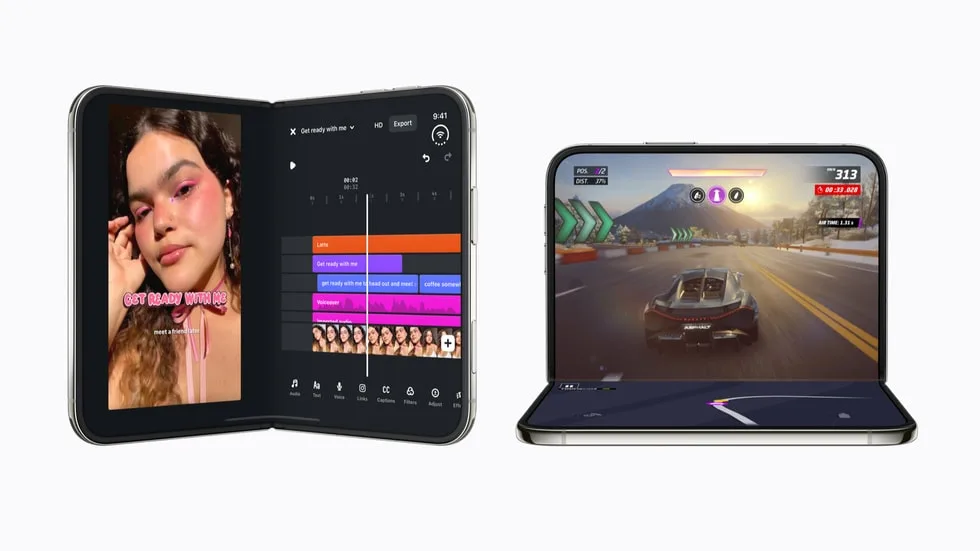
Image: Official product photography / Apple · Source
The Apple iPhone Duo introduces a foldable design with dual displays and A20 Pro performance, enabling smooth app transitions, multitasking, gaming, and creative workflows for a versatile on-the-go experience.
Physical Design and Display Characteristics
The Apple iPhone Duo marks Apple's first foldable smartphone, featuring dual displays with the same aspect ratio. The inner display is notably 50 percent larger than that of the iPhone 18 Pro Max, utilizing nano-texture technology to support high-quality visuals. The outer display enables quick interactions, while the foldable form factor allows the device to be used in various poses, including fully open, closed, and partially folded positions. The fold creates a physical separation but apps designed for the Duo adapt their layouts accordingly.
The device is available in two colors, star white and night sky, and supports storage options from 256GB up to 2TB. The iPhone Duo is powered by Apple's A20 Pro chip and integrates a custom vapor chamber for efficient thermal management, enabling up to 35 percent better sustained performance than previous flagship models.
Controls, Ports, and Variants
The available documentation emphasizes the unique foldable display and performance but does not detail physical controls or port configurations. iPhone Duo is offered in multiple storage capacities and colors but no mention of distinct hardware variants beyond these is made.
User Interface and Operating Experience
The iPhone Duo runs iOS 27.1 SDK, which incorporates new and updated APIs to support foldable screen interactions. Apps and system UI components automatically adapt to the device's poses, shifting controls to reachable areas, adjusting column layouts on the larger inner display, and positioning interface elements to avoid the underlying hinge when partially folded.
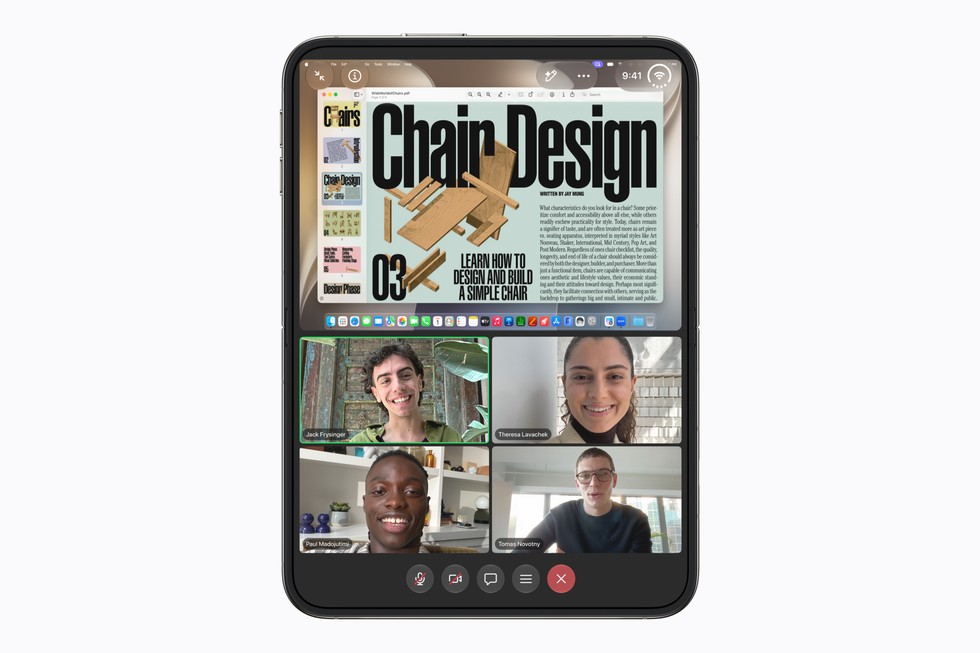
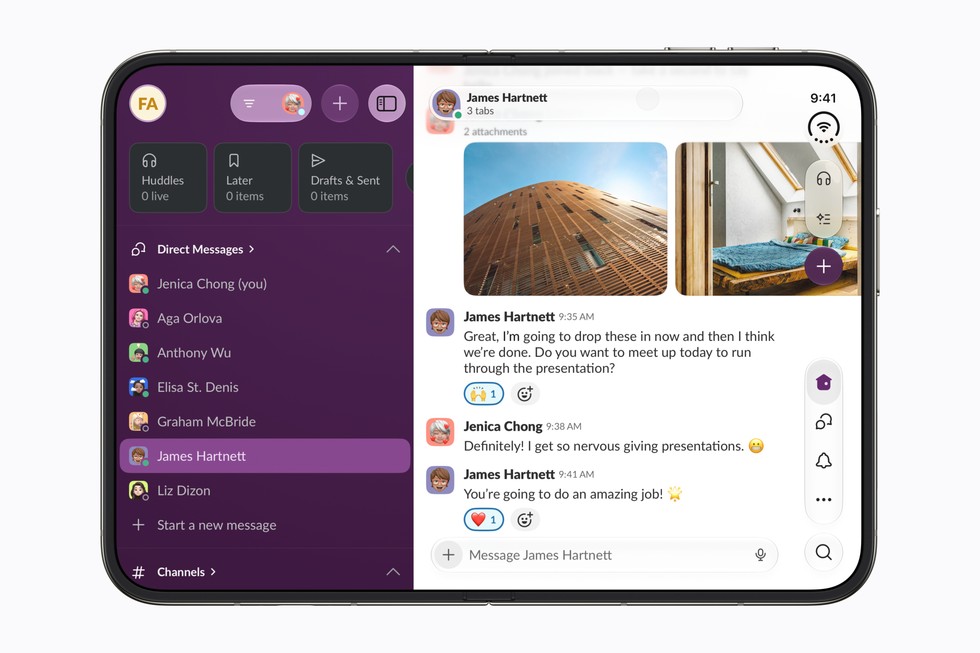
One flagship capability is Split View, which for the first time allows users to open two apps side-by-side on an iPhone. This multitasking feature benefits from the expansive inner screen and is supported by various productivity apps like Microsoft Word, Outlook, Zoom, Slack, and Salesforce, delivering desktop-class experiences in a pocket-sized device. The device also supports smooth and proportional scaling when transitioning apps between the outer and inner displays, maintaining user context without disruption.
Entertainment Usage
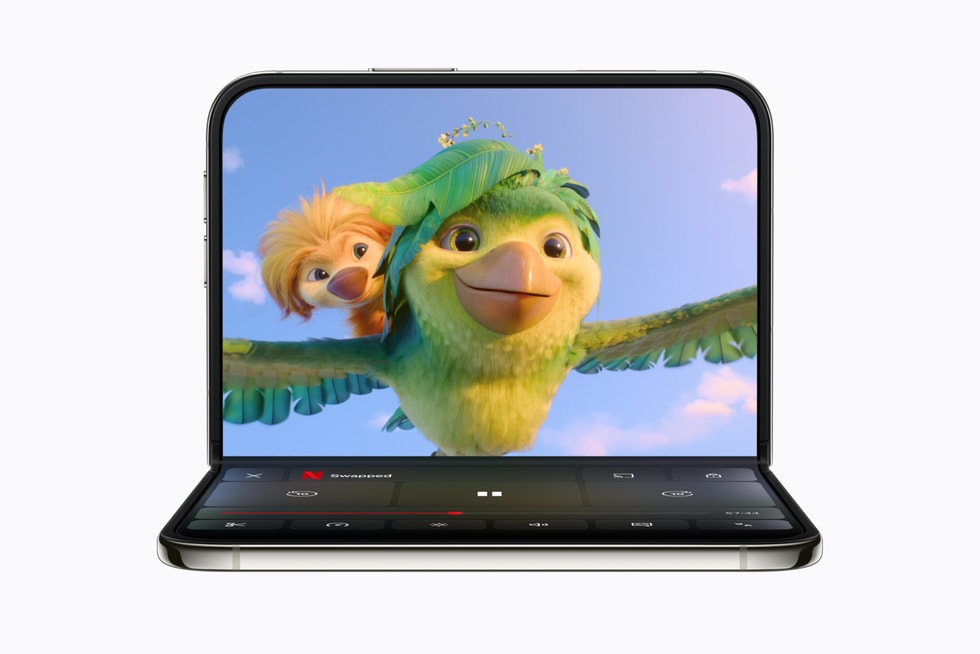
With the larger folding display, the iPhone Duo transforms entertainment consumption by enabling a big-screen experience within a pocketable design. Video streaming apps like Netflix, Prime Video, Paramount+, and Apple TV optimize content display for the foldable format. For instance, Netflix enables users to browse short clips on the outer display and then seamlessly continue viewing on the large inner display with orientation changes.
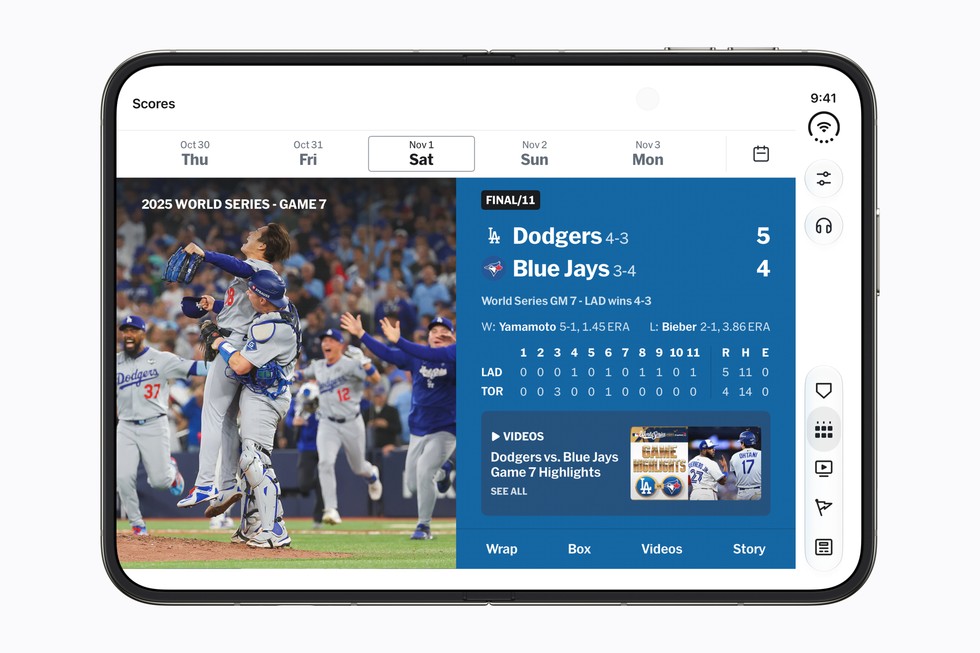
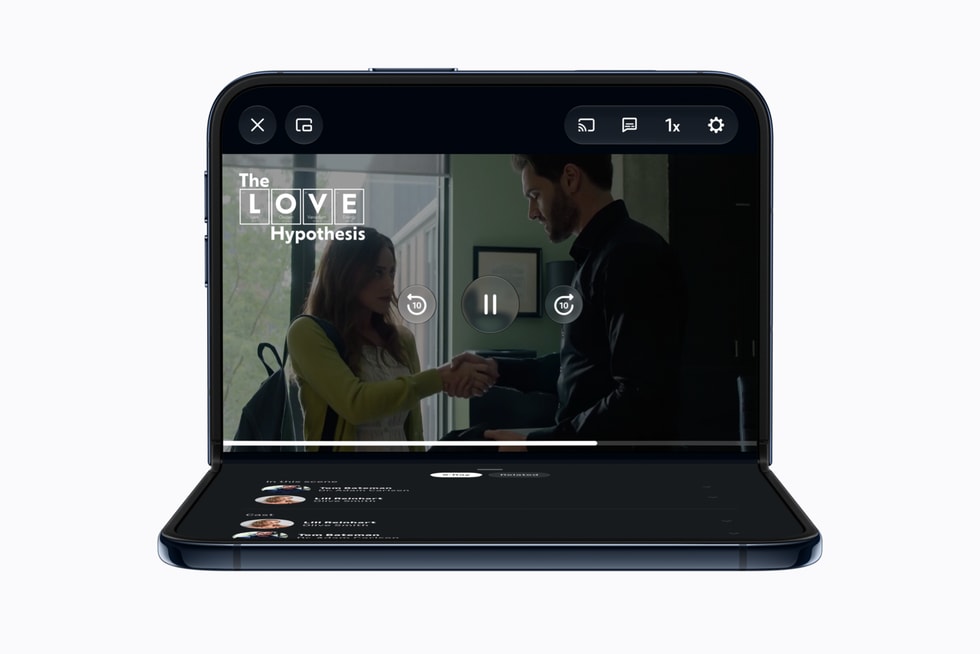
Prime Video supports a partially folded mode where content plays on the upper half, and additional information such as cast and behind-the-scenes details display on the lower half. Sports-focused apps including MLB and PGA Tour utilize the form factor to display video and real-time statistics side by side, enabling immersive and informational viewing simultaneously.
Productivity and Multitasking
The iPhone Duo's foldable display and Split View capability open new productivity workflows. Microsoft Word and Outlook bring comprehensive formatting tools and messaging interfaces side by side, increasing on-the-go document editing and communication effectiveness.
Zoom leverages the inner display to create immersive video conferencing environments with enhanced visibility of participants and shared content. Slack, Salesforce, Fantastical, Notewise, Things, and Bear optimize task management, calendar views, communication, and AI-assisted note-taking to suit the expanded screen real estate and multitasking potential.
Creativity and Content Creation
Creative applications are embracing the foldable design by offering interface layouts that improve editing workflows. For example, Detail uses Apple’s Core AI framework to perform on-device AI model computations, facilitating fast and private podcast, interview, and video editing processes with side-by-side transcript and video views.
Instagram's creative studio suite, VLLO video editing tools, and other similar apps expand on the larger display to present more content and controls concurrently, streamlining content creation. The foldable design enables novel capture and review scenarios.
Gaming Performance and Experience
Driven by the A20 Pro and vapor chamber for thermal management, the iPhone Duo supports extended, high-performance gaming sessions. Titles like Asphalt Legends deliver console-quality experiences with detailed graphics and lighting across the large inner display. Games such as Zenless Zone Zero and the upcoming UnGodly adjust controls and viewing angles dynamically based on the device's folded position, optimizing gameplay.
Apple Arcade also leverages the foldable format, with games like Sneaky Sasquatch and Retrocade offering immersive experiences when opened and quick-play sessions when closed. Independent developers have implemented creative uses of the fold, such as Deck-Man simulating a cassette player that operates uniquely across open and closed states.
Lifestyle and Everyday Use Applications
The partial folding ability of the iPhone Duo facilitates hands-free usage scenarios. Cooking apps like NYT Cooking display detailed recipes with rich visuals when propped on a counter. Shopping and delivery apps including LTK, Lowe's, Shop, OpenTable, DoorDash, and Yelp harness the larger display to present content and controls side by side, improving browsing and ordering efficiency.
Travel and navigation apps such as Lyft, American Airlines, United Airlines, and Flighty use the foldable design to offer expanded route maps, boarding passes, terminal maps, and flight-tracking modes suited for different device orientations.
Specialized interest apps like Sky Guide for stargazing, Tide Guide for weather and tides, edjing Mix for DJ use, and Next Shot for golf course exploration also adapt their interfaces to the foldable form factor.
Regional and Localized Application Support
Developers from diverse global regions are tailoring popular local apps to exploit the iPhone Duo's unique hardware. In China, apps like iQIYI, WPS Office, Xmind, Weibo, AMap, rednote, and Taobao adapt layout, playback controls, and content density for folding. Korean apps including WEBTOON, NAVER SERIES, KakaoTalk, KakaoPage, and BAND optimize for multi-chat management and immersive reading.
European apps Airmail, Craft, and Tiimo enhance productivity and task management. Latin American applications Tripsy, SmartGym, and Moises deploy the foldable display to boost travel planning, workout tracking, and music practice.
Development and Software Support
Apple has provided comprehensive developer support for the iPhone Duo, including online and in-person workshops globally, a range of technical guides, and developer forums. The availability of new APIs allows for nuanced UI adaptations responsive to folding angles, reserved regions around the hinge, and multi-screen content splits.
Scene accessory and camera APIs enable novel use cases such as teleprompter functionality on the outer display and under-display camera selfies. The Xcode 27.1 Device Hub permits simulation of various folded states to facilitate thorough app testing.
The App Store features editorial collections highlighting iPhone Duo-optimized apps, marked with a "Made for iPhone Duo" badge for user identification. App updates will continue rolling out to leverage the hardware's capabilities.
Deployment and Practical Use Cases
### Example Workflow 1: Multitasking Professional
User: Mobile business professional needing document editing and communication.
Prerequisites: Pre-installed Microsoft Word, Outlook, Slack; access to stable internet.
Steps: Unlock iPhone Duo, open inner display fully, activate Split View; open Word and Outlook side by side. Edit document in Word while referencing emails in Outlook. Use Slack in slides or switch as needed.
Success: Smooth multitasking, fast app switching, efficient use of expanded screen; app controls avoid hinge interference.
Limitations: Verify network reliability; ensure apps are updated and optimized for iPhone Duo.
### Example Workflow 2: Entertainment Viewer
User: Casual consumer streaming video content.
Prerequisites: Netflix app installed and updated.
Steps: Use outer display to browse Clips vertically; open iPhone Duo to transition to horizontal viewing on large inner display; watch chosen content uninterrupted with smooth scaling.
Success: Continuous playback across displays, seamless orientation adjustments.
Limitations: Network speed affects streaming quality; some older content might lack format optimization.
### Example Workflow 3: Creative Podcaster
User: Content creator producing podcasts with video and transcripts.
Prerequisites: Detail app installed; AI processing enabled on device.
Steps: Record or import video; use Detail to view video alongside transcript; apply edits using AI tools for captions and filler word removal.
Success: Efficient on-device editing with privacy, side-by-side content for ease of use.
Limitations: AI processing demands device resources; complex models may have processing time variance.
### Example Workflow 4: Sports Fan Watching Live Game
User: Baseball enthusiast following live MLB game.
Prerequisites: MLB app installed, updated; access to live game broadcast.
Steps: Place iPhone Duo partially folded on table; view live broadcast on top half; observe real-time stats and leaderboard on bottom half.
Success: Access to simultaneous video and statistics without switching views.
Limitations: Physical placement needed; app must support partial folding mode.
Backups, Updates, and Security
Though detailed backup procedures are not specifically described, users can employ Apple's existing iCloud+ storage plans for cloud backup of photos, videos, files, and app data. AppleCare+ and AppleCare One plans provide accident and loss protection. Security architecture principles remain consistent with Apple standards; no unsupported AI-driven security enhancements are documented.
Compatibility and Limitations
The iPhone Duo is compatible with apps adopting the iOS 27.1 SDK and updated APIs. Non-optimized apps run but may not utilize foldable features or handle transitions smoothly. Developers require access to Apple's new tools and simulators for optimal adaptations.
Network requirements vary according to app services used; verify with specific app documentation. Device pricing and leasing options are available, but user budgets may vary accordingly.
Conclusion
The Apple iPhone Duo introduces a new foldable smartphone category for Apple, emphasizing a significantly larger inner display, flexible usage modes, and robust performance via the A20 Pro chipset. The software ecosystem—including productivity, entertainment, creative, and specialized apps—is evolving rapidly to leverage the device's unique hardware features. New multitasking capabilities, app continuity across displays, and innovative UI adjustments enrich the user experience.
Potential users include professionals requiring mobile multitasking, content creators benefiting from on-device AI, gamers seeking immersive gameplay, and consumers desiring an enhanced entertainment platform. The device's design and software ecosystem present a significant advancement in iPhone hardware, although practical deployment depends on application optimization, user workflows, and environmental factors like network connectivity.
This review is based exclusively on Apple’s official product announcement and related documentation provided as of October 2026. No hands-on experience or third-party assessments are included.
Sources and original reporting
Read the original source ↗
Comments (0)
No comments yet. Start the discussion.
Write a comment
Comments are published after moderation. Your name and comment will be visible publicly. Account