
Samsung Galaxy Tab S12 Series: A Comprehensive Review of Design, Performance, and Productivity Features
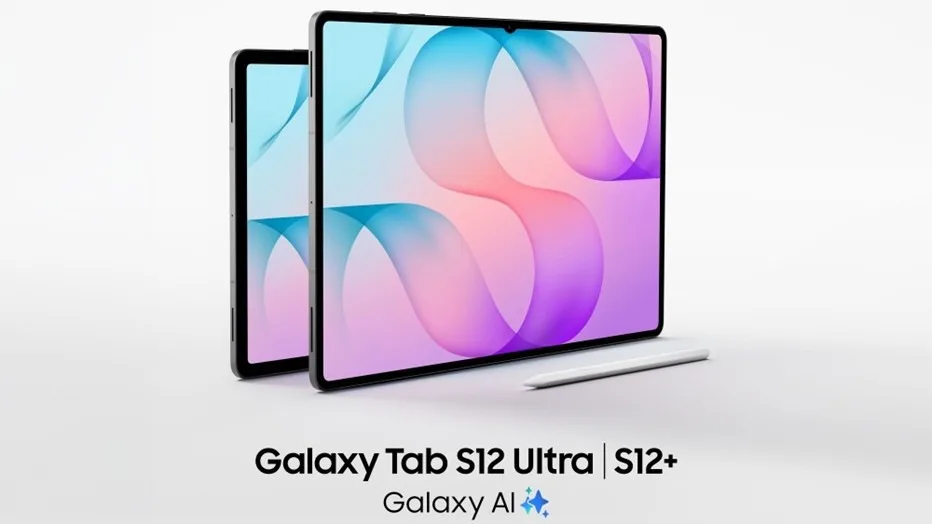
Image: Official product photography / Samsung Newsroom · Source
The Samsung Galaxy Tab S12 series combines slim design, powerful hardware, and integrated AI to deliver versatile productivity and creative tools for various user needs, with robust battery life, expansive displays, and professional app support.
Physical Design and Variants
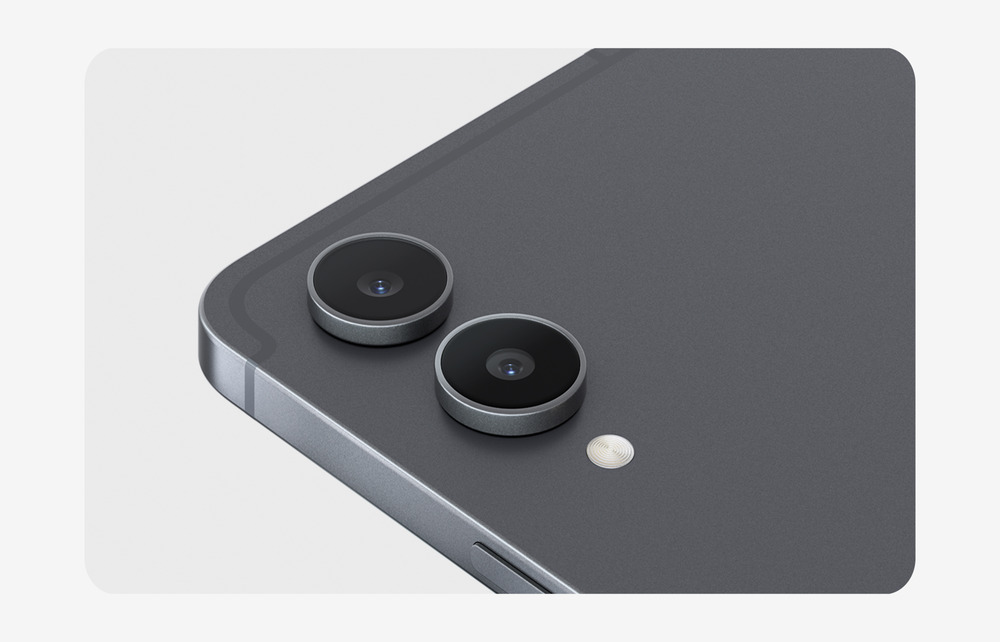
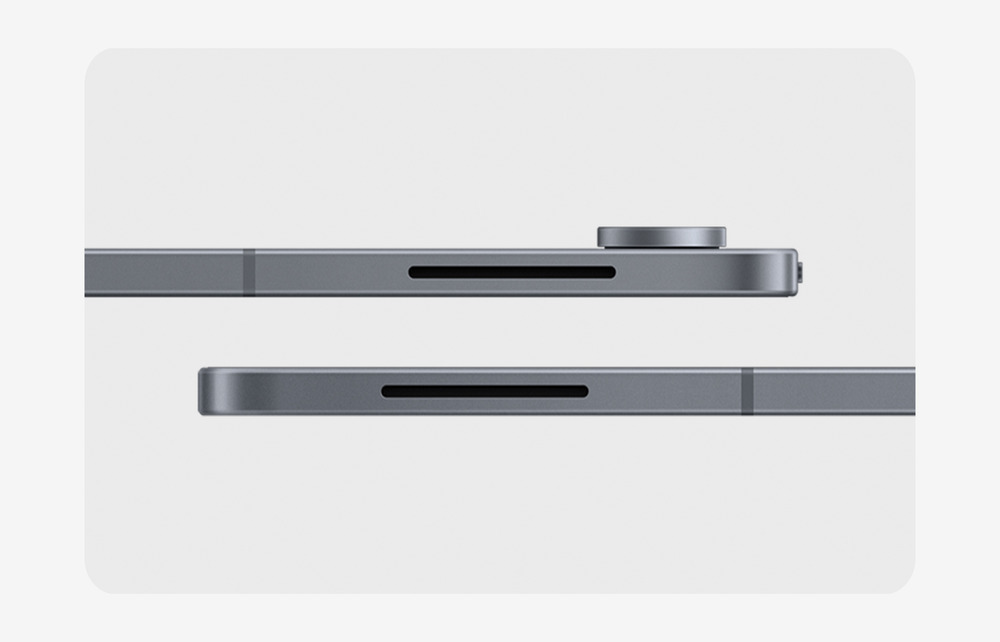
Samsung’s Galaxy Tab S12 series introduces two primary models: the Galaxy Tab S12 Ultra and the Galaxy Tab S12+. The Ultra model boasts an exceptionally slim profile at 5.1mm, marking it as Samsung’s thinnest tablet to date. Both devices deliver a durable build quality reinforced with water and dust resistance rated at IP68, promoting resilience for everyday usage and travel. The series is offered in two color options: Gray and Silver, aiming to appeal to a professional aesthetic.
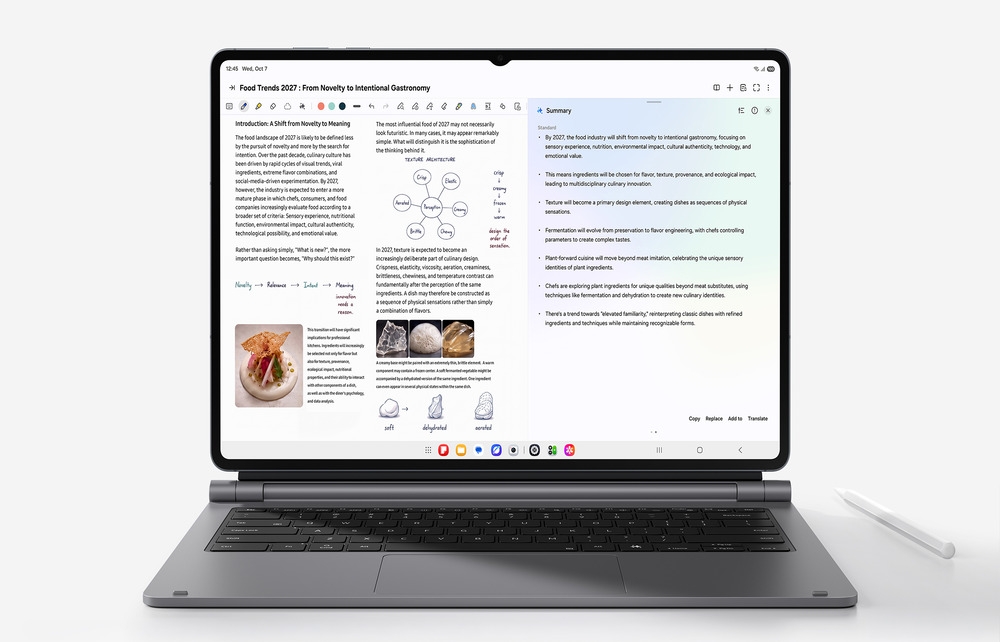
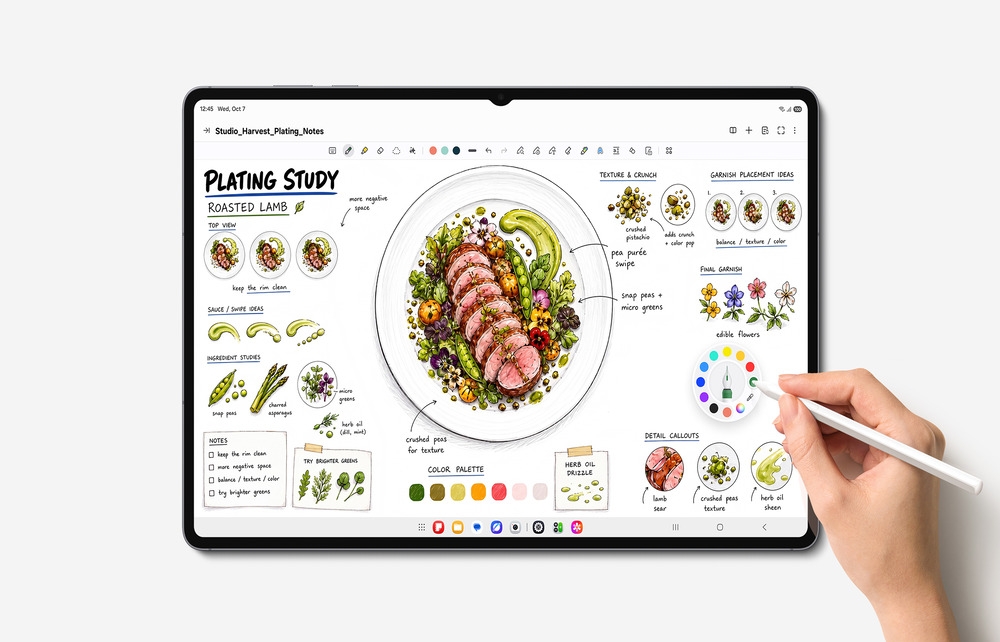
The inclusion of an ergonomically designed S Pen comes bundled with each device, enhancing input precision for note-taking and creative work. The series supports premium accessories such as the Pro Keyboard with an aluminum finish and a Galaxy AI key, alongside a Book Cover Keyboard Slim for flexible usage and comfortable viewing angles.
Display and Audio Capabilities
The Tab S12 Ultra is equipped with a 14.6-inch Dynamic AMOLED 2X display, whereas the Tab S12+ features a 12.6-inch screen with slimmer bezels relative to its predecessor. Both displays offer peak brightness up to 1600 nits, aided by an upgraded Vision Booster feature that dynamically adjusts screen brightness based on ambient lighting conditions to maintain visual comfort indoors and outdoors.
Audio output is significantly enhanced through 4-channel spatial audio, doubling the channels from the previous generation and providing a richer, more immersive sound experience beneficial for media consumption and content creation alike.
Performance and Thermal Management
Powered by a cutting-edge 3nm processor, the Galaxy Tab S12 series delivers substantial computational improvements: up to 61% faster Neural Processing Unit (NPU) performance, 19% faster CPU speed, and 17% improved GPU capabilities compared to the previous Tab S11 Ultra. These enhancements facilitate smoother multitasking, quicker task execution, and efficient handling of demanding applications such as video editing or gaming.
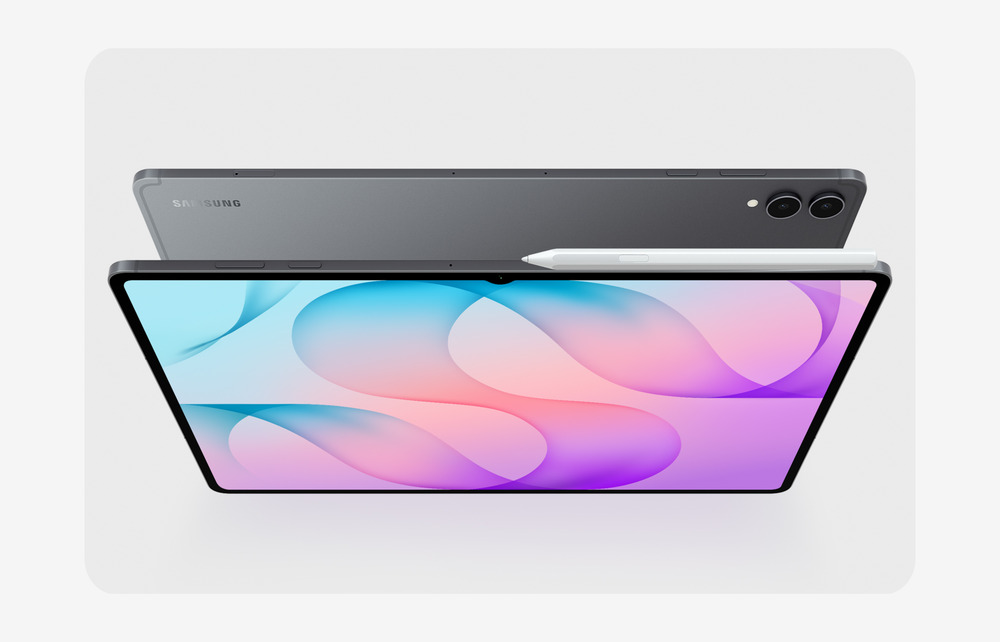
A newly designed 3D Vapor Chamber improves thermal dissipation, enabling the tablets to maintain peak performance during extensive intensive use without thermal throttling. This engineering focuses on reliability and sustained responsiveness.
Battery Life and Charging
Battery endurance is designed to support long usage periods, with the Tab S12 Ultra rated for up to 23 hours and the Tab S12+ for up to 21 hours on a single charge. For recharging, the series supports fast charging with a 45W adapter, enabling a full power restoration from zero to 100% in approximately 95 minutes, aimed at minimizing downtime during busy schedules.
Software Interface and Galaxy AI Integration
Operating on Android 17 with Samsung’s One UI 9, the Tab S12 series integrates the latest Galaxy AI, enhancing productivity through multitasking and content management. The interface supports a Multi Window mode allowing up to three applications simultaneously, facilitating workflows such as concurrent note-taking, video lectures, and AI assistance queries.
Samsung Notes benefits from AI-driven features like Note Assist, which can summarize notes in real time. The ergonomic S Pen complements this interaction by allowing direct annotation and drawing.
Integrated AI tools include a six-month trial of Google AI Pro featuring access to Google’s Gemini AI models. Users can perform advanced research assistance, content summarization, and interactive learning activities within the Gemini Notebook environment, which amalgamates notes, recordings, and files into a structured workspace.
Additionally, Samsung Browser incorporates contextual content summarization and history tracking to streamline information retrieval.
Professional-Grade Applications and Ecosystem
The Galaxy Tab S12 series acts as a platform for professional and creative work by pre-loading apps such as Adobe Photoshop—optimized for tablet use and incorporating AI-powered features like Generative Fill and converting images to video. Included are subscriptions or trial access to apps like Notability, Goodnotes, LumaFusion, Notion, and Clip Studio Paint, providing a broad spectrum of tools tailored for education, note-taking, video editing, planning, and digital art.
Supplementary applications support specialized activities such as MyScript Math for handwritten equation solving and ArcSite for converting sketches into CAD drawings, broadening the tablet’s utility in technical and educational contexts.
Connectivity and Expansion
While explicit details about ports and connectivity options are not specified in the source, users should verify supported network features and peripheral compatibility through official documentation to ensure integration with existing workflows and setups.
Security, Maintenance, and Software Updates
Samsung commits to up to seven major OS upgrades and security updates for the Tab S12 series, aiming for sustained device security and software relevancy over multiple years. Samsung Care+ service options provide coverage against accidental damage, extended warranties, and expert support services accessible through One UI 9's Warranty and Care menu.
Example Workflows and Use-Case Scenarios
### Example Workflow 1: Remote Student Managing Coursework
A graduate student balancing part-time employment and online courses uses the Tab S12 Ultra to watch live lecture streams, take detailed notes with the S Pen in Samsung Notes, and query the Gemini AI assistant for clarifications simultaneously utilizing the Multi Window mode. The tablet's long battery life supports extended study sessions without frequent recharging. Successful deployment requires stable internet connectivity and configured Google AI Pro access. User should monitor thermal conditions during prolonged use.
### Example Workflow 2: Creative Professional Editing Visual Content
A graphic designer employs the Tab S12+ with pre-installed Adobe Photoshop and Clip Studio Paint for on-the-go image editing and digital drawing. Utilizing the 12.6-inch AMOLED display and precise S Pen input, the user performs retouching supported by AI generative features. The integrated 3D Vapor Chamber ensures sustained performance while rendering high-resolution files. Users need to ensure subscription activations and storage management to maintain smooth operation.
### Example Workflow 3: Field Engineer Digitizing Site Sketches
An engineer uses ArcSite and Noteshelf 3 on the Tab S12 Ultra to convert hand-drawn field sketches into CAD files while annotating measurements. The tablet's IP68 rating provides durability on-site. For this professional environment, users should verify accessory compatibility and secure cloud backups to prevent data loss. The Fast Charging feature minimizes operational interruptions.
### Example Workflow 4: Content Creator Producing Educational Material
A content creator leverages LumaFusion’s video editing capabilities on the Tab S12+ to produce tutorial videos, simultaneously using the Galaxy Browser’s summary functions to research and script content. The Spatial Audio and high-brightness display aid in quality monitoring of multimedia output. Prior preparations include subscription setup and workflow customization to maximize efficiency.
Limitations and Considerations
While the Tab S12 series delivers state-of-the-art performance, potential users should assess accessory compatibility and software subscription requirements, as well as ambient conditions to maximize performance and battery life. The absence of detailed port specifications in the source documentation necessitates consulting official materials for connectivity needs. The reliance on Android and One UI 9 could restrict certain desktop-class application functionalities.
Target Market and Suitability
This series targets professionals, students, creatives, and knowledge workers seeking a portable yet powerful device with integrated AI assistance and versatile input options. Users requiring robust multimedia capabilities alongside extensive app ecosystems will benefit. However, absolute performance demanding desktop replacement workflows may require verification against specific task benchmarks.
Conclusion
The Samsung Galaxy Tab S12 series impresses with its thin, durable design, advanced displays, enhanced audio, and processor improvements, all integrated with a suite of AI-enhanced software tools and professional apps. Its balanced focus on productivity, creativity, and mobility, along with the extensive software support and long-term update promise, positions it as a compelling option for demanding users requiring both power and flexibility.
This review is based solely on the officially published product information from Samsung Newsroom and does not include hands-on testing or independent performance validation.
Read the original source ↗
Comments (0)
No comments yet. Start the discussion.
Write a comment
Comments are published after moderation. Your name and comment will be visible publicly. Account