
TP-Link Deco BE65 Mesh WiFi 7 System: Comprehensive Multi-Gigabit Home Networking
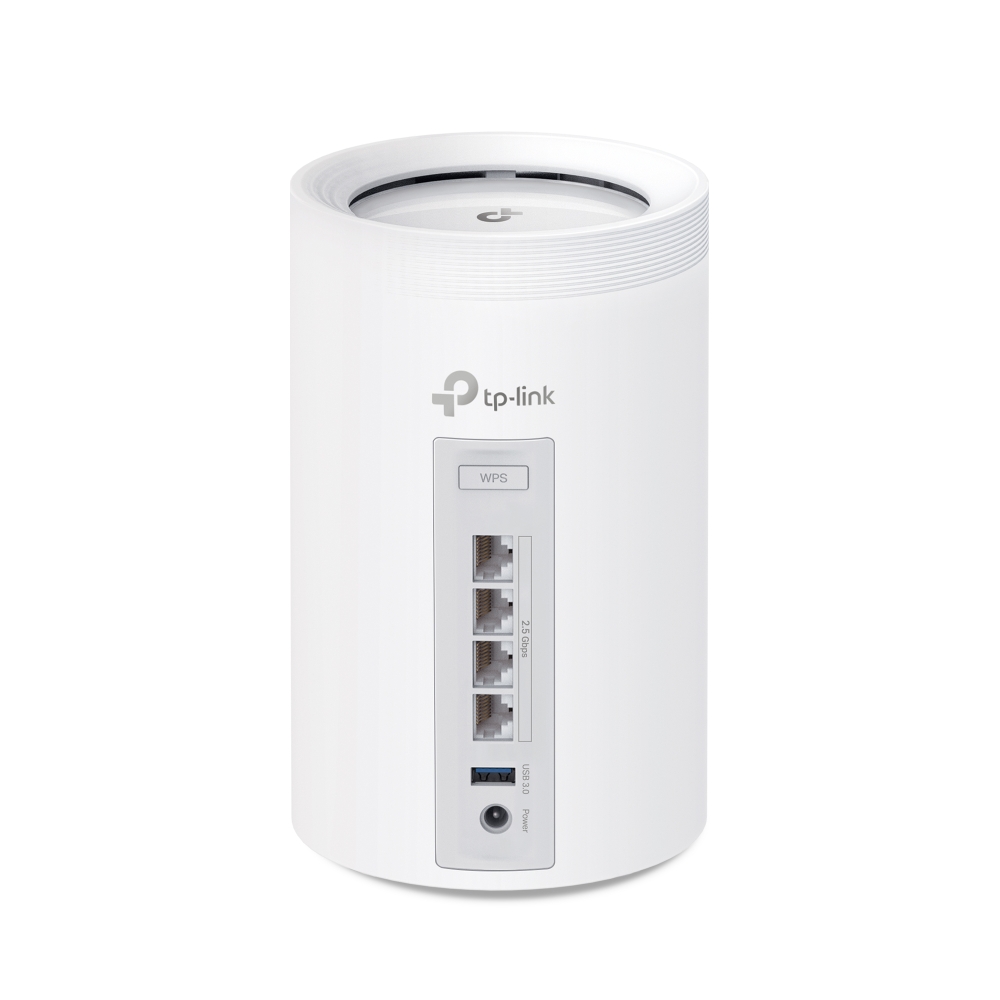
Image: TP-Link · Source
The TP-Link Deco BE65 is a tri-band WiFi 7 mesh system offering up to 9.2 Gbps wireless speeds and multi-gigabit wired connections. Featuring combined wired and wireless backhaul with Multi-Link Operation, extensive security via HomeShield, and seamless AI-driven roaming, it aims to deliver robust whole-home coverage and high device capacity.
Introduction to TP-Link Deco BE65
The TP-Link Deco BE65 represents TP-Link's introduction to whole-home mesh WiFi 7 systems. It targets users demanding cutting-edge wireless performance, extensive device connectivity, and broad coverage suitable for large or multilevel residences. The Deco BE65 integrates the latest IEEE 802.11be (WiFi 7) specifications to deliver multi-gigabit wireless and wired performance, enhanced security frameworks, and intelligent network management.
WiFi 7 Technology and Performance Enhancements
The Deco BE65 utilizes tri-band technology across 2.4 GHz, 5 GHz, and 6 GHz bands, supporting maximum wireless speeds of approximately 688 Mbps, 2882 Mbps, and 5765 Mbps, respectively. This performance is underpinned by innovations such as 4K-QAM (higher modulation scheme) and 320 MHz channel bandwidth on the 6 GHz band, effectively doubling the channel capacity compared to WiFi 6's 160 MHz maximum channels.
The exclusively greenfield 6 GHz spectrum provides abundant congestion-free bandwidth, facilitating high-speed, low-latency connections. Importantly, the Deco BE65 supports Multi-Link Operation (MLO), a WiFi 7 feature that allows simultaneous use of multiple frequency bands and channels for sending and receiving data. This aggregation reduces latency and enhances throughput stability, particularly beneficial when connected devices support these capabilities.
Network Capacity and Coverage
Engineered to handle modern smart home demands, the Deco BE65 can support connections for over 200 devices concurrently. Its architecture is well suited to environments populated with smartphones, computers, smart TVs, gaming consoles, and a multitude of IoT devices.
Coverage is enhanced both by TP-Link's AI-Driven Mesh technology and the built-in high-performance internal antennas. The AI-driven mesh dynamically optimizes signal pathways, eliminates dead zones, and adapts to environmental conditions to maintain optimal WiFi performance across large or complex home layouts.
Combined Wired and Wireless Backhaul with Multi-Link Operation
A distinguishing feature of the Deco BE65 is its ability to utilize both wired and wireless backhaul concurrently. Each unit is equipped with four 2.5 Gbps Ethernet ports capable of auto-sensing to function as WAN or LAN ports. This multi-gigabit wired connectivity complements the wireless backhaul, permitting a simultaneous dual-path data transmission.
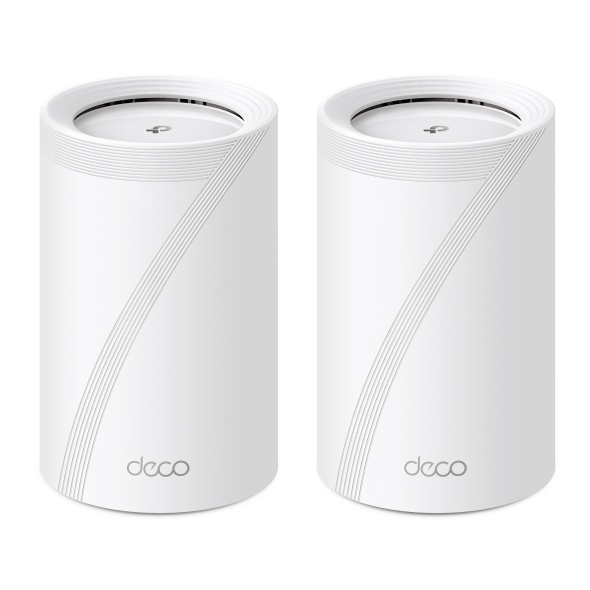
This combination leverages MLO technology to aggregate the backhaul capacity, enhancing overall network throughput and decreasing latency beyond what traditional mesh systems with a single backhaul link can offer. The dual backhaul also offers redundancy, improving network resilience in environments with structural obstacles affecting wireless signals.
Security Framework Including TP-Link HomeShield
Security is a key highlight, delivered through TP-Link’s HomeShield service. It includes network protection features such as malicious website blocking, intrusion prevention systems, and DDoS attack mitigation. HomeShield also provides real-time security monitoring of IoT devices, with alerts for unusual activity.
Robust parental controls enable content filtering based on age, YouTube restrictions, SafeSearch enforcement, and user-defined online time limits, all accessible via the Deco app. VPN client and server support (OpenVPN, PPTP, L2TP/IPSec) offer flexible secure remote access options. Users can isolate IoT devices on private guest networks enhanced by WPA3 encryption to improve security further.
Seamless AI-Driven Mesh and Roaming Experience
The Deco BE65 mesh nodes broadcast a unified network name (SSID) to simplify user connectivity. Seamless roaming is facilitated by support for IEEE 802.11k/v/r protocols and TP-Link’s proprietary AI algorithms. These enable client devices to switch instantaneously—typically under 0.3 seconds—to the strongest Deco node as users move through the coverage area without interrupting ongoing sessions.
The adaptive path selection intelligently routes client traffic through optimal nodes and frequency bands, maintaining high throughput and reliable connectivity throughout the home.
Setup and Compatibility
The Deco BE65 emphasizes simplicity and compatibility. It supports all WiFi generations backward to ensure broader device support and works with any ISP or modem without vendor lock-in.
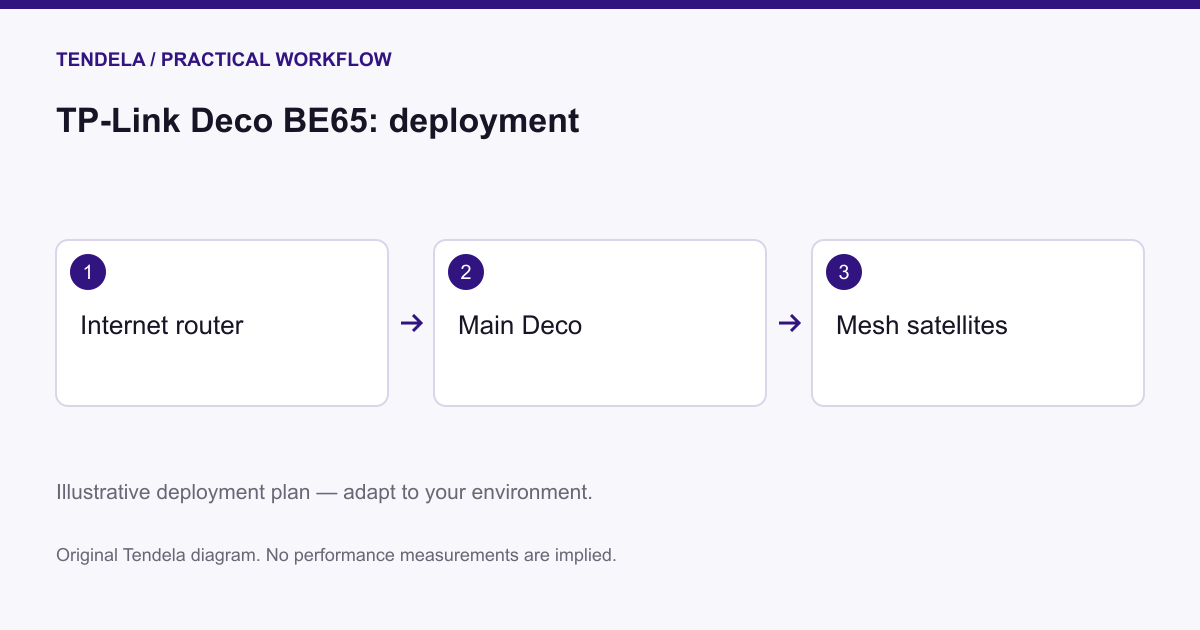
Initial setup is streamlined through the Deco mobile app for iOS and Android. The app guides users in connecting the primary Deco unit to a modem, adding further units to expand coverage, and configuring settings including parental controls, guest access, and device prioritization. Remote management capabilities allow users to control the network from anywhere.
Example Workflow 1: Large Home with High Device Density
- User: A family in a 4600 sq. ft., two-story residence with numerous connected devices - Prerequisites: Broadband internet service, home modem, smartphone with Deco app - Steps: 1. Connect one Deco BE65 to the modem using Ethernet. 2. Deploy additional Deco units strategically on different floors to maximize coverage. 3. Use the Deco app to add units to the mesh network and configure group profiles. 4. Where possible, connect Decos via Ethernet for wired backhaul. 5. Assign devices to family member profiles, applying appropriate parental and security controls. - Successful Deployment: Consistent, seamless WiFi coverage throughout home supporting over 200 devices, maintaining speeds and stability. - Limitations: Wireless backhaul may be impacted by dense building material causing signal attenuation; Ethernet wiring improves reliability.
Example Workflow 2: Home Office with High Bandwidth and Low Latency Needs
- User: Remote professional requiring robust, low-latency connectivity for video conferencing, VPN, and file transfers - Prerequisites: High-speed internet plan (multi-gigabit recommended), Ethernet cabling within home - Steps: 1. Connect primary Deco BE65 to the broadband modem. 2. Place secondary Deco at the home office connected via Ethernet for optimal backhaul. 3. Enable Multi-Link Operation to leverage simultaneous wired and wireless backhaul. 4. Configure Quality of Service (QoS) in the app to prioritize videoconferencing and VPN traffic. 5. Optionally activate VPN server support within Deco for secure remote connections. - Successful Deployment: Low-latency, high-throughput network delivering stable video conferencing and secure VPN connectivity. - Limitations: Complex QoS and VPN configuration may require intermediate networking knowledge; client devices must support VPN protocols.
Example Workflow 3: Secured Smart Home with IoT Device Isolation
- User: Homeowner with extensive IoT devices such as security cameras, smart locks, and sensors - Prerequisites: IoT devices compatible with WiFi/Bluetooth, requirement for security segmentation - Steps: 1. Position Deco units to ensure full coverage. 2. Create a separate IoT-specific WiFi network using device isolation features. 3. Activate HomeShield’s advanced security functions, including IoT monitoring and threat detection. 4. Apply parental control settings limiting IoT device access where appropriate. 5. Monitor network status and alerts regularly via the Deco app. - Successful Deployment: Securely segmented IoT environment protected from external threats. - Limitations: Full HomeShield Pro features may require subscription; performance depends on IoT device compatibility and network traffic.
Maintenance and Firmware Updates
The Deco BE65 supports easy over-the-air firmware upgrades managed via the Deco app. These updates address security vulnerabilities, add features, and improve network stability. Users should maintain regular update schedules. While automated backups of settings are not specifically noted, users should consult documentation for backup options.
Compatibility and Practical Limitations
The Deco BE65 is backward compatible with prior WiFi standards but requires WiFi 7-capable client devices to fully exploit features like MLO and 320 MHz channels. Additionally, regional regulatory constraints may limit channel widths on 5 GHz and 6 GHz bands. Physical obstructions and ISP bandwidth also affect real-world throughput.
Security Boundaries and Encryption
The system implements modern WPA3-Personal encryption with fallback to WPA2 to maximize device compatibility. HomeShield provides network-level defense, but users remain responsible for endpoint security measures such as antivirus software on client devices.
Intended User Profile
The Deco BE65 fits advanced residential users who demand multi-gigabit wireless and wired performance, seamless whole-home coverage for dense device setups, and integrated security management. It caters well to large homes, demanding home offices, and smart homes with numerous IoT devices. It is less suited for smaller residences with simpler usage or reliance on legacy WiFi client devices.
Conclusion
TP-Link’s Deco BE65 blends next-generation WiFi 7 technology with a flexible mesh architecture supporting concurrent wired and wireless backhaul via Multi-Link Operation. Its comprehensive feature set—including seamless AI-driven roaming and TP-Link HomeShield security—makes it a strong candidate for users seeking robust, multi-gigabit whole-home networking. Actual benefits depend on environment, client device capabilities, and proper configuration.
---
This review is based exclusively on official TP-Link Deco BE65 documentation available as of mid-2024 and does not include independent hands-on testing or user experience data.
Sources and original reporting
Read the original source ↗
Comments (0)
No comments yet. Start the discussion.
Write a comment
Comments are published after moderation. Your name and comment will be visible publicly. Account