
Apple 14-inch MacBook Pro with M6 Review: Productivity and AI on a Powerful Pro Laptop
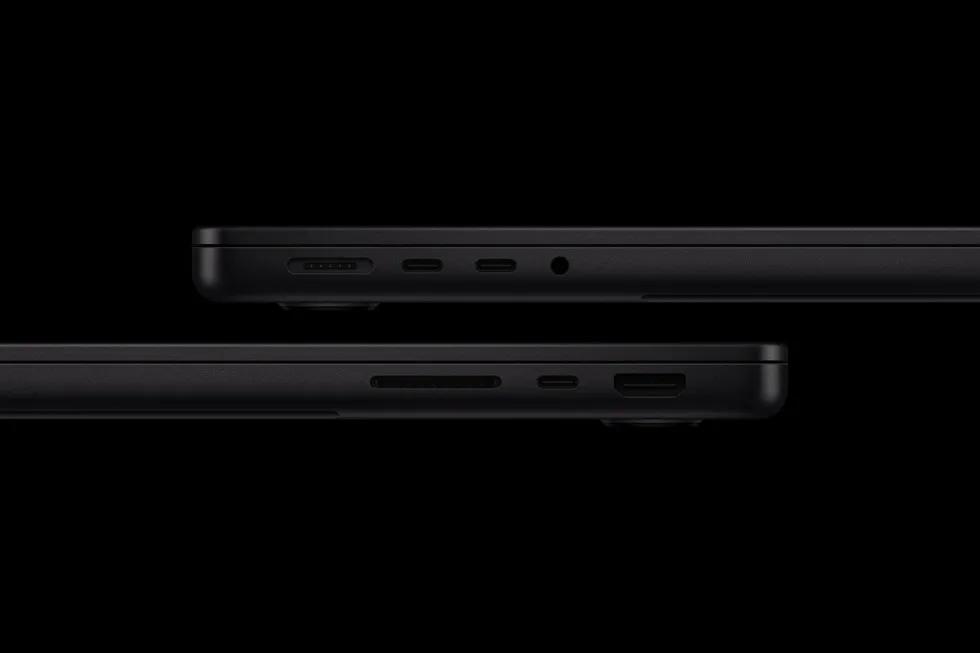
Image: Official product photography / Apple · Source
Apple's 14-inch MacBook Pro with the M6 chip offers enhanced CPU and GPU performance, advanced AI features, a vibrant Liquid Retina XDR display, wide connectivity, and up to 24 hours of battery life, making it suitable for demanding workflows and creative professionals.
Physical Design and Appearance
The new 14-inch MacBook Pro with M6 maintains the established form factor recognized in previous 14-inch MacBook Pros but introduces new finishes in space black and silver. The enclosure utilizes 100 percent recycled aluminum, underscoring durability while aligning with Apple's environmental goals. An anodization seal in the space black option helps resist fingerprints, improving the appearance during regular use. The device retains a compact and professional design palette aimed at users requiring portability alongside performance.
Controls, Ports, and Device Variants
This MacBook Pro model offers a versatile array of ports catering to professional workflows. Included are three Thunderbolt 4 ports, an HDMI connector, a MagSafe 3 power port, an SDXC card slot, and a headphone jack. These ports facilitate connectivity for high-speed peripherals, external displays—supporting up to two external monitors—and media transfer essential to creators and business users alike. While the base configuration ships with 16GB of unified memory, upgrades to 32GB are available, along with increased memory bandwidth up to 170GB/s. Storage options and other customizable technical specifications can be configured via Apple’s official channels.
Interface and Everyday Functionality
Running macOS 27 Golden Gate, the 14-inch MacBook Pro integrates Siri AI and enhanced Apple Intelligence features across apps and system functions. Siri AI in macOS 27 offers a conversational and contextual assistant capable of utilizing personal data securely on-device to aid in tasks such as searching across messages, emails, photos, and performing cross-application actions. This iteration of Siri AI can be invoked via a dedicated keyboard shortcut and supports interaction with on-screen content through Visual Intelligence. The enhanced Apple Intelligence refines applications like Safari, which now features tab organization and website-change notifications, and Shortcuts, where users can create automations via descriptive prompts. These functionalities emphasize productivity improvements, particularly for users invested in Apple’s ecosystem.
Performance: M6 Chip Capabilities
The M6 System on Chip (SoC) marks a significant leap in computational capabilities. It features a 12-core CPU, which includes the world’s fastest CPU core as claimed by Apple, along with a 12-core GPU equipped with Neural Accelerators in each core. Complementing these is a Dual 16-core Neural Engine for advanced AI processing. Compared to the preceding M5 chip, the M6 displays up to 30 percent faster graphics performance and up to 25 percent faster AI workload handling. Gains are more pronounced against the M1 generation, with up to 11 times faster graphics and 13 times faster AI. The chip employs third-generation ray-tracing and Dynamic Caching to optimize memory utilization.
Display and Multimedia Capabilities
The MacBook Pro retains its Liquid Retina XDR display with a nano-texture option that reduces glare and reflections for use in bright or challenging environments. Peak HDR brightness reaches up to 1600 nits with a 1,000,000:1 contrast ratio, delivering vibrant and detailed visual output. Multimedia is further enhanced by a 12MP Center Stage camera featuring Desk View to keep subjects well-framed during video calls. Audio is supported by a six-speaker sound system with Spatial Audio and a studio-quality three-microphone array, facilitating immersive experiences and professional communications.

Connectivity and Battery Life
Integrating Wi-Fi 7 and Bluetooth 6, this MacBook Pro model offers improved wireless throughput and reduced latency—valuable for high-bandwidth tasks and peripheral connectivity. The battery provides up to 24 hours of use, representing a substantial increase over previous Intel-based and Apple silicon models. Fast charging is supported with compatible higher-wattage USB-C power adapters, reaching 50 percent charge in approximately 30 minutes. These features support mobile productivity without frequent reliance on power sources.
Security, Privacy, and Environmental Considerations
On-device AI processing via the Neural Engine claims to preserve user privacy by performing intelligent computations locally rather than relying on cloud services. The device's recycled content and supply chain renewable energy commitments align with Apple’s carbon neutrality target by 2030. The MacBook Pro is designed for durability and is repairable within Apple's standards, contributing to sustainability.
Example Workflow: College Student Managing Study and Creativity
Scenario: A college student engages in heavy multitasking involving note-taking, video conferencing, coding projects, and creative work with image editing.
Prerequisites: A macOS 27 account with Apple ID, Wi-Fi 7 network environment, software such as Xcode, Affinity Photo, and video conferencing tools installed.
Steps: The student launches multiple applications simultaneously. They utilize the CPU and GPU to compile code efficiently and manage photo editing tasks accelerated by the 12-core GPU and AI Neural Engine. During video calls, the 12MP Center Stage camera and microphone array support quality communication. Using Siri AI, the student can quickly retrieve relevant files and automate repetitive tasks through Shortcuts.
Checks: Verification includes smooth multitasking without lag, efficient battery consumption during all-day use, and responsiveness of AI-driven features.
Limitations: Software compatibility should be confirmed per application; particularly AI features may require ecosystem integration.
Example Workflow: Business Professional Running Demanding Analytics
Scenario: A business user processes large datasets, runs AI-assisted forecasting models, and presents findings.
Prerequisites: Data analytics software configured to utilize GPU and Neural Engine, macOS 27 environment, and supported external displays connected via Thunderbolt 4.
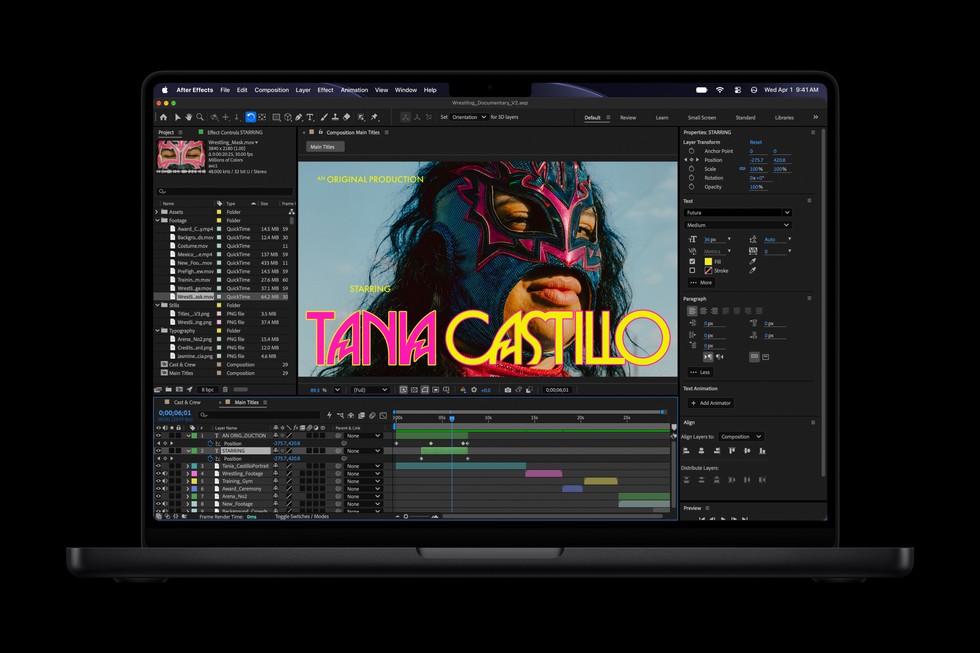
Steps: The user imports datasets and leverages the M6's CPU and GPU acceleration to execute computations and render graphics. They use the multiple ports to connect to high-resolution external monitors for presentations. AI capabilities assist in generating insights via local LLMs, preserving data confidentiality.
Checks: Confirm that processing times meet expected performance improvements over previous models, and verify the stability of connectivity and display output.
Limitations: Requires software optimized for Apple silicon; some enterprise tools may need updates.
Example Workflow: Creator Working With 3D Models and Video Projects
Scenario: A multidisciplinary creator engages in 3D modeling, video editing, and image generation with AI assistance.
Prerequisites: Access to professional creative software compatible with macOS 27, adequate storage and memory configurations.
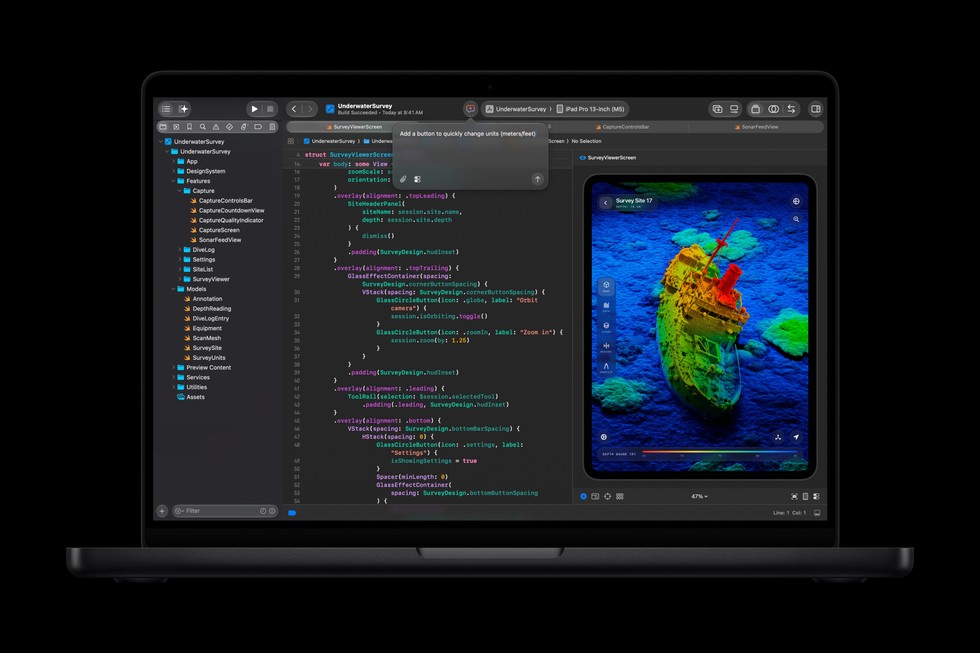
Steps: The MacBook Pro utilizes its third-generation ray tracing engine and GPU cores to render 3D models. Video projects are exported rapidly due to enhanced CPU and I/O performance. The user applies AI-driven upscaling or generation tools powered by the Neural Engine on-device.
Checks: Performance benchmarks include render times and export speeds, alongside evaluations of AI feature responsiveness.
Limitations: Large-scale projects may benefit from higher memory and storage configurations; some AI workloads might still benefit from cloud computing for extensive datasets.
Compatibility, Maintenance, and Security Boundaries
The 14-inch MacBook Pro with M6 is designed to work primarily within the Apple ecosystem, leveraging macOS 27’s features and associated applications. Compatibility with third-party software depends on developer support for Apple silicon. Maintenance follows standard Apple service practices; durability is enhanced by recycled materials. Security benefits center around on-device AI processing reducing cloud dependency, but no extra security guarantees directly associate with the M6 chip memory or architecture claims. Backup solutions conform to Apple’s standard frameworks.
Device Suitability and User Fit
This MacBook Pro iteration fits users requiring a blend of high compute performance, advanced AI features, and long battery life in a portable form. Typical users include college students, business professionals, and creative professionals handling demanding workflows from 3D rendering to code compilation. Users outside of the Apple ecosystem or those requiring non-Apple operating systems may find compatibility restrictive. Similarly, extreme gaming or non-professional uses might not fully leverage the device’s capabilities.
Conclusion
The Apple 14-inch MacBook Pro with M6 pushes the performance and AI capabilities of the previous generation further, offering significant CPU and GPU advancements alongside improved AI processing power through its Neural Engine. Enhanced display quality, versatile connectivity options, and exceptional battery life round out this professional-grade laptop. While optimized for users deeply integrated into the Apple environment, those requiring powerful real-time AI workflows on-device or demanding creative and business applications will find it a compelling option. Users should confirm software compatibility and configuration options to match their specific demands.
This review is based exclusively on the specifications and details provided by Apple and documented facts from the official October 2026 announcement. No empirical testing or user-generated feedback has been incorporated.
Sources and original reporting
Read the original source ↗
Comments (0)
No comments yet. Start the discussion.
Write a comment
Comments are published after moderation. Your name and comment will be visible publicly. Account