
Practical Review of Apple’s 14-inch MacBook Pro with M6: Performance and AI for Professionals
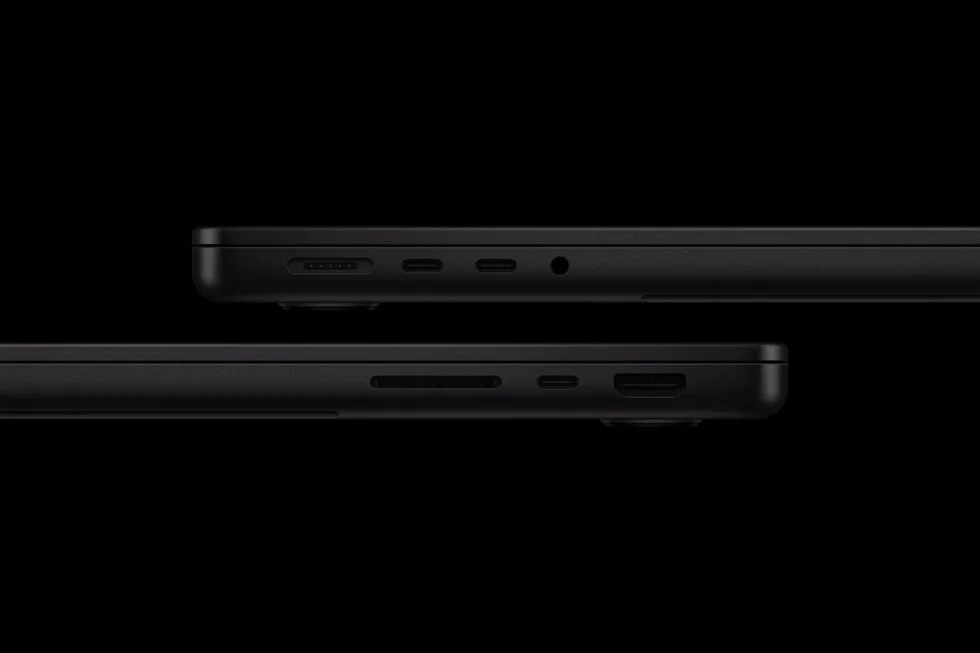
Image: Official product photography / Apple · Source
Apple’s 14-inch MacBook Pro with M6 offers enhanced CPU/GPU performance, robust on-device AI, extensive connectivity, and improved battery life, targeting college students, business professionals, and creators needing high-power workflows in a portable design.
Physical Design and Appearance
The 14-inch MacBook Pro with M6 retains the familiar form factor that users expect from the MacBook Pro line. It is available in two finishes: space black with an anodization seal designed to reduce fingerprints and the classic silver. The enclosure is crafted from 100 percent recycled aluminum, emphasizing durability and sustainability. While Apple has not announced major changes to the chassis dimensions, the device continues Apple's standard of solid build quality suitable for portable professional use.
Controls, Ports, and Variants
The MacBook Pro includes a versatile array of ports. Among these are three Thunderbolt 4 ports, HDMI, MagSafe 3 charging, an SDXC card slot, and a headphone jack. These provide flexibility for connecting external displays, peripherals, and high-speed accessories. The inclusion of an additional Thunderbolt port compared to prior generations increases expansion possibilities.
The laptop supports fast charging, with the ability to reach up to 50 percent battery capacity within 30 minutes when paired with a compatible high-wattage USB-C adapter, such as the 96W Power Adapter. This enables quicker recharge cycles for users on the go.
Core Performance and AI Capabilities
At the heart of the device is Apple’s M6 chip, featuring a 12-core CPU and a 12-core GPU with integrated Neural Accelerators. The CPU includes two more cores than the previous M5 generation, delivering faster single- and multithreaded performance. This improves responsiveness across multitasking, code compilation, and graphics-intensive professional workflows.
The 12-core GPU also includes two additional cores versus M5, contributing up to 30 percent increased graphics performance and enhanced ray tracing capabilities through a third-generation ray-tracing engine and Dynamic Caching technology. On-device AI workloads benefit from a 25 percent performance increase compared to M5, enabled further by a Dual 16-core Neural Engine that provides nearly twice the AI acceleration.
This architecture powers advanced Apple Intelligence features, supporting local execution of large language models (LLMs) with strong privacy safeguards, and improvements to applications like image generation, super-resolution, AI upscaling, and prompt processing.
Unified Memory and Storage
The MacBook Pro comes standard with 16GB of unified memory, configurable up to 32GB, with higher memory bandwidth reaching 170GB/s. This allows for efficient multitasking and handling of demanding applications and large datasets. Fast storage speeds contribute to smoother operation with large project files and data-intensive tasks.
Display and Audio Features
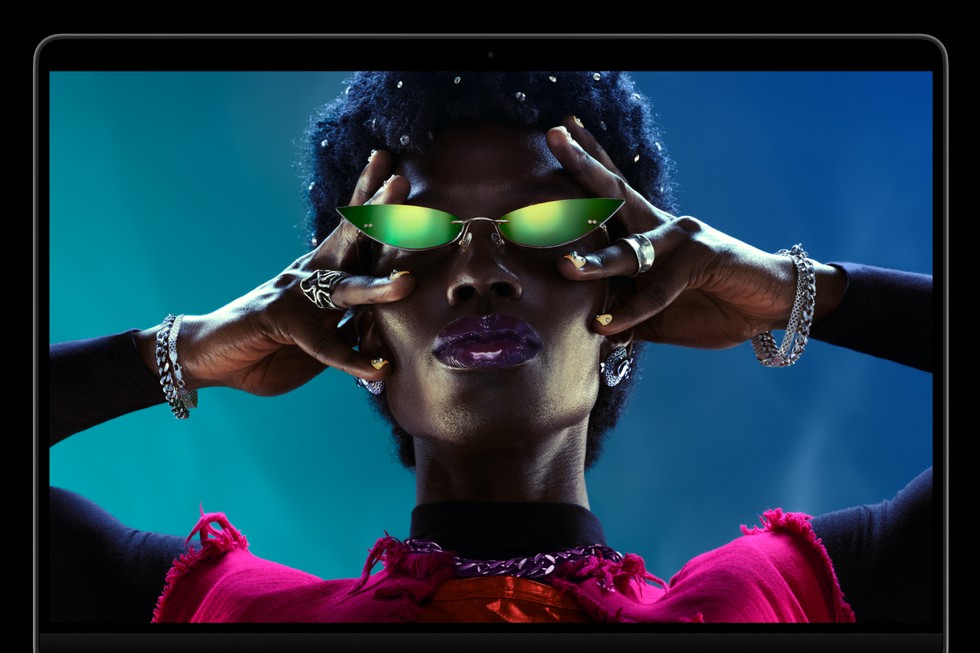
The device features a Liquid Retina XDR display capable of reaching 1600 nits peak brightness and a 1,000,000:1 contrast ratio, suitable for HDR content creation and viewing with vibrant colors and deep blacks. A nano-texture display option is available to reduce reflections and glare for users working in bright or challenging lighting conditions.
Audio is handled by an immersive six-speaker system supporting Spatial Audio, supplemented by a studio-quality three-microphone array. Video conferencing benefits from a 12MP Center Stage camera with Desk View, which keeps users well-framed during calls.
Connectivity and Wireless Features
The MacBook Pro supports the latest Wi-Fi 7 and Bluetooth 6 standards, offering faster wireless throughput and lower latency. It can support up to two external displays natively. The combination of versatile ports and advanced wireless connectivity makes it suitable for diverse setups, including expanded external monitors and peripheral configurations.
Software: macOS 27 Golden Gate and Apple Intelligence
Running macOS 27 Golden Gate, the MacBook Pro integrates Siri AI as an advanced, conversational assistant with personal context awareness while maintaining privacy. Siri AI extends across apps and system interfaces, enabling users to issue queries, interact with on-screen content, and perform text entry with voice commands.
Apple Intelligence enhances applications such as Safari, which can automate organization of tabs and notify users of relevant web changes, Shortcuts for custom automation creation via natural language description, and the Photos app’s intelligent editing tools.
The system also includes a Liquid Glass interface update, enabling users to personalize the visual experience with adjustable transparency and sharper app icons.
Environmental Sustainability
The product contributes to Apple’s objective of carbon neutrality by 2030. It uses 45 percent recycled content overall, including 100 percent recycled aluminum in the enclosure, recycled cobalt in the battery, and recycled tantalum in its capacitors. It is manufactured using 60 percent renewable energy across the supply chain. Packaging is fully fiber-based and recyclable.
Example Workflow 1: College Student Conducting Research and Multimedia Projects
User: A graduate student requiring a machine for multitasking research applications, coding data analysis scripts, and editing multimedia presentations.
Prerequisites: Student requires efficient multitasking, fast data processing, media editing, and prolonged battery life for campus use.
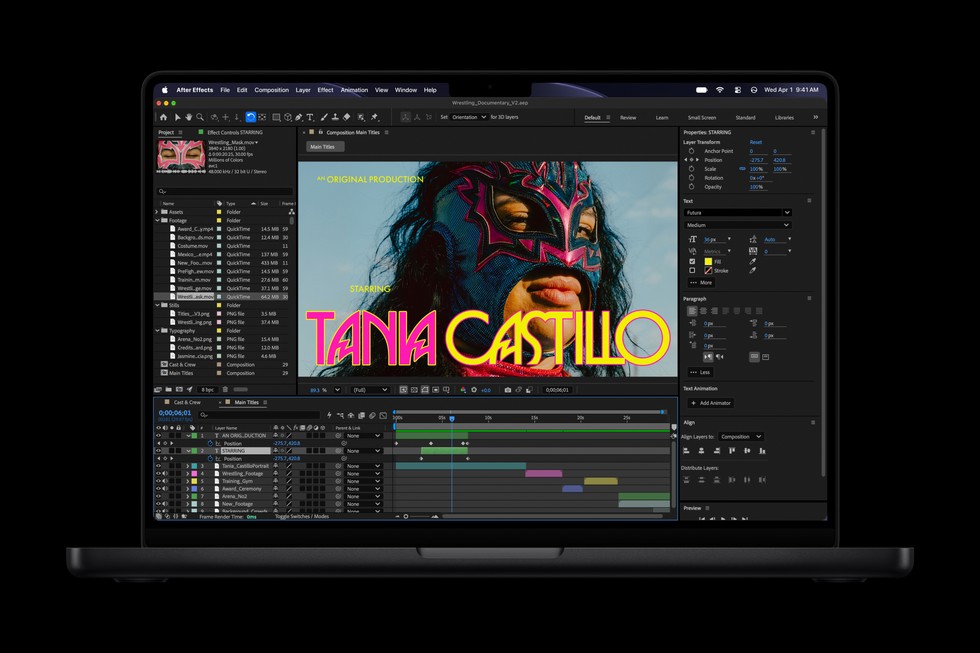
Sequence: The student uses the MacBook Pro to simultaneously run multiple browser tabs, statistical analysis software, coding environments, and video editing tools. Utilizing the 12-core CPU enables smooth compilation and processing. The graphics acceleration benefits multimedia rendering speeds. Portable battery life of up to 24 hours supports all-day use without charging.
Success Check: Ability to complete research coding, data visualization, and video edits without lag or forced downtime for charging.
Limitations: Verify software compatibility with Apple silicon; confirm required peripherals match port availability.
Example Workflow 2: Business Professional Managing Remote Work and Communication
User: A business user who needs to handle video conferencing, document editing, email, and cloud collaboration.
Prerequisites: Need for high-quality video, clear audio, reliable wireless connectivity, and responsive multitasking.
Sequence: The professional uses the 12MP Center Stage camera with Desk View for video calls, the six-speaker system for immersive sound, and the three-mic array for clear voice capture. They use Wi-Fi 7 and Bluetooth 6 to connect peripherals and ensure seamless communication. Siri AI assists with scheduling and swift handling of complex queries across apps.
Success Check: Uninterrupted meetings with superior audio/visual quality and hands-free assistance.
Limitations: New Siri AI features are in beta and region/language dependent, requiring verification for full availability.
Example Workflow 3: Creator Using Intensive Graphics or AI Workflows
User: Multimedia content creator working with 3D modeling, ray tracing, image generation, and AI-enhanced editing.
Prerequisites: Requirement for highest GPU performance, AI acceleration, and accurate color display.
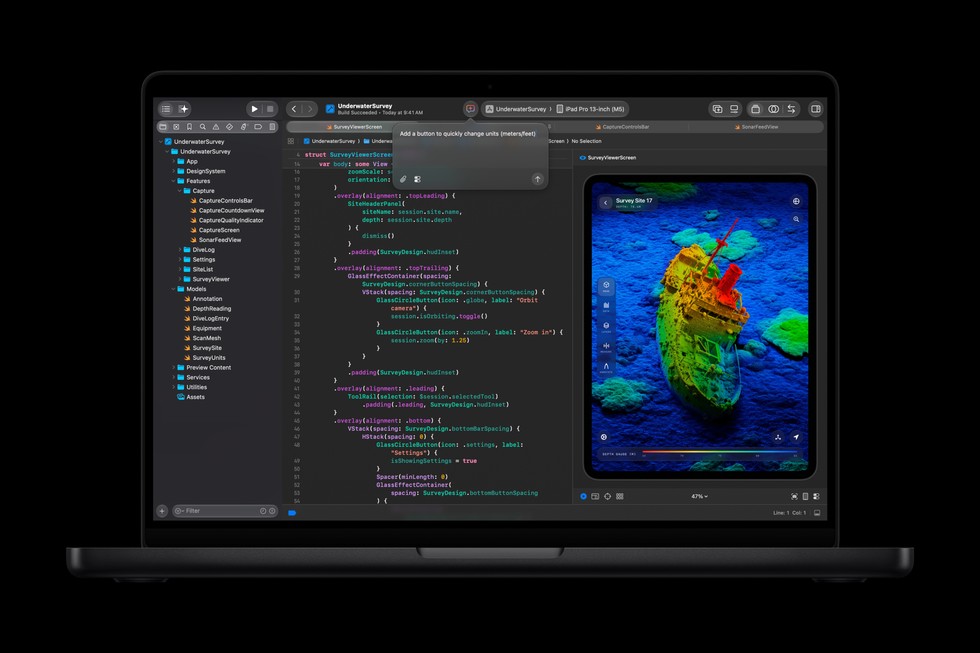
Sequence: The creator utilizes the 12-core GPU with ray-tracing features for accelerated rendering in applications like Blender, benefiting from up to 11.7x faster ray-traced rendering compared to the earlier M1 platform. The Dual 16-core Neural Engine accelerates AI-driven edits such as super-resolution and image generation. The Liquid Retina XDR display ensures precise color accuracy.
Success Check: Reduced render times, smooth interactive editing, and final outputs matching professional color standards.
Limitations: Confirm third-party application optimization for M6 architecture and macOS 27.
Compatibility, Maintenance, and Security
The MacBook Pro with M6 supports migration from Intel-based Macs and previous Apple silicon models, with pre-configured unified memory and an added Thunderbolt port enhancing workflows. Users should verify application compatibility with Apple’s ARM-based architecture and macOS 27.
Maintenance emphasizes durability and repairability per Apple’s design standards. Security features follow Apple’s established ecosystem protocols; however, no specific AI or memory architecture-related security enhancements beyond Apple’s documented privacy protections are implied.
Fit and Suitability
This MacBook Pro model suits college students requiring versatile performance, business professionals needing reliable communication and multitasking tools, and creators demanding powerful graphics and AI acceleration. It may be less appropriate for users requiring multiple external displays beyond two, or those dependent on specialized peripherals outside the port offerings. The sustained battery life and form factor also support mobile productivity.
Conclusion
Apple’s 14-inch MacBook Pro with M6 embodies significant advancements in CPU/GPU power and on-device AI capabilities, balanced with improved connectivity and battery longevity. Integrated macOS 27 features deliver an enhanced user experience blending productivity and convenience. While the device maintains traditional MacBook Pro design trusted by professionals, the M6 chip and accompanying software features position it well for demanding modern workflows with an emphasis on AI and graphics-intensive workloads.
This review is based entirely on Apple's official announcement and technical specifications, reflecting documented capabilities rather than user-tested performance or subjective assessments.
Sources and original reporting
Read the original source ↗
Comments (0)
No comments yet. Start the discussion.
Write a comment
Comments are published after moderation. Your name and comment will be visible publicly. Account