
Apple iPhone Duo Practical Review: A Foldable Display iPhone Designed for Multitasking and Advanced AI Integration
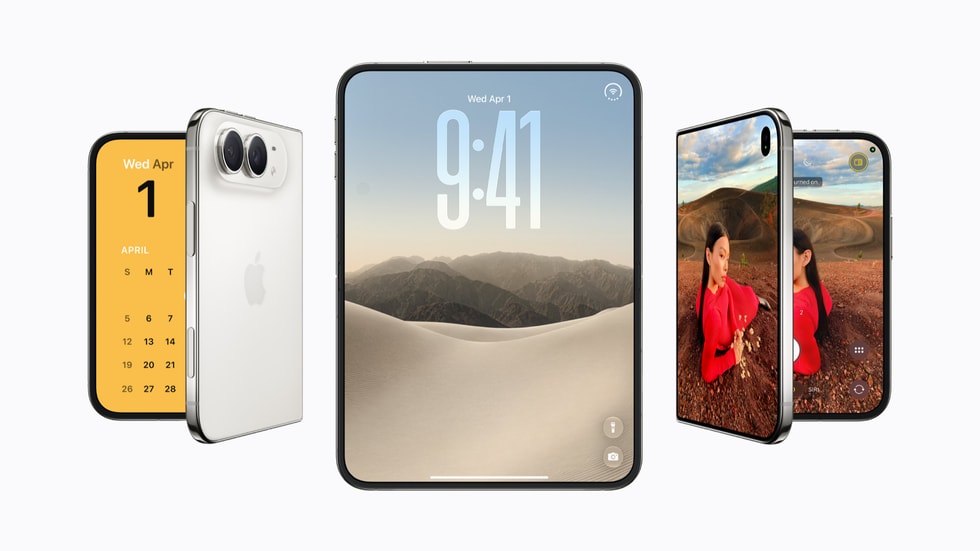
Image: Official product photography / Apple · Source
The iPhone Duo introduces Apple's first foldable display iPhone with a large inner touchscreen and a compact outer display. Powered by A20 Pro and iOS 27, it enhances multitasking, photography, and AI interaction, with flexible purchase options and durable design.
Physical Design and Appearance
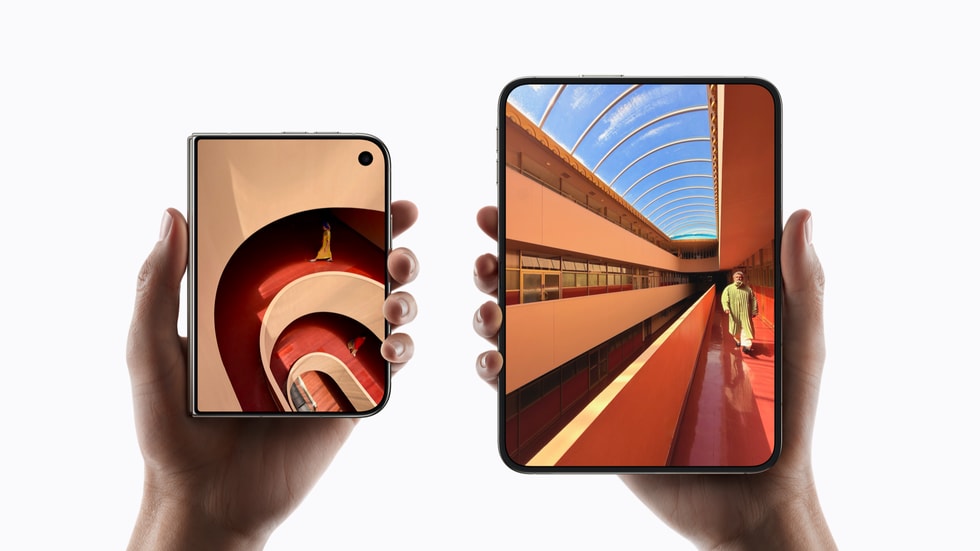
Apple's iPhone Duo is notable for being the company's inaugural foldable iPhone. Physically, when open, it offers Apple's thinnest iPhone design to date. The internal display measures 7.58 inches diagonally when considered as a standard rectangle, which Apple notes is 50 percent larger than the display on the iPhone 18 Pro Max. This large, expansive inner screen is framed with rounded corners following a curved design. When closed, the device's outer display measures 5.36 inches diagonally, offering 90 percent of the screen area of iPhone 18 Pro in a compact, pocket-friendly size. Apple provides two refined color options: star white and night sky.
Mechanically, the device includes a precision-engineered hinge that promises a smooth, satisfying tactile sensation with every fold and unfold action. Durability is also emphasized, with the iPhone Duo achieving an IP68 rating for splash, water, and dust resistance, allowing it to survive immersion up to 6 meters for 30 minutes under controlled conditions. However, water resistance is gradual and can degrade with use, and liquid damage is not covered under warranty.
Controls, Ports, and Device Variants
While specific port details are not outlined in the available source, the design and color variants focus on minimalism and refinement. Accessories tailored to the iPhone Duo include the iPhone Duo Folio and iPhone Duo Case, both providing MagSafe compatibility for wireless charging and protection. The Folio includes an integrated kickstand supporting various viewing angles, enhancing usability while folded or propped. These cases also align magnetically and support Qi2 25W and Qi-certified charging.
Interface and Everyday Functionality
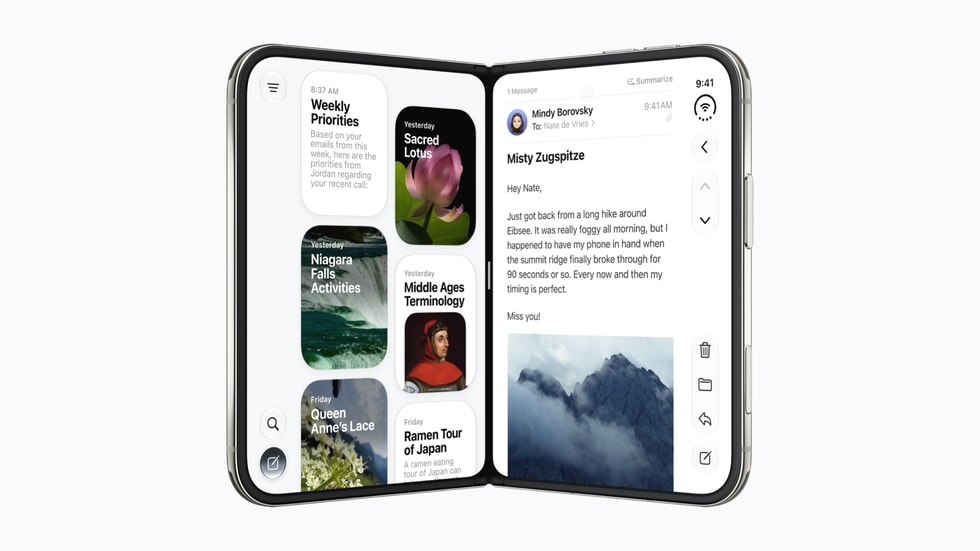
Operating on iOS 27, the iPhone Duo benefits from a reimagined interface that remains familiar to existing iPhone users while adapting fluidly to the foldable design. The system intelligently reacts to folding actions, reorientation to landscape or portrait modes, and switching between inner and outer displays. For example, it supports Split View multitasking on the large inner display, promoting productivity by enabling seamless app switching and simultaneous use of multiple apps.
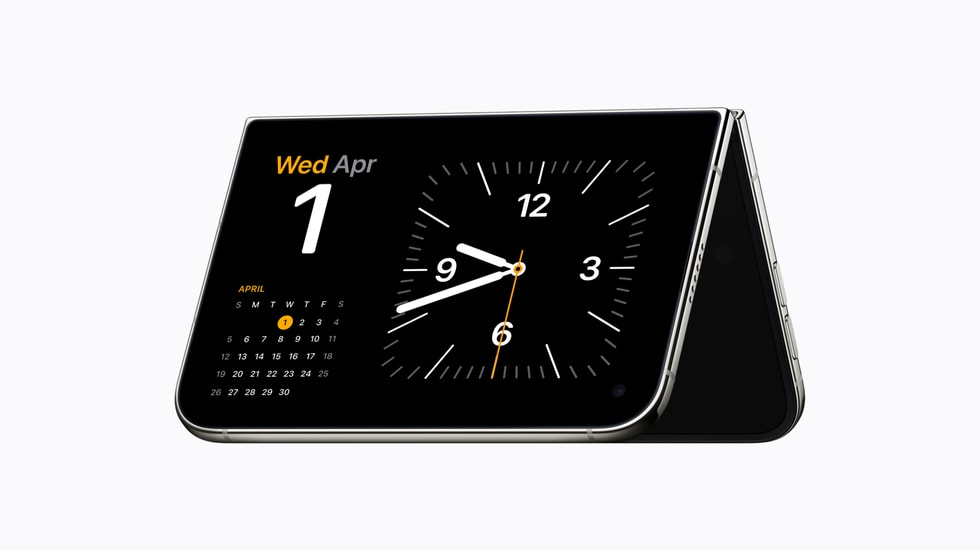
StandBy mode can be activated on either display, even without charging, transforming the phone into a photo frame, widget hub, or clock. This versatility caters to different user contexts whether the device is closed, open, or propped.
Performance and Battery
Powered by the A20 Pro chip, the iPhone Duo delivers professional-grade performance. The device incorporates a dual-battery architecture which aims to deliver impressive all-day battery life, balancing power consumption between the larger inner screen and the smaller outer screen. Specific metrics or benchmarks for battery endurance are not provided, so users should verify details based on usage patterns.
Camera System
The iPhone Duo's advanced camera system features a 48MP Fusion Main camera with zero shutter lag and an integrated 2x optical telephoto lens, allowing users to get closer to subjects optically. Complementing this is a 48MP Fusion Ultra Wide camera designed for capturing wider fields of view and enabling macro photography. For front-facing use, it incorporates a Center Stage camera capable of automatically framing photos and videos in any orientation, eliminating the need to rotate the device for landscape selfies.
Additionally, an innovative under-display FaceTime camera beneath the inner screen supports hands-free calls whether the phone is open or resting on a surface.
Siri AI and AI Features
A significant evolution in the iPhone Duo is the integration of Siri AI, an enhanced AI assistant powered by Apple Intelligence. Rolling out in beta with iOS 27, it brings more personal and conversational capabilities, enhanced personal context understanding, broad world knowledge, and screen awareness to assist users effectively. Siri AI can be kept open alongside other apps on the large inner display, enabling users to inquire about on-screen content or request actions without interrupting their workflow. The Camera app includes a special Siri mode allowing for immediate information and interaction with objects in view.
Availability of Siri AI is initially limited to English in beta and is not available in certain regions such as the EU or China. The feature requires devices that support Apple Intelligence and is restricted in content due to daily usage limits.
Connectivity and Carrier Options
The iPhone Duo supports activation with major US carriers, including AT&T, T-Mobile, and Verizon, all accessible through Apple’s sales channels. Carrier deals specifically incentivize users trading in high-end devices (iPhone 14 Pro Max or newer) with credits up to $1,200 toward the new iPhone Duo. Users must verify eligibility and activation conditions with carrier agreements.
Purchase and Financing Options
Apple offers several flexible purchasing pathways for the iPhone Duo. Apple Trade In allows customers to trade eligible devices (iPhone 13 or higher) for instant credit ranging from $175 to $885, which can be applied to monthly payments or carrier deals. The Apple Upgrade program, provided by Klarna, enables 12- or 24-month leasing with monthly payments starting at approximately $57.99 for a 24-month lease (excluding taxes and trade-in credit). At lease end, customers may upgrade to the latest device, purchase the current device outright, or return it.
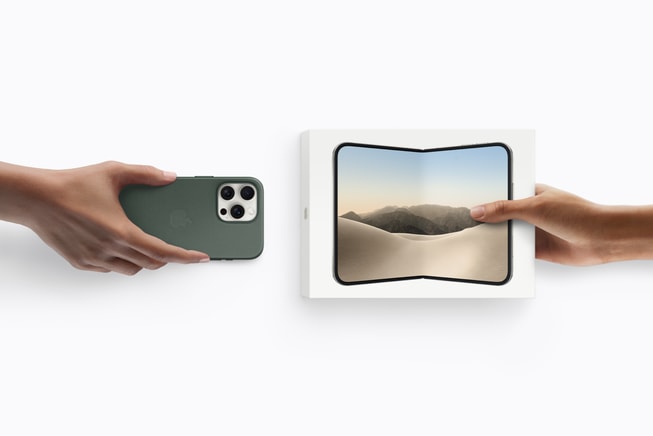
Further, Apple Card Monthly Installments in the U.S. offer 0 percent APR financing over time, alongside a 3 percent Daily Cash back incentive. Customers can manage balances conveniently via the Wallet app.
Example Workflows
### Workflow 1: Freelance Graphic Designer Maximizing Display for Multitasking
User and Task: A freelance graphic designer needs a large, portable device to view reference materials and design software simultaneously.
Prerequisites: Pre-order or purchase of the iPhone Duo; installation of graphic design and productivity apps compatible with iOS 27.
Steps: 1. Open the iPhone Duo to activate the inner 7.58-inch display. 2. Utilize Split View multitasking to run a design app alongside a reference browser or note-taking app. 3. Keep Siri AI open alongside to search for inspiration or locate files without switching apps. 4. Use the Apple Duo Folio to prop up the phone comfortably for hands-free usage during brainstorming.
Success: The user smoothly manages multiple applications on the expansive display, enhancing productivity while on-the-go.
Limitations/Checks: Verify app compatibility with iOS 27 multitasking on foldable devices; evaluate the durability of the hinge under heavy daily use.
### Workflow 2: Photography Enthusiast Leveraging Advanced Cameras
User and Task: An amateur photographer seeks to capture high-quality photos and macros with a compact device.
Prerequisites: Ownership of iPhone Duo; familiarity with iOS camera features.
Steps: 1. Open the iPhone Duo to use the main 48MP Fusion camera for sharp, lag-free shots. 2. Utilize the 2x optical telephoto for closer framing without loss of image quality. 3. Switch to the Ultra Wide camera for expansive or macro photography. 4. Use Center Stage front camera for flexible selfies without device rotation. 5. Experiment with Siri AI in Camera mode for real-time information on captured subjects.
Success: The user captures diverse photographic styles easily, utilizing AI-assisted camera modes.
Limitations/Checks: User should ensure sufficient storage space and understand potential apps updates needed for advanced camera features.
### Workflow 3: Remote Worker Using Communications and Productivity
User and Task: A remote worker requiring efficient communication and document management.
Prerequisites: Activation of iPhone Duo with voice/data plan; installation of video conferencing and productivity apps.
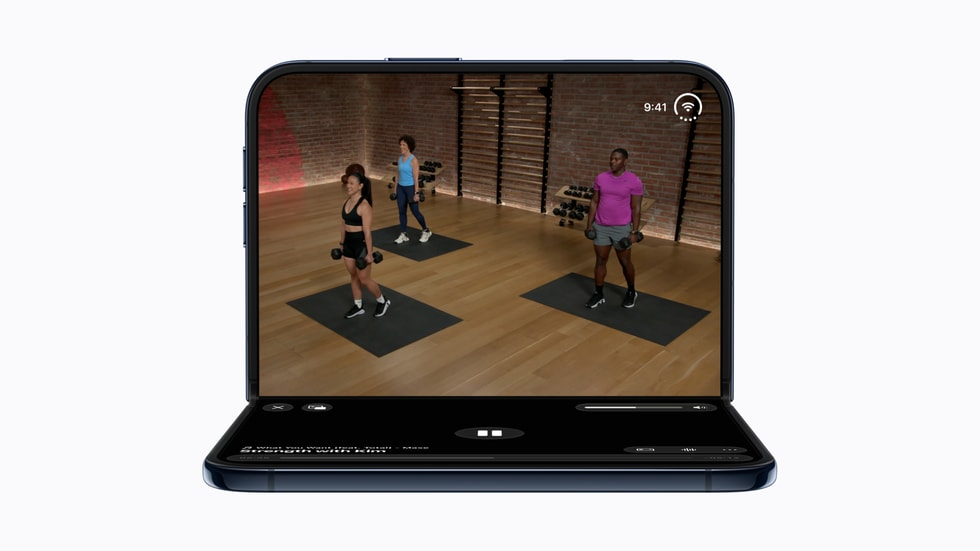
Steps: 1. Utilize the FaceTime under-display camera for hands-free video calls. 2. Use the outer display for quick notifications and messages when phone is closed. 3. On opening, use Split View to engage in video calls while accessing related documents or emails. 4. Leverage Siri AI to schedule meetings, set reminders, or dictate notes during calls.
Success: The remote worker seamlessly manages communications and multitasking, enhancing daily workflow.
Limitations/Checks: Confirm network quality to support video calls; check battery endurance for all-day usage.
### Workflow 4: Everyday Consumer Engaging with Media and AI
User and Task: A typical consumer using an iPhone for media consumption and AI-assisted assistance.
Prerequisites: iPhone Duo purchased and set up; signed into Apple services.
Steps: 1. Use the outer display for quick checking of messages and notifications. 2. Open the inner display for immersive media consumption such as video streaming or gaming. 3. Keep Siri AI active alongside apps to answer questions or control smart home devices. 4. Utilize StandBy mode on the inner display as a smart clock and photo frame when charging.
Success: The user enjoys a versatile device balancing compactness with large-screen experiences and intelligent assistance.
Limitations/Checks: Consider periodic inspection of hinge mechanism; monitor data and AI usage quotas if applicable.
Compatibility, Maintenance, and Security
The iPhone Duo runs on iOS 27, supporting many existing apps, but users should confirm app compatibility with the foldable form factor and multitasking capabilities. Security is reinforced with privacy-centric Siri AI functionality and all standard Apple security features. Users should utilize AppleCare+ or AppleCare One for extended coverage against accidental damage and theft, noting availability varies by region.
Maintenance aspects revolve mainly around the physical hinge and foldable screen, necessitating gentle handling to maintain structural integrity and water resistance. Repairs or replacements should be handled via authorized Apple service channels.
Product Fit and Limitations
The iPhone Duo is best suited to users desiring a large-screen display without sacrificing portability, such as professionals needing multitasking capabilities, photographers, and tech enthusiasts intrigued by AI integration and foldable technology. It may be less optimal for users who prefer traditional, simpler smartphone designs or those in regions where AI features are limited or unavailable.
Potential users should carefully assess financing options and evaluate trade-in eligibility to maximize cost efficiency.
Conclusion
Apple’s iPhone Duo marks a significant advancement by introducing foldable technology within its iPhone lineup, maintaining Apple's characteristic design refinement and integrating cutting-edge features like AI-powered Siri and a robust multitasking-capable display. Its flexible purchasing plans, durable build, and sophisticated cameras broaden its appeal beyond previous iPhone models. Nonetheless, practical deployment success relies on app compatibility, regional feature availability, and user adaptation to a novel foldable experience.
This review is based solely on Apple’s official release and product specifications as detailed in the October 2026 newsroom announcement, representing an informed analysis without hands-on testing.
Sources and original reporting
Read the original source ↗
Comments (0)
No comments yet. Start the discussion.
Write a comment
Comments are published after moderation. Your name and comment will be visible publicly. Account