
Final Cut Camera 2.4 on iPhone 18 Pro: Professional Video Filming with Variable Aperture and Pro-Level Controls
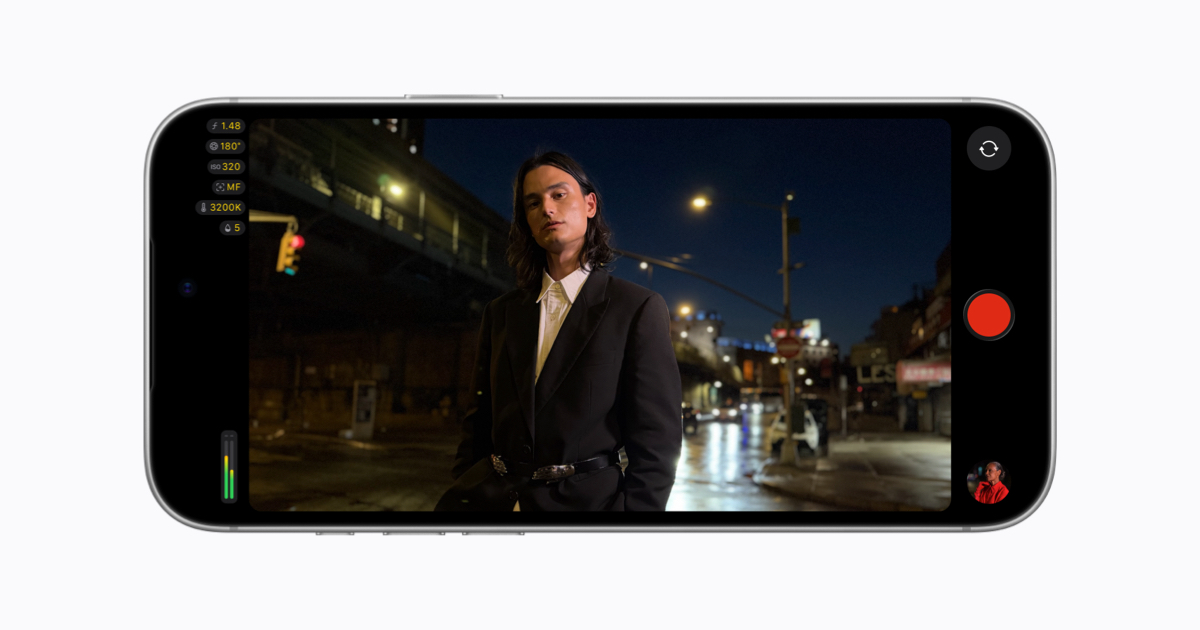
Image: Apple · Source
Final Cut Camera 2.4 enhances iPhone 18 Pro filmmaking with variable aperture support, redesigned interface, and advanced pro options including video scopes, clean SDI output, and genlock offset, enabling refined control and monitoring for professional videographers on iOS 27.
Introduction to Final Cut Camera 2.4 and the iPhone 18 Pro
Apple's Final Cut Camera app version 2.4 introduces significant improvements tailored for professional videographers using the iPhone 18 Pro. This latest iteration leverages the device's Fusion Main camera, Apple's most advanced camera system to date, by integrating support for variable aperture—marking the first time aperture control is accessible on an iPhone. Released alongside iOS 27, the update also delivers a redesigned user interface and several advanced video production features enhancing both capture and post-production workflows.
Redesigned User Interface and Accessibility Enhancements
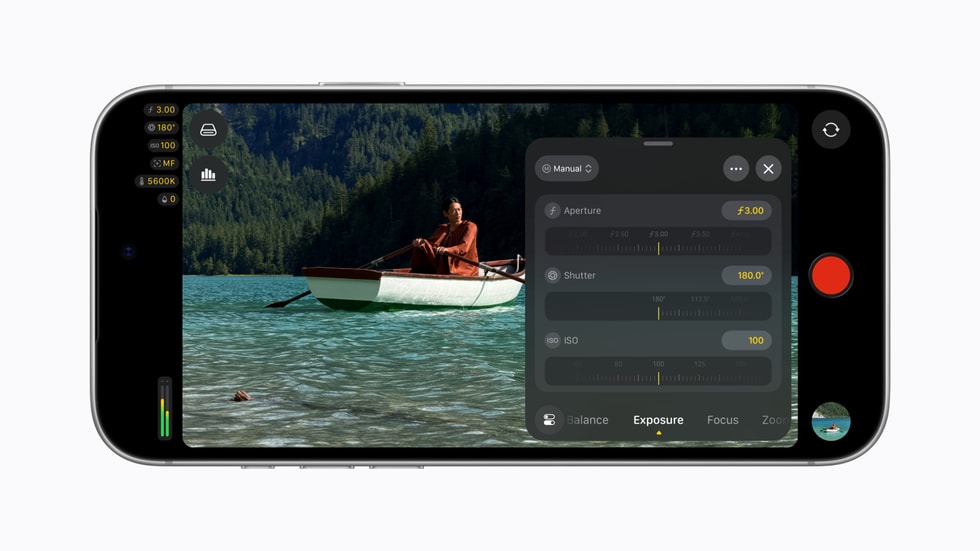
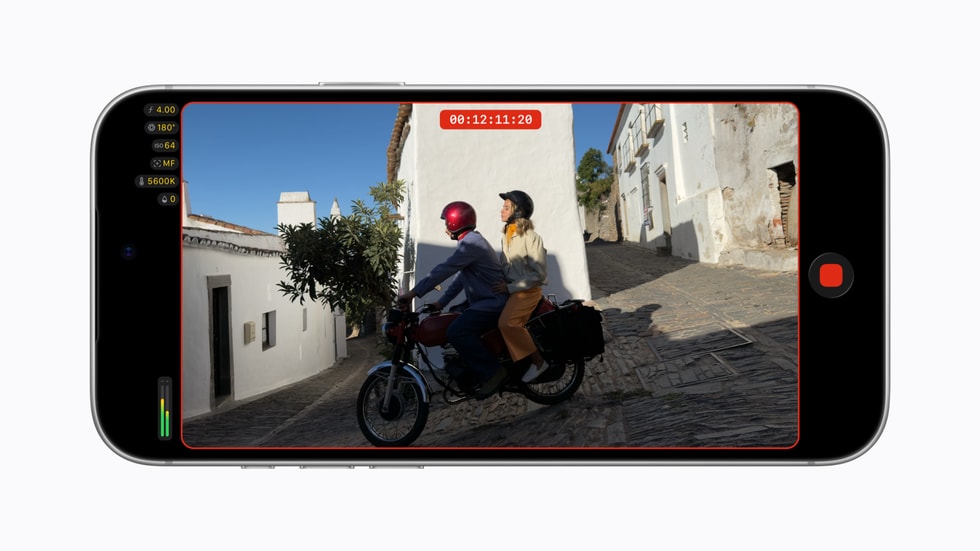
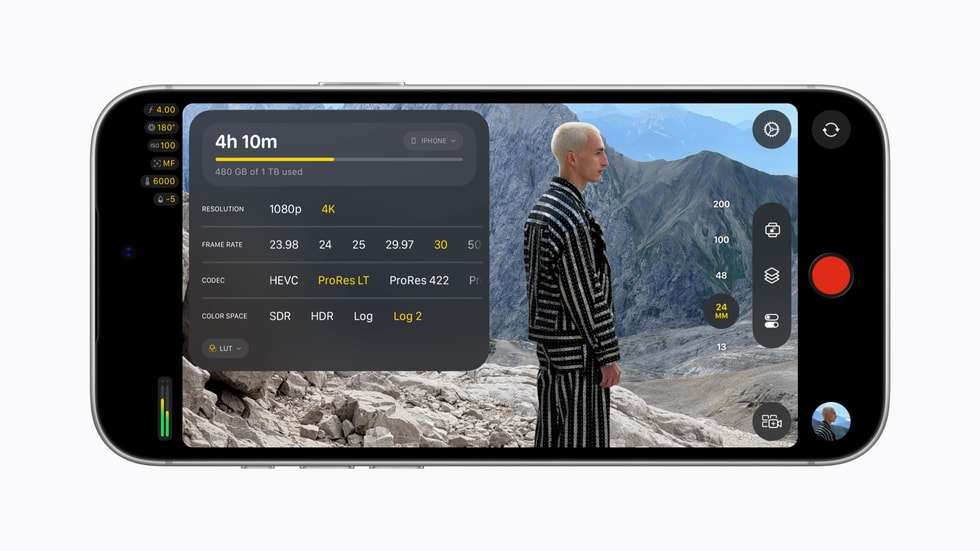
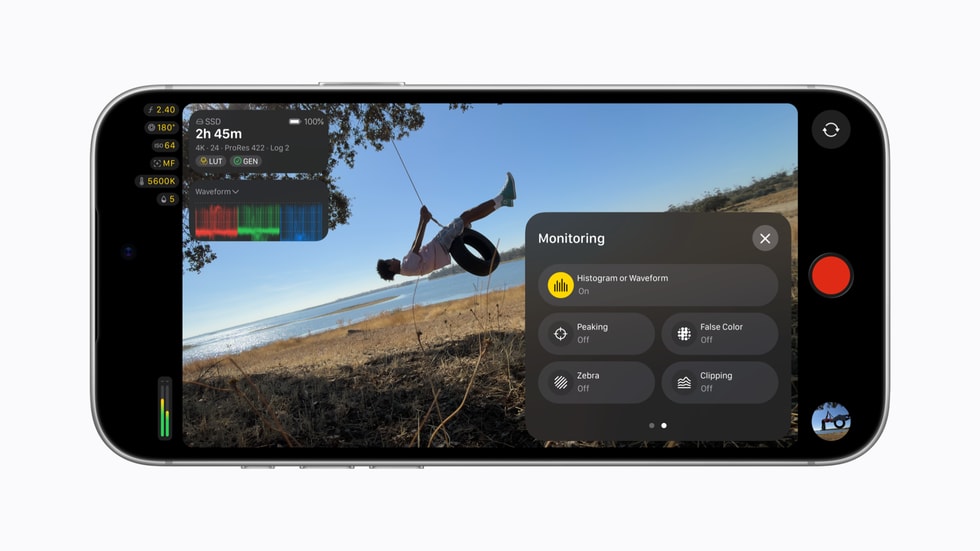
The app has been redesigned from the ground up to provide easier, more intuitive access to critical cinematic settings such as shutter angle, ISO, and white balance. Customizable overlays now include false color and clipping indicators to aid in evaluating exposure dynamically during capture. Focus peaking has improved with adjustable sensitivity control to increase precision in manual focusing. Additional practical UI improvements include a tally light indicating active recording and a two-finger tap gesture to clear the viewfinder, helping creators concentrate solely on framing the shot.
Variable Aperture Control and Its Impact on Video Capture
With the iPhone 18 Pro's Fusion Main camera's variable aperture, Final Cut Camera users gain granular control over the depth of field and light intake, empowering more cinematic effects and greater creative flexibility. Users can manually dial in aperture values or select shutter priority or aperture priority exposure modes, adapting capture settings depending on shooting conditions and artistic intent. This upgrade potentially expands the iPhone's viability as a tool for professional filmmakers needing nuanced exposure control.
Unlocking Cinematic Mode Effects During Capture
Final Cut Camera 2.4 enables the application of Cinematic mode effects in standard video recording, including footage captured with ProRes and Apple Log formats. This integration allows for dynamic adjustments of focus points and depth of field in post-production within Final Cut Pro, facilitating a refined editing process without compromising original footage quality. This link between capture and desktop editing streamlines workflows for creators engaged in professional post-production.
Advanced Professional Monitoring Features with iOS 27
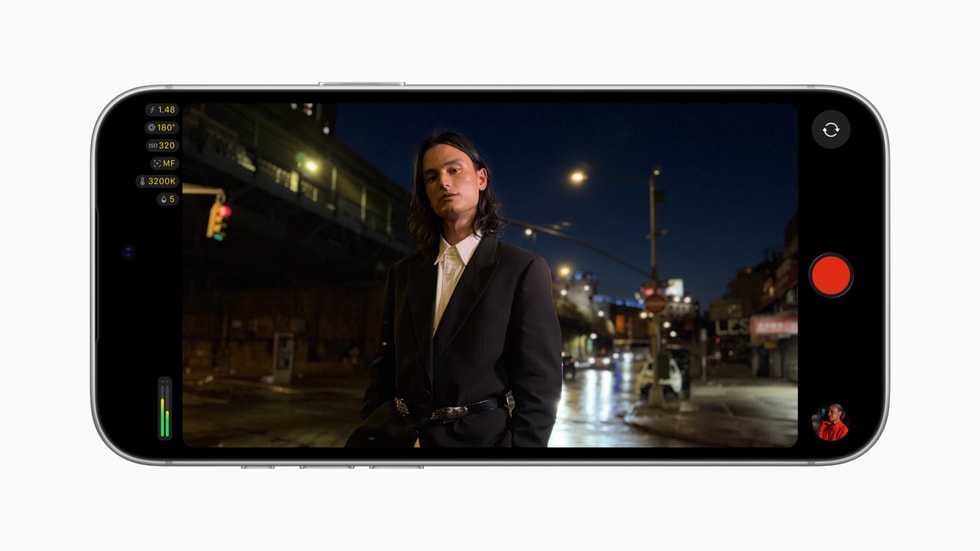
The update harnesses new features in iOS 27 to incorporate professional-level video scopes such as RGB Parade and histogram displays. These tools provide color-channel-specific analysis and exposure distribution visualizations, essential for precise color grading and exposure verification during shoots. The app also supports clean SDI output via an HDMI-to-SDI converter, enabling the transmission of a broadcast-quality video signal for live streaming or external recording devices.
Genlock Offset for Multi-Camera Synchronization
Final Cut Camera introduces genlock offset functionality, affording synchronization adjustments to compensate for image artifacts or latency discrepancies when using the iPhone alongside other genlocked cameras. This feature is particularly relevant in multi-camera setups where precise frame alignment is critical. Proper configuration of genlock offset ensures consistent timing across devices to avoid visual inconsistencies.
Example Workflow 1: Independent Filmmaker Capturing a Narrative Short
User and Task
An independent filmmaker creates a narrative short film using Final Cut Camera on iPhone 18 Pro, aiming for cinematic quality with controlled depth of field.
Prerequisites
Possession of an iPhone 18 Pro, installation of Final Cut Camera 2.4, and familiarity with manual camera controls.
Steps
First, the filmmaker opens the app and configures the exposure mode to aperture priority, dialing in a wide aperture to achieve shallow depth of field. They utilize false color overlays and focus peaking to assess exposure and sharpness, respectively. Scenes are recorded utilizing the tally light as a recording indicator and the two-finger tap gesture to clear distractions from the viewfinder. Footage is captured in ProRes format with Cinematic mode effects enabled. After shooting, the filmmaker transfers footage to Final Cut Pro to adjust focus points and depth of field for scene enhancement.
Success Criteria and Limitations
Successful deployment involves achieving the desired cinematic look with shallow depth of field and well-exposed footage, verified via video scopes. Limitations may include learning curve with manual controls and ensuring adequate lighting conditions to complement aperture adjustments.
Example Workflow 2: Live Event Videographer Streaming via Broadcast Equipment
User and Task
A live event videographer streams a concert, utilizing Final Cut Camera to send a clean video feed to broadcast hardware.
Prerequisites
An iPhone 18 Pro, Final Cut Camera 2.4, HDMI-to-SDI converter, connection to broadcast infrastructure.
Steps
The videographer sets the app to maintain accurate exposure and color balance using RGB Parade and histogram in real-time. Clean SDI output is enabled to transmit uncompressed video to the broadcast system. Genlock offset is configured to synchronize the iPhone feed with other cameras in the broadcast chain, reducing latency-induced artifacts. The videographer monitors focus and exposure manually throughout the event.
Success Criteria and Limitations
A successful stream shows consistent color accuracy, synchronized video feeds, and reliable connectivity. Challenges include configuring genlock properly and adapting to fast-changing event lighting.
Example Workflow 3: Corporate Video Producer Creating Training Videos
User and Task
A corporate video producer records internal training materials requiring professional quality and easy post-processing.
Prerequisites
iPhone 18 Pro with Final Cut Camera 2.4 and access to Final Cut Pro for editing.
Steps
The producer uses the redesigned interface to quickly set appropriate white balance and ISO for indoor lighting conditions. Variable aperture is manually adjusted to maintain clarity and sufficient depth of field for presenter centering. Cinematic mode effects are applied to footage to allow focus fine-tuning post-recording. The scenario benefits from the tally light and viewfinder clearing features to maintain focus on subject framing.
Success Criteria and Limitations
Training videos feature professional polish with proper exposure and focus. Limitations may include indoor lighting challenges that require supplemental lights for consistent image quality.
Compatibility, Backup, and Maintenance Considerations
The Final Cut Camera app's advanced features are exclusive to the iPhone 18 Pro and require iOS 27, limiting availability to users with this specific hardware and software combination. Backups of footage should be managed according to Apple's recommended practices to prevent data loss due to device failure or update issues. Maintenance involves keeping the app and iOS system updated for optimal performance and security.
Security and Usage Boundaries
As a professional filming app, Final Cut Camera operates within standard iOS security frameworks. Users should be aware that sharing or streaming video data involves network and device security considerations, but the app itself does not introduce novel security mechanisms. Integration with external hardware like SDI devices should be evaluated for secure connection practices.
Target Users and Suitability
Final Cut Camera 2.4 with variable aperture control is well-suited for professional videographers, independent filmmakers, live broadcasters, and corporate content creators seeking enhanced creative and technical control on mobile devices. It may not fit users without the required hardware or those seeking simple, automated video capture without manual adjustment options.
Conclusion
Final Cut Camera 2.4 significantly advances iPhone-based professional video production by introducing variable aperture control on the iPhone 18 Pro and integrating robust monitoring and output capabilities with iOS 27. Its redesigned interface and feature set provide filmmakers and content creators fine-grained control over exposure, focus, and output synchronization, expanding the creative possibilities of mobile video capture within professional workflows. Successful deployment depends on understanding the app's configurable options, hardware compatibility, and integration into post-production pipelines.
Sources
Information synthesized exclusively from the official Apple newsroom announcement dated September 29, 2026: "Final Cut Camera now supports variable aperture on iPhone 18 Pro and even more pro options with iOS 27" available at apple.com/newsroom/2026/09/final-cut-camera-now-supports-variable-aperture-on-iphone-18-pro/.
Sources and original reporting
Read the original source ↗
Comments (0)
No comments yet. Start the discussion.
Write a comment
Comments are published after moderation. Your name and comment will be visible publicly. Account