
Practical Review of the iPhone Duo: Foldable Design Meets Enhanced App Experiences
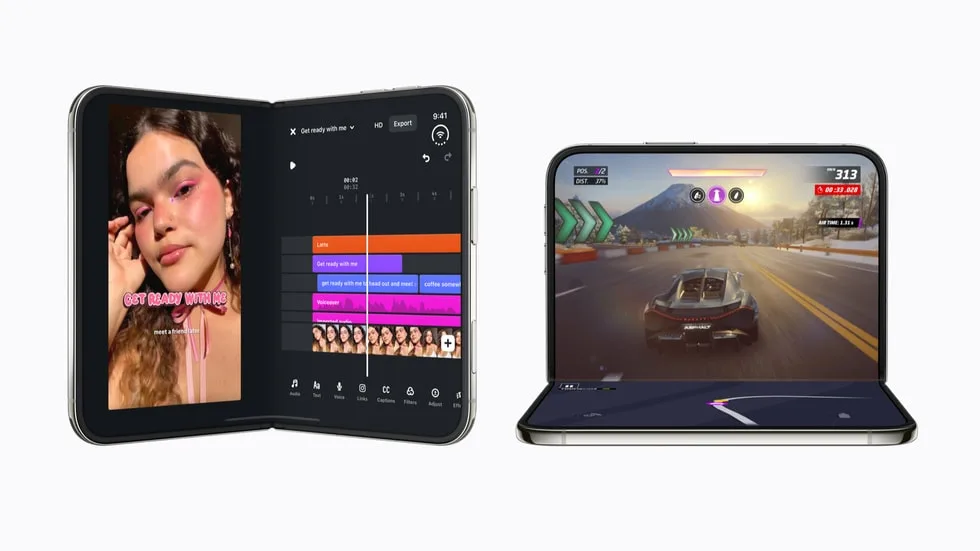
Image: Official product photography / Apple · Source
The iPhone Duo introduces a foldable design with dual displays and advanced features like Split View and the A20 Pro chip. Optimized apps leverage its scalable displays for entertainment, productivity, creativity, gaming, and more, redefining mobile experiences with unique form factors and seamless transitions.
Physical Design and Display Characteristics
The iPhone Duo is Apple’s first foldable iPhone, featuring two displays: an outer display and a notably larger inner display. The inner display is 50 percent larger than the iPhone 18 Pro Max’s screen, providing an expansive canvas. Both displays share the same aspect ratio, allowing for smooth proportional app scaling and transitions between the two screens. The foldable design offers versatile usage poses, including full open, closed, and partially folded positions, enabling new ways to interact with apps.
The device is available in star white and night sky colors, and storage options range from 256GB to 2TB, catering to varying user needs. Apple incorporates a custom vapor chamber cooling system that complements the A20 Pro chip to deliver up to 35 percent better sustained performance than the iPhone 17 Pro, supporting prolonged demanding tasks such as gaming.
Interface and Everyday Functionality
The iPhone Duo’s user interface is designed to adapt fluidly to its foldable form factor. Thanks to the consistent aspect ratio on both screens, apps can transition seamlessly when switching between the outer and inner displays. Supported apps scale proportionally, allowing users to pick up tasks without disruption.
A significant innovation is Split View, introduced for the first time on iPhone, permitting two apps to run side by side on the inner display. Standard SwiftUI and UIKit components are optimized to adjust controls for reachability, multiple columns, and positioning relative to the fold to maintain usability.
The hinge API enables apps to respond dynamically to the angle of the device as it folds and unfolds. New arrangement and reserved region APIs assist developers in designing custom layouts that accommodate content split by the fold or edge-to-edge presentations. Device Hub within Xcode 27.1 supports emulation of different device poses, facilitating app optimization testing.
Entertainment Experiences
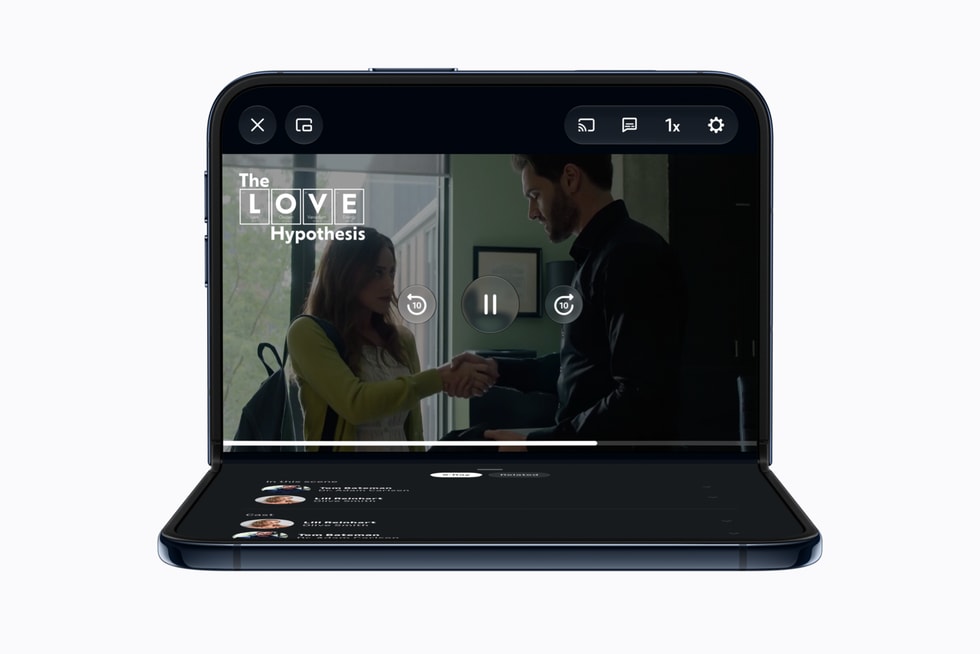
Streaming services harness the large inner display to enhance mobile entertainment. Netflix offers an innovative approach where users browse Clips on the outer screen and then unfold to continue watching seamlessly on the inner screen, adaptable to portrait or landscape orientations. Prime Video takes advantage of partial folding: video content plays on the top half while supplemental information like cast details or X-Ray features appear on the bottom half.
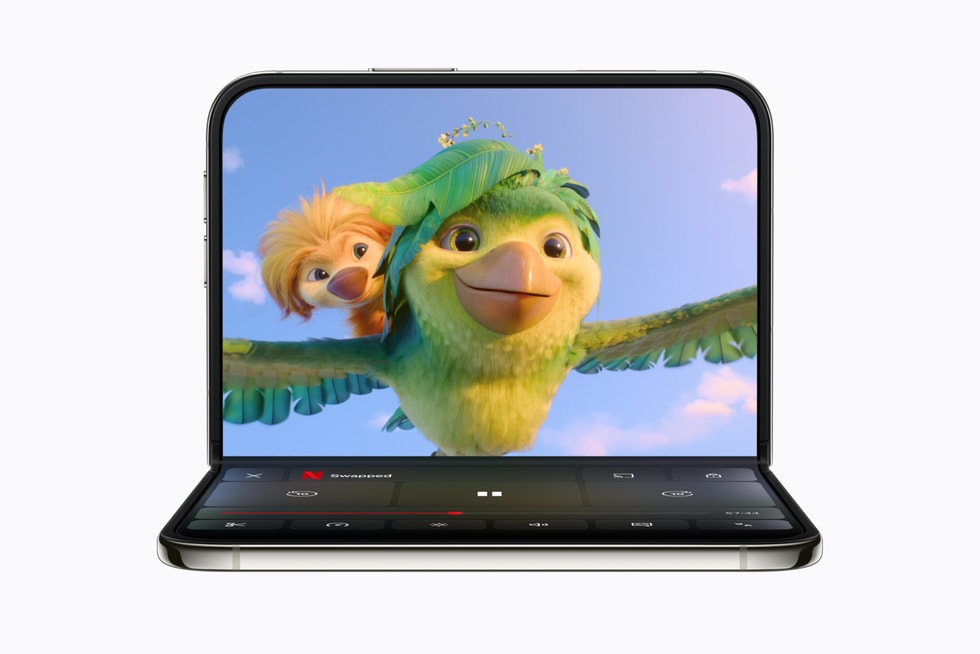
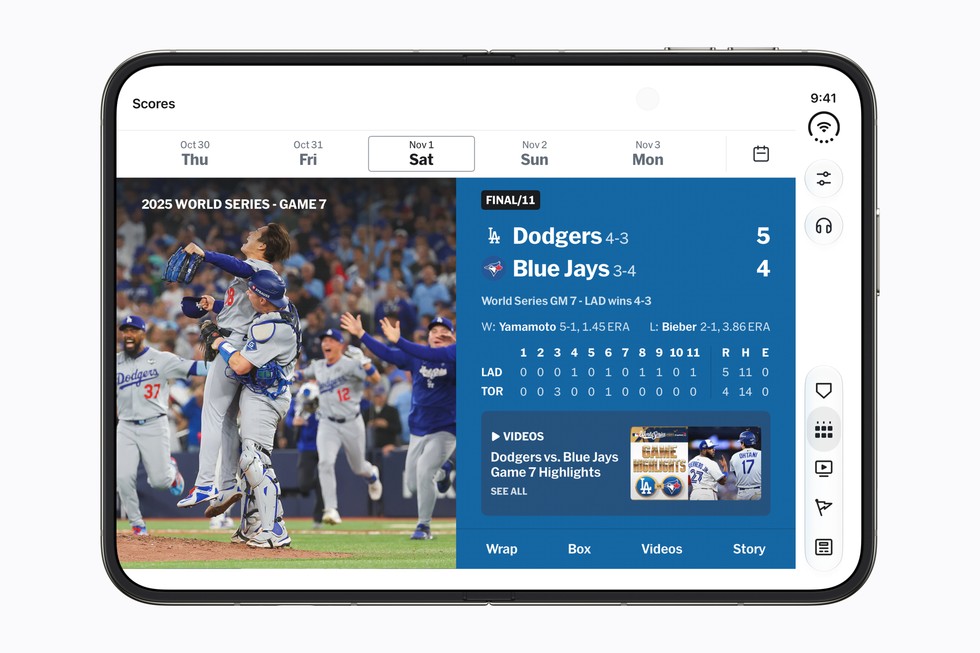
Paramount+ extends browsing and playback controls using the expanded display, and hands-free viewing is facilitated when iPhone Duo is propped open on a surface. Sports apps like MLB and PGA Tour utilize the dual-display capability to present live game footage alongside real-time stats, scores, and leaderboards simultaneously, catering to fans who want comprehensive coverage without switching views.
Productivity and Multitasking
The arrival of Split View on iPhone Duo unlocks significant productivity gains. Microsoft Word and Outlook are updated to offer desktop-class experiences, positioning toolbars and content side by side. Zoom utilizes the inner display to deliver immersive video conferences that concurrently show shared content and participant thumbnails.
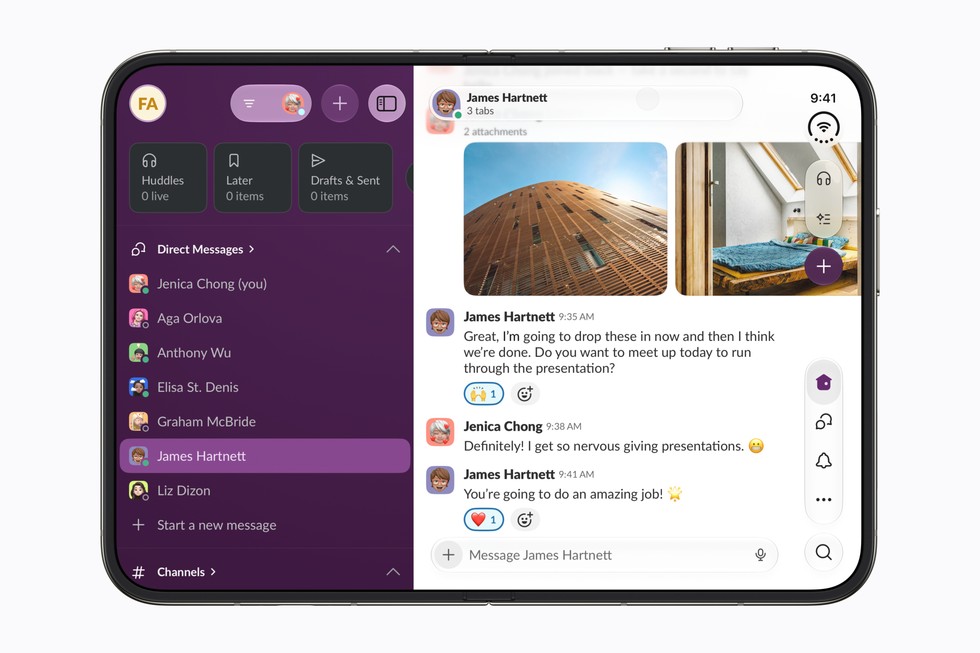
Collaboration and communication tools such as Slack and Salesforce provide broader workspace views, supporting multitasking and enhanced business insights. Task management and calendar apps like Fantastical, Things, and Bear leverage the larger screen by showing more content simultaneously — for instance, Fantastical integrates calendars, tasks, and menus in one view.
Note-taking apps like Notewise combine documents, notes, and AI tools seamlessly. These configurations exemplify how the foldable design enhances workflows by reducing context switching and making better use of available screen real estate.
Creativity and Content Creation
Creative applications capitalize on the foldable design to improve workflows. Using Core AI frameworks, Detail allows AI-driven on-device video editing with side-by-side display of video and transcript, facilitating tasks such as captions and filler-word removal. Instagram’s interface shows more posts and Stories simultaneously, while its editing tools provide a comprehensive creative studio view.
Video editing apps like VLLO give creators more control and footage visibility on the inner display. This expanded canvas and on-device AI support accelerate content creation while preserving privacy since processing does not require cloud interaction.
Gaming on the Foldable Screen
The A20 Pro chip and custom vapor chamber allow sustained gaming sessions with high performance. Titles like Asphalt Legends use the large display to present detailed car models and dynamic lighting effects, enhancing immersion.
Games such as Zenless Zone Zero and upcoming UnGodly adjust controls and visual perspectives based on device posture, including closed or open states. Apple Arcade games like Sneaky Sasquatch and Retrocade utilize the display to deliver rich experiences when unfolded and convenient play when folded.
Some independent developers creatively engage the fold feature in gameplay mechanics; for example, Deck-Man transforms the device into a retro cassette player interface that integrates with Apple Music.
Lifestyle and Utility Applications
When partially folded and placed on a surface, the iPhone Duo serves as an effective hands-free tool. Cooking apps like NYT Cooking provide detailed recipe visuals and step-by-step guidance, aiding users in the kitchen.
Shopping and service apps similarly benefit: LTK presents creators’ videos with product details side by side; Lowe’s showcases materials and finishes for home improvement exploration; and OpenTable adapts restaurant booking interfaces for easy navigation.
Travel apps from leaders such as Lyft, American Airlines, and United Airlines optimize layouts to keep trip information accessible, including boarding passes, seat selection, and live route maps. Specialized apps like Flighty offer modes tailored for propped-up viewing, ideal for flight tracking.
Additional niche utilities include Sky Guide for astronomers, Tide Guide for weather and tides, edjing Mix for DJs, and Next Shot for golfers, all utilizing the expansive inner display to enrich their respective activities.
Global App Support and Developer Engagement
Apple reports developer enthusiasm worldwide, with over 2,000 participants attending more than 50 workshops globally. Developers can access technical resources, APIs, and forums specifically designed to exploit the iPhone Duo’s features.
Many local apps in markets such as China, Korea, Europe, and Latin America have been updated or will soon be optimized. These adaptations include multitasking chat applications, immersive reading experiences, and side-by-side navigation and content display, demonstrating the device's versatile appeal.
Example Workflows and Use Cases
Example Workflow 1: Streaming Enthusiast User: A media consumer who enjoys on-the-go video streaming. Prerequisites: Netflix app with iPhone Duo optimization. Actions: Browse short videos on the outer display, then open the phone to transition playback to the larger inner screen without interruption. Success: Users seamlessly continue watching content with adaptive screen orientation, benefiting from the larger display and smooth playback. Limitations: Requires app updates supporting fold transitions; experience depends on content availability.
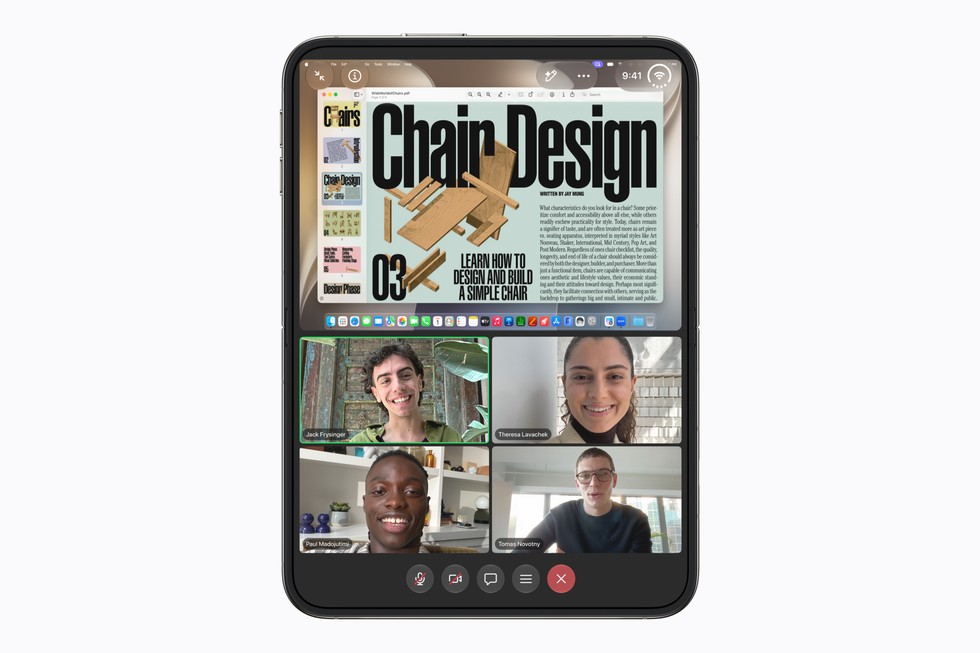
Example Workflow 2: Mobile Productivity User: Business professional managing emails and documents. Prerequisites: Microsoft Word and Outlook updated for Split View on iPhone Duo. Actions: Open Outlook inbox alongside a Word document; multitask efficiently. Success: Desktop-like productivity with simultaneous access to email and document editing on a pocketable device. Limitations: Complex document formatting may require additional interaction; network connectivity impacts real-time collaboration.
Example Workflow 3: Content Creator Editing Video User: Video editor working on podcast excerpts. Prerequisites: Detail app supporting Core AI on-device processing. Actions: Load video and transcript side-by-side; use AI features for captioning and filler-word removal. Success: Efficient editing with immediate results, enhanced privacy due to on-device AI. Limitations: Performance contingent on device temperature and battery status.
Example Workflow 4: Cooking Assistant User: Home cook following recipes. Prerequisites: NYT Cooking app optimized for foldable display. Actions: Place iPhone Duo partially folded on the counter; follow recipe steps displayed with visuals and timers. Success: Hands-free usage simplifies cooking process, richer content view enhances comprehension. Limitations: Requires stable surface; app needs the latest update for full compatibility.
Compatibility, Maintenance, and Security Considerations
The iPhone Duo runs iOS 27.1 SDK, supporting extensive developer toolkit enhancements. Security benefits arise from on-device AI processing and Apple’s established privacy frameworks but no explicit updated security architecture beyond that is indicated in the documentation.
AppleCare and AppleCare One options provide coverage for physical accidents, battery replacement, theft, and loss protections. Users are encouraged to employ these plans due to the new form factor’s potential vulnerability.
Backups and cloud storage rely on iCloud+ subscriptions, with family sharing options available. Users can combine device and service plans for integrated experiences.
Maintenance includes typical iPhone care with added caution for the foldable mechanism; however, specific durability information is not detailed in the source.
Who the iPhone Duo Fits and Does Not Fit
The iPhone Duo targets users seeking innovative form factors that combine portability with expanded screen real estate. It excels for consumers interested in multimedia, multitasking, productivity, creative content creation, and versatile gameplay.
Not ideal for those expecting a low-cost device or preferring the simplicity of a single fixed display. Users who require ultra-rugged devices or have ecosystems heavily invested outside Apple may consider alternatives.
Conclusion
The iPhone Duo represents a significant evolution in Apple’s smartphone lineup, introducing a foldable design complemented by powerful hardware and a growing ecosystem of optimized apps. Through its dual displays sharing aspect ratios, app scaling and transitions are seamless, enriching experiences across entertainment, productivity, creativity, and utility applications. Developer engagement is robust, with tooling and APIs supporting a wide range of adaptive layouts and interactions.
While higher price points and the novelty of foldable hardware may limit universal appeal, the iPhone Duo offers compelling advantages for users seeking a versatile device that bridges the gap between phone and tablet. As more apps become optimized and software capabilities mature, the foldable platform’s unique benefits are poised to expand.
This review is based exclusively on documented Apple sources regarding the iPhone Duo and its app ecosystem, without direct hands-on evaluation or third-party analysis.
Sources and original reporting
Read the original source ↗
Comments (0)
No comments yet. Start the discussion.
Write a comment
Comments are published after moderation. Your name and comment will be visible publicly. Account