
Ubiquiti UniFi U7 Pro WiFi 7 Access Point Review: Enterprise-Grade Wireless for High-Density Environments

Image: Ubiquiti · Source
The Ubiquiti UniFi U7 Pro is a WiFi 7 indoor access point designed for large coverage and high client density, offering multi-gigabit uplink and advanced features suitable for modern enterprise networks.
Introduction to the UniFi U7 Pro
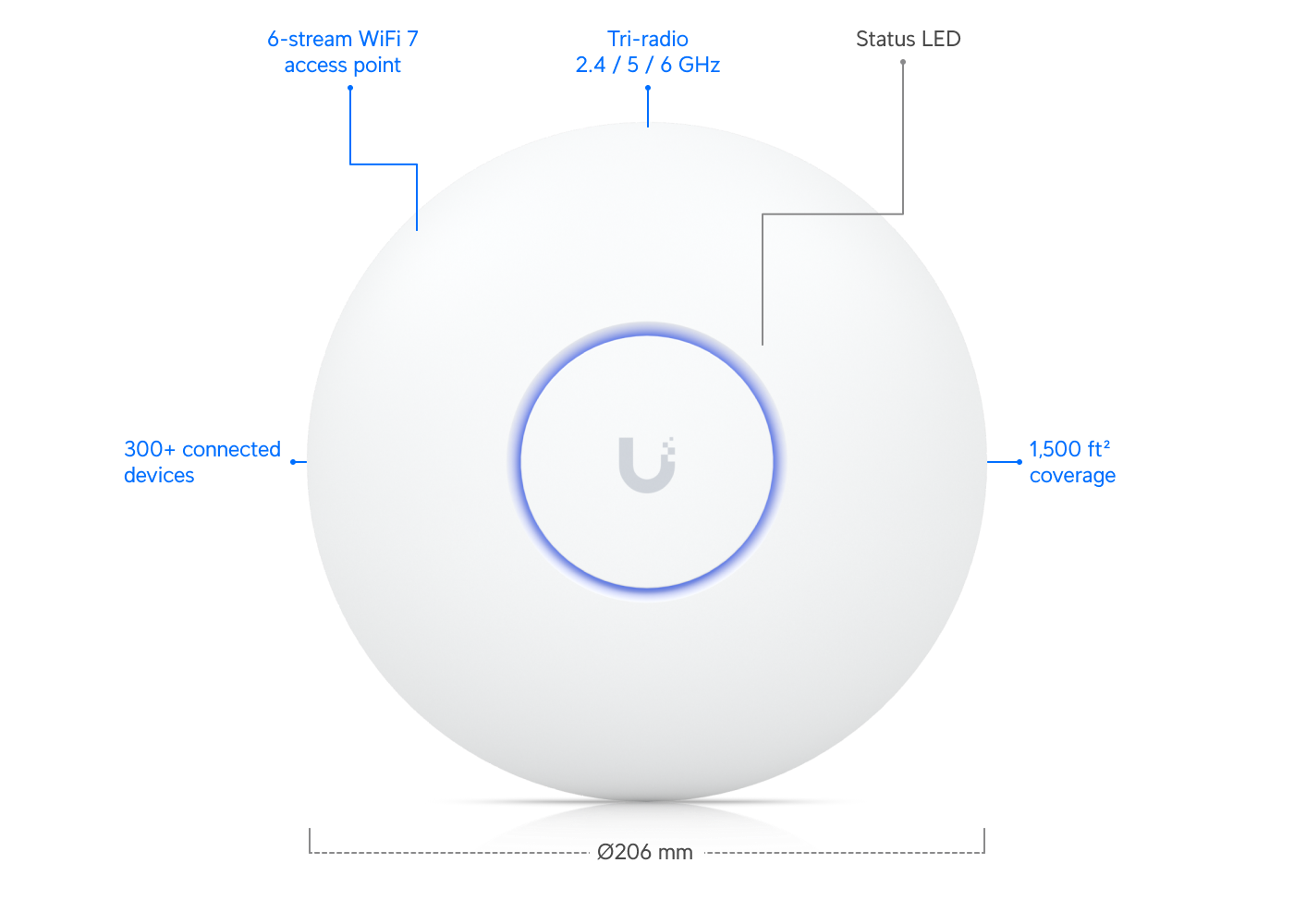
The Ubiquiti UniFi U7 Pro represents a flagship addition to Ubiquiti’s UniFi WiFi lineup, delivering WiFi 7 technology with a focus on high performance and enterprise features. It is designed to serve large indoor areas with dense client populations, such as offices, educational buildings, and public venues. The device supports 6 spatial streams across 2.4 GHz, 5 GHz, and 6 GHz bands, providing multi-gigabit wireless throughput and advanced network management capabilities.
Physical and Hardware Characteristics
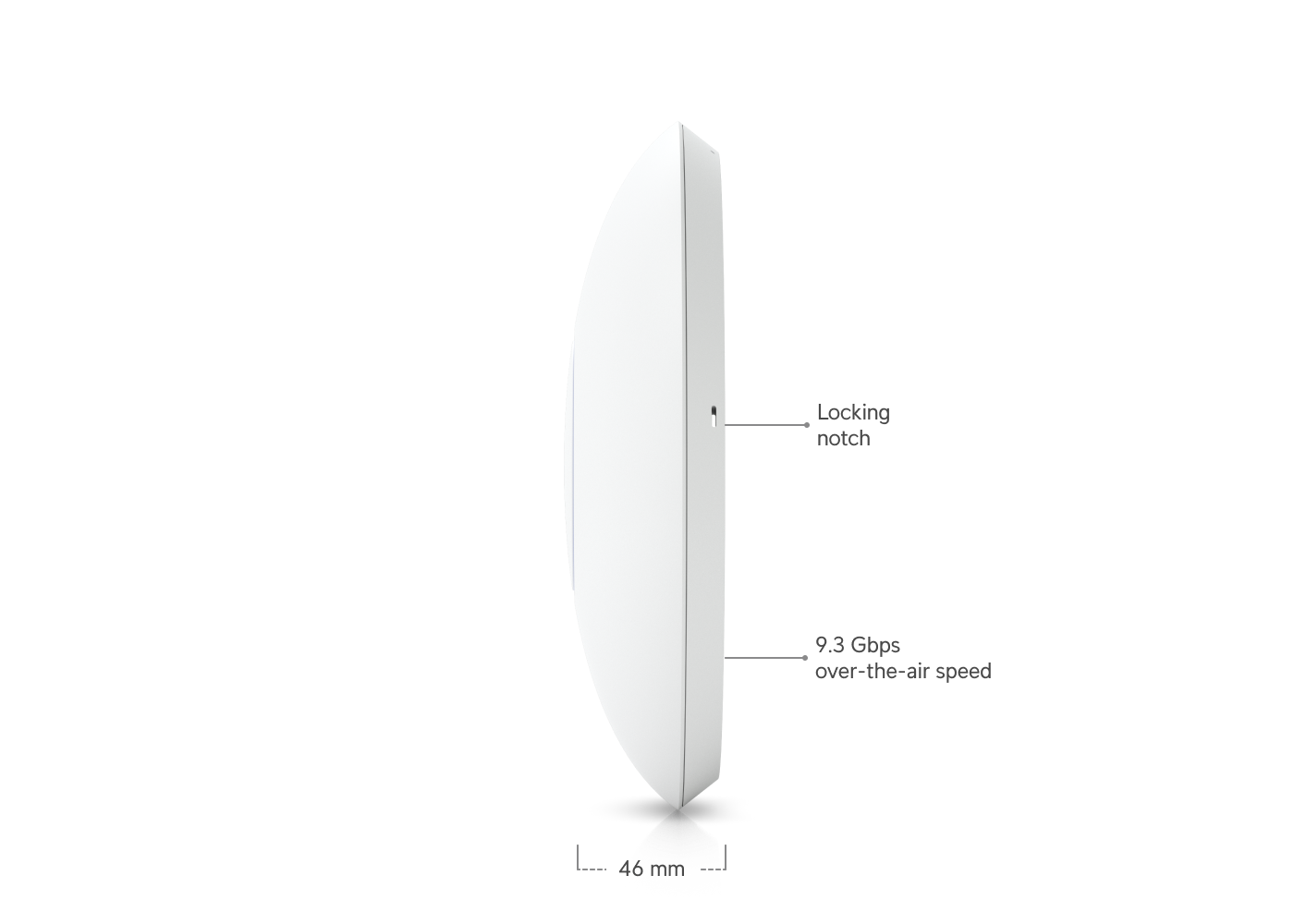
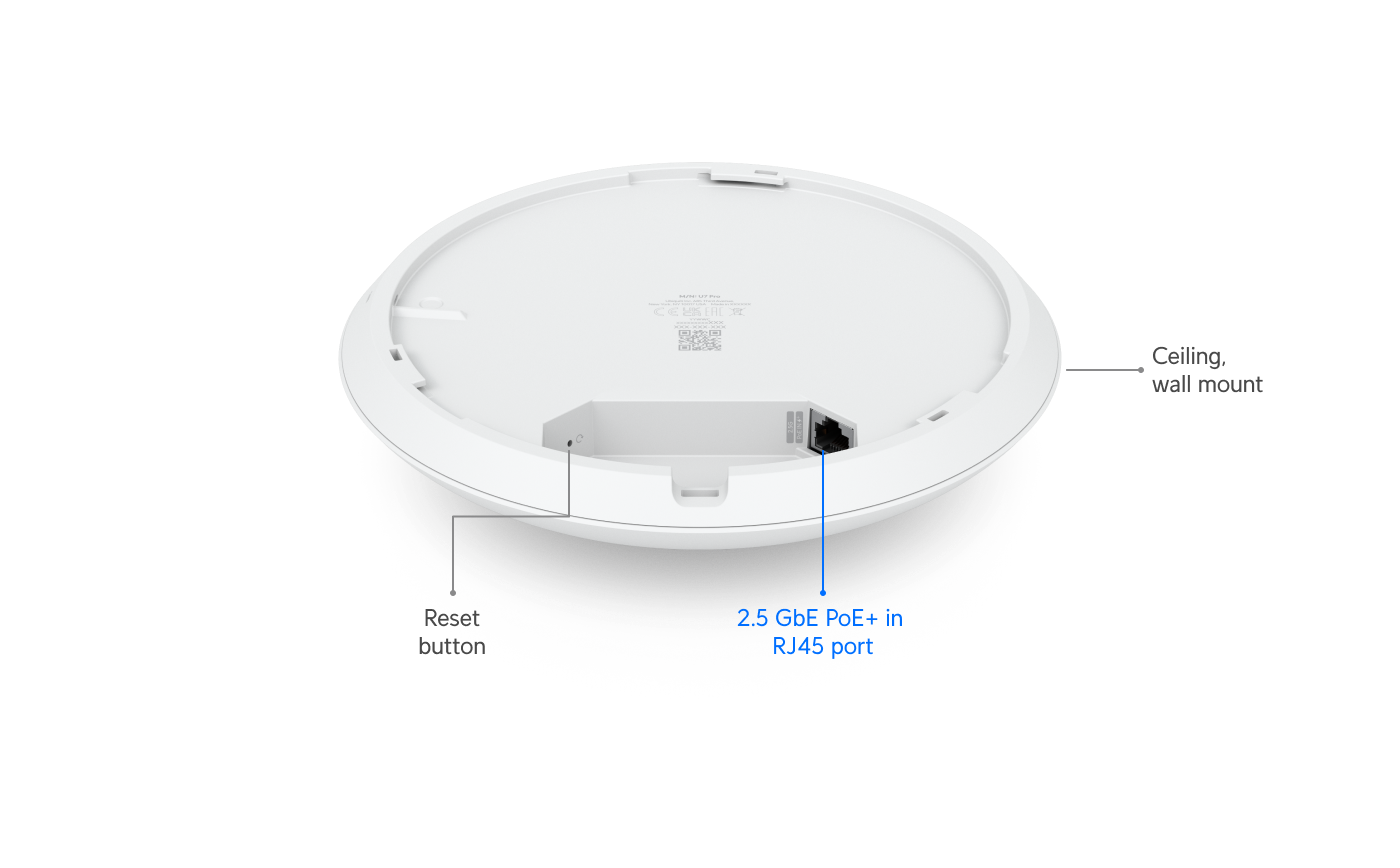
The UniFi U7 Pro measures 206 mm in diameter and 46 mm thick, making it suitable for ceiling or wall mounting with a professional-grade mounting kit included. It weighs 680 grams and is built from polycarbonate and metal with stainless steel and galvanized steel mounting materials, contributing to its durability in varied environments. The access point is powered over PoE+ with voltage ranges of 44 to 57 volts and consumes up to 21 watts. The device incorporates a single 1/2.5 GbE RJ45 port for uplink connectivity.
WiFi Standards and Performance
This model supports the latest IEEE 802.11be (WiFi 7) standard, alongside backward compatibility with WiFi 6 (802.11ax), WiFi 5 (802.11ac), and WiFi 4 (802.11n) standards. The U7 Pro operates tri-band with 2x2 MU-MIMO configuration in each frequency:
- 6 GHz band delivers up to 5.8 Gbps (using 320 MHz bandwidth) - 5 GHz band delivers up to 4.3 Gbps (using 240 MHz bandwidth) - 2.4 GHz band delivers up to 688 Mbps (using 40 MHz bandwidth)
Antenna gains range from 4 dBi to 6 dBi depending on the band, with max transmit powers from 23 dBm to 26 dBm, enabling robust signal propagation indoors.
Coverage and Client Capacity
With coverage estimated at 140 square meters (approximately 1500 square feet), the U7 Pro suits large rooms or open office plans. The access point is engineered to handle over 300 simultaneous clients, facilitated by advanced spectrum management and features focused on dense device environments.
Networking Features and Management
The U7 Pro supports key enterprise wireless features including:
- Wireless meshing for scalable network extension without additional cabling - Band steering to optimize client distribution across frequency bands - Fast roaming standards 802.11r and 802.11k to improve client handover experiences - Advanced RRM (Radio Resource Management) to mitigate interference and optimize channel usage - Passpoint (Hotspot 2.0) support and captive portal options with custom branding, voucher, and payment authentication - Guest access isolation and private pre-shared key (PPSK) features for enhanced security - WiFi speed limiting and client device isolation to control user bandwidth and segment devices - Schedule-based WiFi availability - Secure RADIUS over TLS with dynamic VLAN assignment for enterprise authentication
Management of the device is done through UniFi Network application version 8.0.28 or later, which provides centralized control and analytics within a UniFi infrastructure.
Compliance and Environmental Ratings
The U7 Pro meets certifications including CE, FCC, IC, and Anatel and is NDAA compliant, indicating its suitability for government and enterprise deployments. It operates in temperatures from -30 to 40 degrees Celsius and supports 5 to 95% non-condensing humidity.
Example Workflow 1: Large Office Environment with High User Density
### User and Task A network administrator at a multi-floor corporate office needs to provide fast, seamless wireless connectivity to 300+ employees with devices supporting WiFi 7, WiFi 6, and legacy standards.
### Prerequisites The office must have structured cabling supporting PoE+ to deliver power and data to ceiling-mounted APs. A UniFi controller setup is required for management.
### Deployment Steps The administrator mounts the U7 Pro access points centrally on ceilings in each large open office area. They connect each AP's RJ45 port to the network, ensuring 2.5 GbE switches to maximize uplink bandwidth. Using the UniFi Network app, the devices are adopted and configured with SSIDs segmented by user purpose (employees, guests). Band steering and fast roaming are enabled to optimize client performance.
### Successful Deployment Users experience consistent high speeds on WiFi 7-capable devices, with coverage extending comfortably across workspaces. Roaming between APs is seamless without connection drops.
### Limitations and Checks Ensure PoE+ standards are met in building cabling to support power demands. Monitor for channel congestion via RRM, especially in dense deployments. Verify UniFi Network app compatibility and controller versions.
Example Workflow 2: University Campus Indoor Common Areas
### User and Task A university IT team seeks to deploy next-gen WiFi to student lounges and study centers, supporting a diverse device ecosystem and guest access with captive portals.
### Prerequisites Robust PoE+ infrastructure and internet connection to support high traffic and authentication services. UniFi Network infrastructure is assumed.
### Deployment Steps Install U7 Pro APs in open common areas with mounting kits. Configure captive portal with university branding, enabling voucher and payment authentication for visitors. Use Passpoint support to ease student device onboarding. Set up guest network isolation policies.
### Successful Deployment Students and visitors experience easy access using guest credentials or vouchers, with reliable throughput and connectivity. Admins monitor network health and client distribution via UniFi app.
### Limitations and Checks Captive portal customization and external portal server support require validated configuration to prevent access issues. Verify voucher systems and payment integration are tested prior to deployment.
Example Workflow 3: Retail Store Network with IoT Device Segmentation
### User and Task A retail chain wants to deploy secure WiFi with segmented networks for staff devices, guest access, and IoT sensors.
### Prerequisites Existing wired infrastructure with PoE+ capability; RADIUS infrastructure for authentication if dynamic VLAN assignment is used.
### Deployment Steps Mount U7 Pro devices within retail floors. Assign separate SSIDs with private pre-shared keys for staff and guests. Configure dynamic VLAN assignment using RADIUS over TLS to segregate IoT devices on isolated VLANs. Enable client isolation and bandwidth limiting to prevent network abuse.
### Successful Deployment The network delivers secure segmented access, with IoT devices reliably connected without affecting guest or staff traffic. Administrators have oversight with UniFi Network monitoring.
### Limitations and Checks Setting up RADIUS servers and dynamic VLANs requires network expertise and proper testing. Device isolation and bandwidth policies must be tuned to avoid unintended connectivity disruptions.
Compatibility and Software Requirements
The U7 Pro requires UniFi Network management software version 8.0.28 or later. Network switches must support PoE+ for powering the APs. Multi-gigabit uplink switches are recommended to avoid bottlenecks. Client devices must support newer WiFi standards to leverage maximum throughput but backward compatibility ensures legacy device support.
Security Considerations
The device supports strong enterprise authentication via RADIUS over TLS and dynamic VLAN assignment, enhancing segmentation and security. WPA3 and latest WiFi encryption methods are supported due to WiFi 7 standards, although verification of configuration is necessary to enforce.
Maintenance and Updates
Ubiquiti typically provides firmware updates through UniFi Network controllers, enabling patching for security and feature improvements. Regular monitoring is recommended to ensure optimal channel selection and interference mitigation.
Use Case Fit and Limitations
The UniFi U7 Pro is ideal for enterprise, education, and high-density scenarios requiring future-proof WiFi 7 technology and advanced network controls. It is less suited for small or residential deployments due to cost and capabilities overkill. Given it has only a single 1/2.5 GbE port, environments requiring multi-gigabit uplink aggregation may need additional network designs.
Conclusion
The Ubiquiti UniFi U7 Pro offers comprehensive WiFi 7 performance with rich features tailored for complex, high-density indoor environments. Its support for advanced roaming, mesh networking, and enterprise security integrates seamlessly within UniFi ecosystems. Potential users should ensure network infrastructure supports the device’s power and speed requirements and invest in appropriate network management software versions to unleash its capabilities.
---
This review is based solely on official Ubiquiti technical documentation from https://techspecs.ui.com/unifi/wifi/u7-pro and related manufacturer materials as of the knowledge cutoff date, without independent performance testing or user testimonies.
Sources and original reporting
Read the original source ↗
Comments (0)
No comments yet. Start the discussion.
Write a comment
Comments are published after moderation. Your name and comment will be visible publicly. Account