
Apple iPhone Duo Practical Review: Exploring the Foldable Design with Enhanced App Experiences
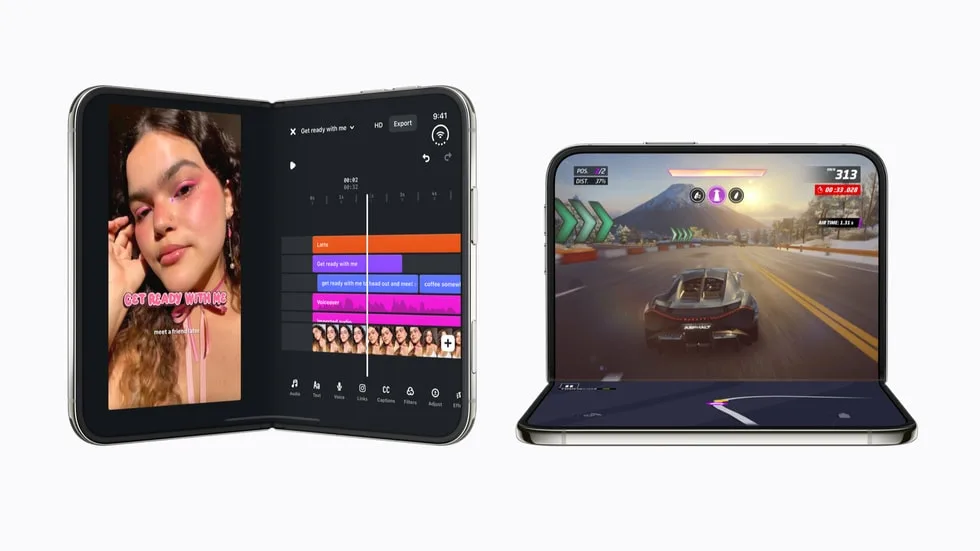
Image: Official product photography / Apple · Source
The Apple iPhone Duo, the company's first foldable iPhone, offers a larger inner display and flexible use modes, enabling optimized app experiences in entertainment, productivity, creativity, and gaming through new UI features like Split View and smooth display transitions. This review examines its physical design, interface, app functionalities, use-case examples, and developer ecosystem based on Apple's official briefing.
Physical Design and Display Characteristics
The Apple iPhone Duo is Apple’s inaugural foldable smartphone, featuring a dual-display design with both an outer and a larger inner display. The inner display measures 50 percent larger than the iPhone 18 Pro Max, making it the largest canvas for an iPhone to date. Both screens share the same aspect ratio, a deliberate design choice to enable seamless app transitions and proportional scaling when moving content from the outer to the inner display.
The device is available in two color finishes: star white and night sky, and offers four storage capacities: 256GB, 512GB, 1TB, and 2TB. No detailed information on ports or physical buttons beyond the standard iPhone design conventions was provided in the source material.
Interface and Everyday Functionality
The core experience of the iPhone Duo leverages its foldable design and large inner display to support new forms of interaction. Apps can adapt their layout dynamically to the device’s physical state—open, closed, or partially folded—thanks to APIs introduced in iOS 27.1 SDK. Because both displays have matching aspect ratios, applications can scale proportionally and shift between screens without interrupting user activity.
One transformative interface feature is Split View, which allows two apps to run side by side on the iPhone for the first time. This multitasking capability is supported by the device’s A20 Pro processor and a custom vapor chamber cooling system, enabling up to 35 percent better sustained performance than the iPhone 17 Pro. Gesture-based or hardware-based controls adapt to various poses, and new APIs handle content layout around the fold to optimize accessibility and visual quality.
Application Ecosystem and Developer Support
Apple has placed significant emphasis on encouraging developers to optimize their apps for the iPhone Duo’s foldable display. Over 2,000 developers have participated in dedicated workshops worldwide to familiarize themselves with the foldable interface. Development tools, including Device Hub in Xcode 27.1, facilitate testing of apps in multiple device poses.
Apps optimized for the iPhone Duo display their “Made for iPhone Duo” badge on the App Store to help users identify native support. Core UIKit and SwiftUI components automatically adapt app layouts, and additional APIs enable custom experiences, such as content splitting across the fold and reacting to hinge angles.
Entertainment Experience
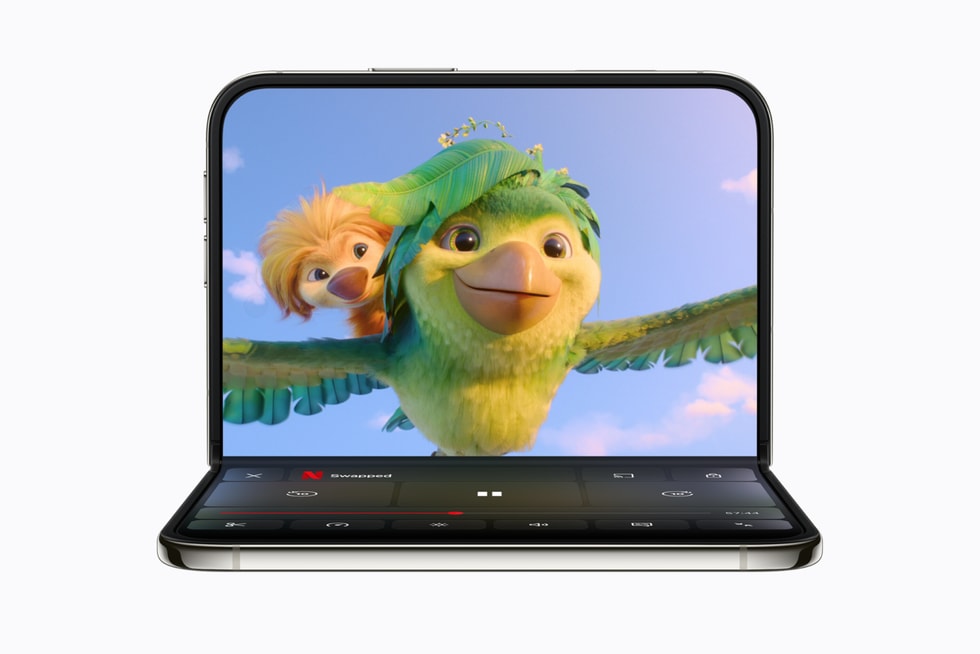
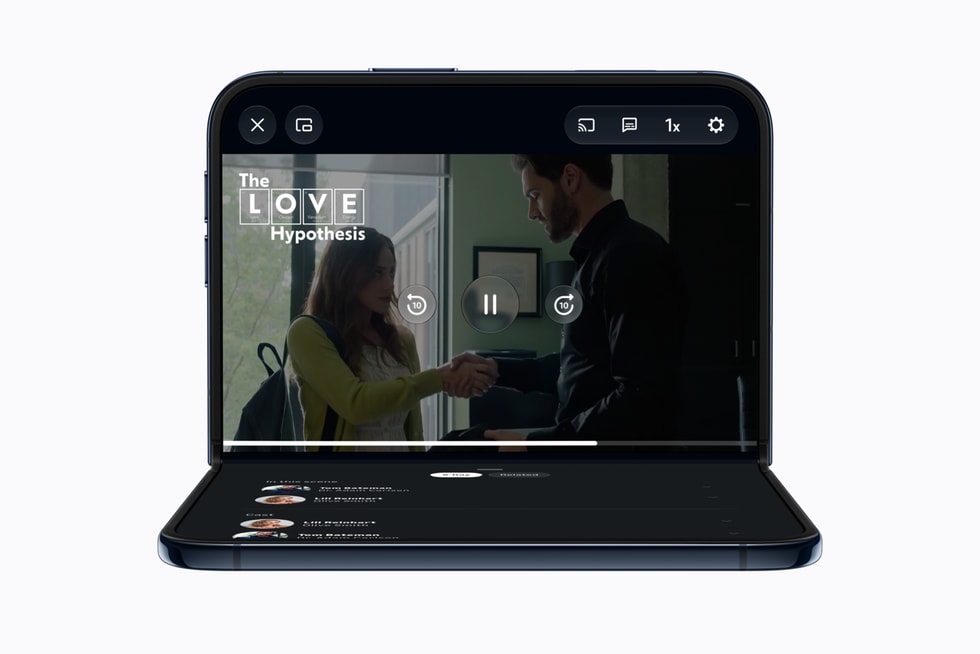
Streaming services have utilized the larger inner display effectively. Netflix supports a dual-display setup where users scroll through short video clips on the outer display and then open the device to watch full content seamlessly on the inner screen. Similarly, Prime Video and Paramount+ leverage the foldable form to show content on the top half and supplemental details like cast information or enhanced controls on the bottom half when the device is partially folded.
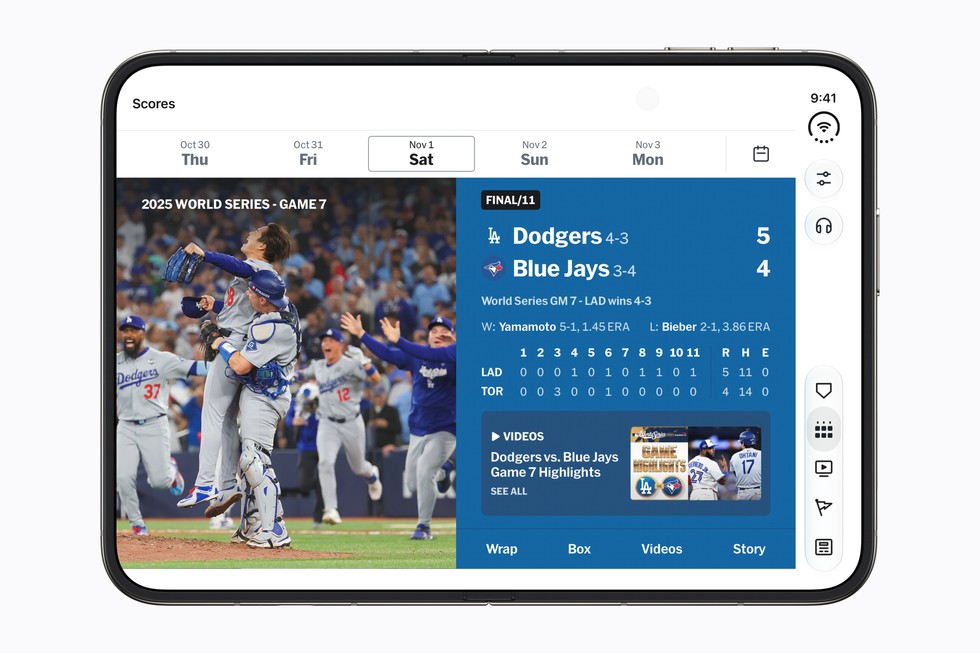
Sports fans benefit from MLB and PGA Tour apps that display live games alongside real-time statistics simultaneously, with the device propped on a table in a hands-free manner. The iterative update process ensures these apps continue to enhance the foldable experience.
Productivity and Multitasking
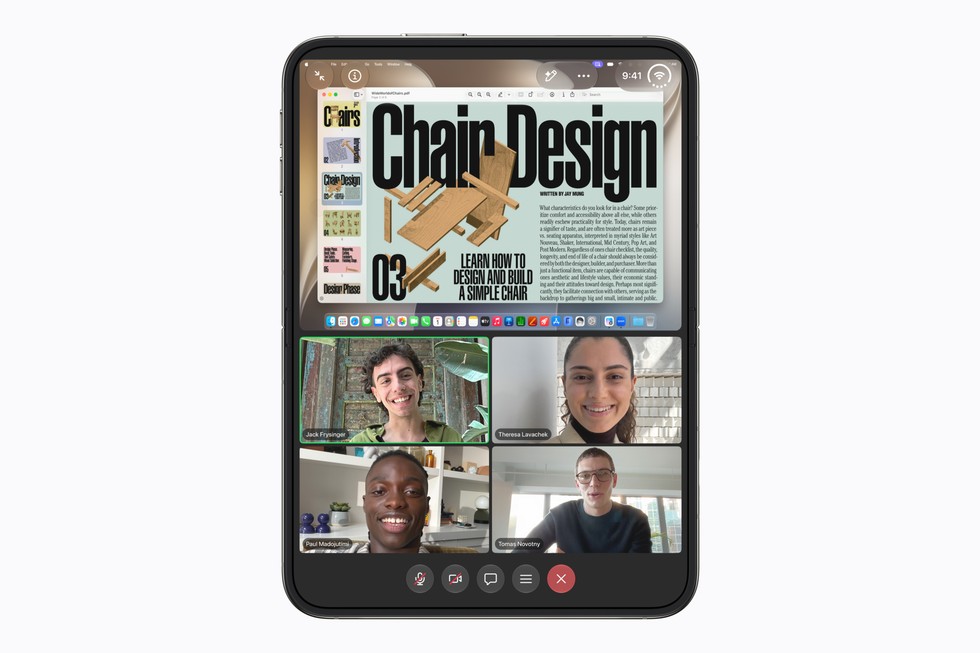
The introduction of Split View unlocks desktop-like multitasking on the iPhone Duo. Microsoft Word and Outlook will bring desktop-class document and email management experiences, respectively, using the larger display to showcase formatting tools alongside content and a full inbox next to detailed messages.
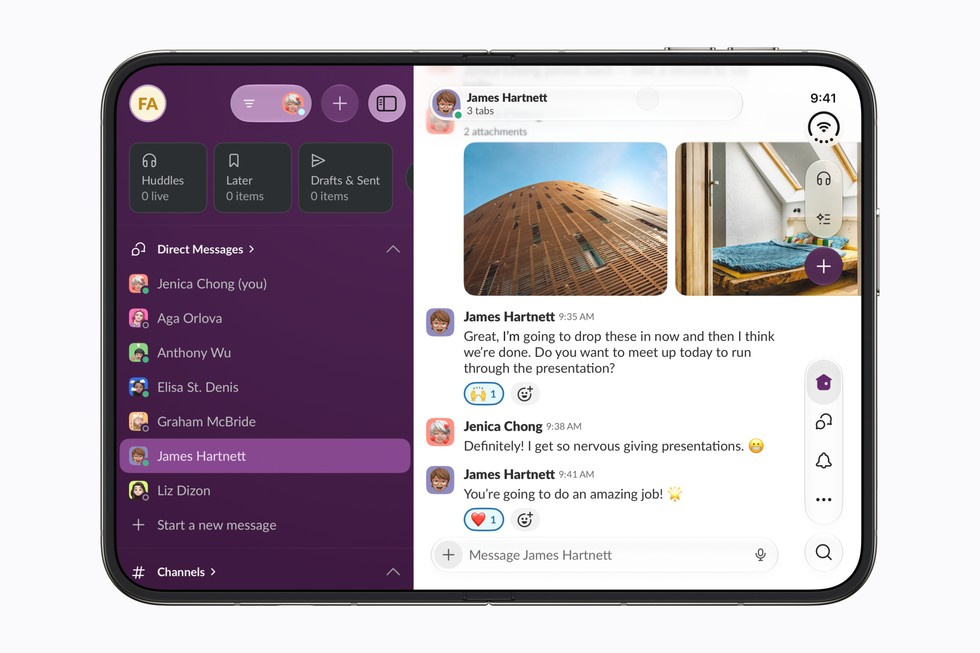
Zoom transforms the inner display into an immersive video conferencing room, while Slack and Salesforce utilize the expanded real estate to surface more workspace elements and dashboards at once. Calendaring and task management also see significant improvements; Fantastical provides combined views of calendars, tasks, and menus, and note-taking apps like Notewise integrate AI tools alongside documents, enhancing mobile productivity.
Creative and Content Creation Capabilities
The foldable design supports new workflows for creative professionals. Apps like Detail utilize Apple’s Core AI framework to run native AI models on-device, facilitating real-time video editing and transcription with privacy protections. Instagram adapts to show more posts and Stories, along with editing studios consolidated on the inner screen.
Video editing apps, such as VLLO, afford more control and larger timelines with the expanded display. This variety enables content creators to push the boundaries of mobile creativity by utilizing the foldable device’s nuanced interface.
Gaming Performance and Interaction
Powered by the A20 Pro and an advanced cooling solution, the iPhone Duo supports extended high-performance gaming sessions. Games like Asphalt Legends, Zenless Zone Zero, and the upcoming UnGodly have customized UI paradigms to adapt controls across different display states—open, closed, or partially folded.
Apple Arcade titles such as Sneaky Sasquatch and Retrocade utilize the foldable display for immersive gameplay and easy pick-up-and-play scenarios when closed. Independent developers have also experimented with playful use of the hinge, as seen in Deck-Man, which transforms the phone into a retro cassette player interface.
Lifestyle Applications: Cooking, Shopping, and Travel
The foldable design creates new opportunities in everyday activities. For example, NYT Cooking displays detailed, step-by-step recipes with rich visuals when the device is partially folded and propped up, allowing hands-free kitchen use. Retail apps like LTK, Lowe’s, Shop, and OpenTable optimize the layout for browsing videos, products, and restaurant booking information simultaneously.
Travel and navigation apps such as Lyft, American Airlines, United Airlines, and Flighty offer enhanced access to maps, flight tracking, ride comparisons, and boarding information, benefiting from the larger and versatile display.
Outdoor and hobbyist apps like Sky Guide (for stargazing) and Tide Guide (for tide charts and weather radar) also take advantage of the expanded interface.
Localized App Experiences
Developers globally are adapting their popular local apps for the iPhone Duo’s foldable interface. In China, apps like iQIYI, WPS Office, Weibo, AMap, and Taobao optimize for different device poses and utilize the larger canvas for content and controls.
In Korea, webtoon and comic reading apps along with messaging apps such as KakaoTalk and community platforms like BAND maximize multitasking and content exploration.
European and Latin American apps such as Airmail, Craft, Tripsy, and SmartGym refine productivity and planning functions, further demonstrating the foldable’s adaptability.
Example Workflow 1: Multitasking Professional Using Split View
User: A business professional needing to work on documents while managing communications on the go.
Prerequisites: Microsoft Word and Outlook updated with iPhone Duo optimizations; an active Office 365 account.
Steps: The user opens Microsoft Word on one side of the inner display to edit a report, while Outlook is open side-by-side for referencing emails. The device is fully unfolded, and the split-screen allows simultaneous interaction without switching apps.
Success Indicators: Efficient content editing with concurrent communication monitoring; minimal app switching; smooth transition when closing or opening the device.
Limitations/Checks: Verify app versions support Split View; ensure stable network connectivity for email syncing.
Example Workflow 2: Streaming Enthusiast Watching Content on the Go
User: A frequent traveler who streams movies and TV shows.
Prerequisites: Netflix app updated with iPhone Duo support; active subscription.
Steps: The user scrolls through Clips on the outer display while commuting, then opens the iPhone Duo to transition seamlessly to the larger inner display for full-screen viewing.
Success Indicators: Smooth scaling of content; maintenance of playback position; ability to switch device poses without interruption.
Limitations/Checks: Streaming quality depends on network; compatible app version required.
Example Workflow 3: Content Creator Editing Video
User: A podcaster or video editor working on audio/video content.
Prerequisites: Detail or VLLO app with Core AI capabilities; media files stored locally or in accessible cloud storage.
Steps: The user opens the inner display to access video timelines and transcripts side by side, utilizes AI features for caption generation and filler word removal, and edits content in real-time while viewing the full workspace.
Success Indicators: Efficient editing with immediate feedback; AI features running on-device ensuring privacy and speed.
Limitations/Checks: Ensure sufficient storage and device battery; compatible app update; media format support.
Compatibility, Maintenance, and Security Boundaries
The iPhone Duo runs iOS 27.1 or later, with new SDKs supporting foldable-specific APIs. Backups and maintenance are managed as with traditional iPhones using iCloud or local methods. AppleCare offers coverage options for damages including drops and spills.
Security benefits are bounded by standard Apple iPhone security architecture; no explicit AI or foldable-specific security enhancements are documented.
Suitability and Target Audience
The iPhone Duo suits users who prioritize a large, flexible display for multitasking, immersive entertainment, and creative or productivity workflows on a mobile device. It is less appropriate for those seeking simple, minimalistic phones or who prefer traditional rigid form factors.
Early adopters, professionals needing portable multitasking, and content creators are primary beneficiaries according to the provided information.
Conclusion
Apple’s iPhone Duo represents a significant innovation by combining foldable hardware with advanced software optimizations. With developer tools enabling adaptive app experiences, the device delivers multipurpose functionality across entertainment, work, creativity, and daily life. Its uniquely large, foldable displays open pathways for new user experiences and workflows, though successful use depends on accessing compatible applications and updated content designed for the form factor. Cost, app ecosystem maturity, and personal use cases will influence individual suitability.
This analysis is based solely on the official Apple newsroom article dated October 22, 2026, and does not reflect independent testing or third-party reviews.
Sources and original reporting
Read the original source ↗
Comments (0)
No comments yet. Start the discussion.
Write a comment
Comments are published after moderation. Your name and comment will be visible publicly. Account