
Samsung Galaxy Tab S12 Series Review: High-Performance Tablets for Ambitious Productivity and Creativity
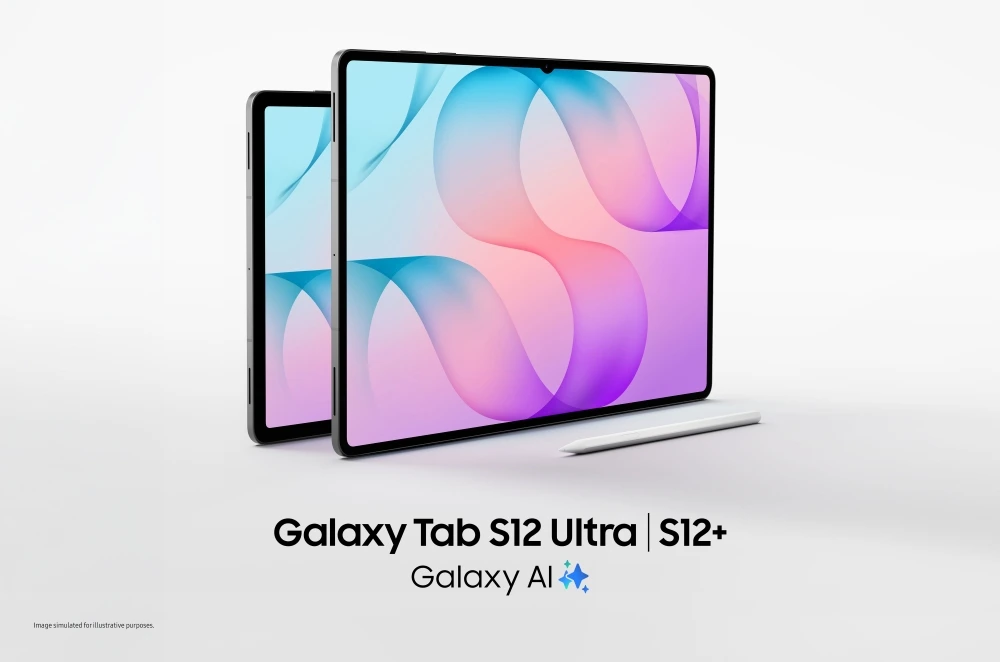
Image: news.samsung.com · Source
The Samsung Galaxy Tab S12 series, including the Ultra and Plus models, offers breakthrough performance, extensive battery life, a large immersive display, and integrated AI tools geared towards productivity and creative professionals.
Introduction to the Galaxy Tab S12 Series
Samsung’s Galaxy Tab S12 series, comprising the Galaxy Tab S12 Ultra and Tab S12+, presents Samsung’s latest entry in high-end tablets focused on professional-grade productivity and creativity. The tablets feature ultra-thin designs while balancing powerful performance, expansive displays, long battery life, and integrated artificial intelligence (AI) capabilities, positioning these devices for users aiming to deepen skills, work on complex projects, and manage demanding workflows.
Design, Build, and Durability
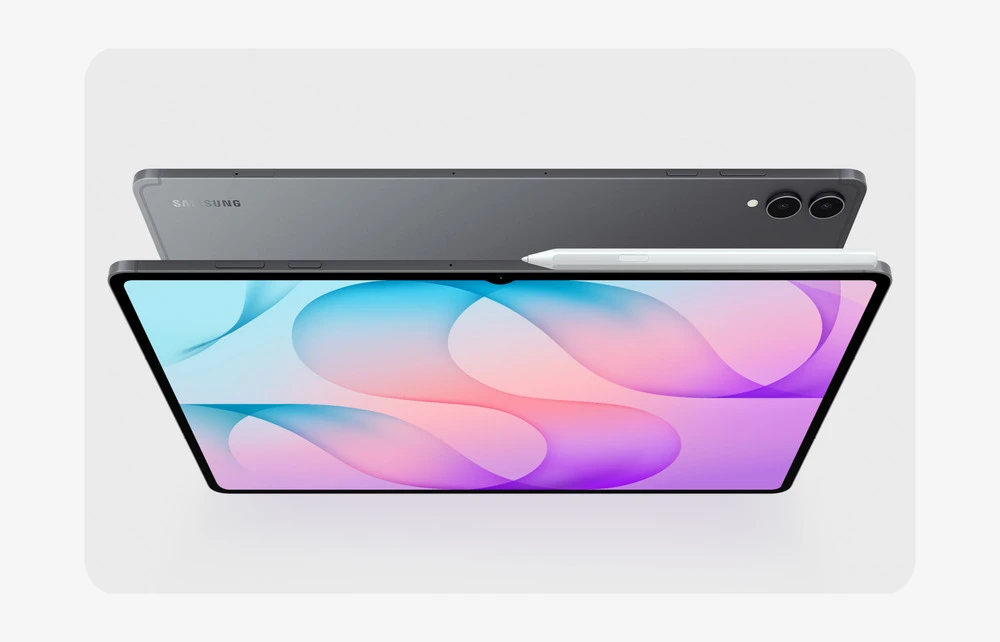
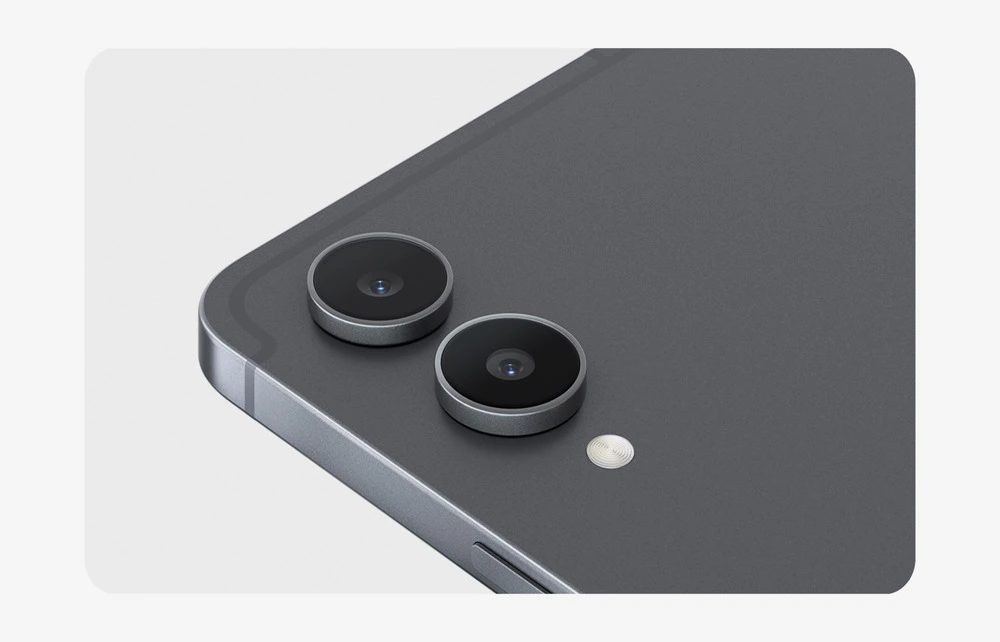
The Galaxy Tab S12 Ultra is Samsung’s thinnest tablet to date at 5.1mm thickness, complemented by the slightly smaller Galaxy Tab S12+. Both models embrace a slim and durable form factor with IP68 water and dust resistance, promising resilience in varied environments. This degree of ingress protection supports confidence in everyday portability without excessive worry about exposure to dust or moisture.
Display and Audio Experience
The Ultra model offers a 14.6-inch Dynamic AMOLED 2X display while the Plus model comes with a 12.6-inch AMOLED screen, both with peak brightness up to 1,600 nits. These displays are tuned for vivid, detailed visuals and incorporate Samsung’s Vision Booster technology, which dynamically adjusts brightness based on ambient lighting conditions for comfortable viewing both indoors and outdoors. Audio is enhanced by a 4-channel spatial speaker setup, doubling the previous generation’s channels, facilitating richer immersion whether watching lectures, streaming content, or editing multimedia.
Performance Specifications and Thermal Management
Powered by a cutting-edge 3nm processor, the Galaxy Tab S12 series achieves substantial improvements in processing capabilities: up to 61% faster neural processing unit (NPU) operations, 19% faster CPU performance, and 17% improved graphics processing unit (GPU) power compared to its predecessor. This supports handling demanding applications, such as video editing, multitasking, and AI-driven tasks, with minimal latency. Additionally, a newly engineered 3D Vapor Chamber cooling system dissipates heat efficiently, aiding sustained peak performance during extended sessions without significant thermal throttling.
Battery Life and Charging
The Galaxy Tab S12 Ultra can last up to 23 hours on a single charge, with the S12+ supporting up to 21 hours. The battery recharges fully in approximately 95 minutes using a 45W charger, minimizing downtime between intensive workflows. This extended battery life supports mobile professionals who require dependable use over long periods without frequent access to charging.
Software and AI Integration
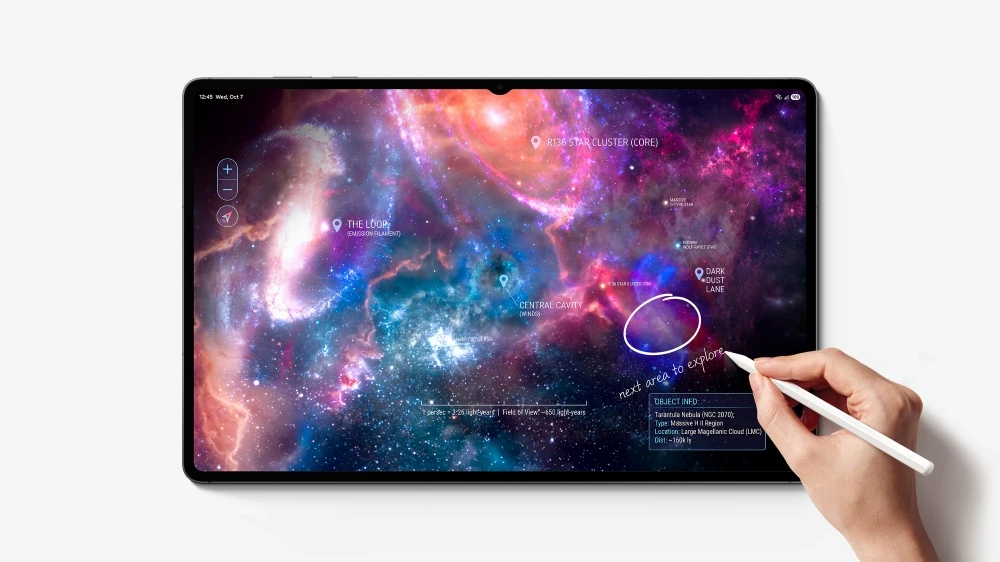
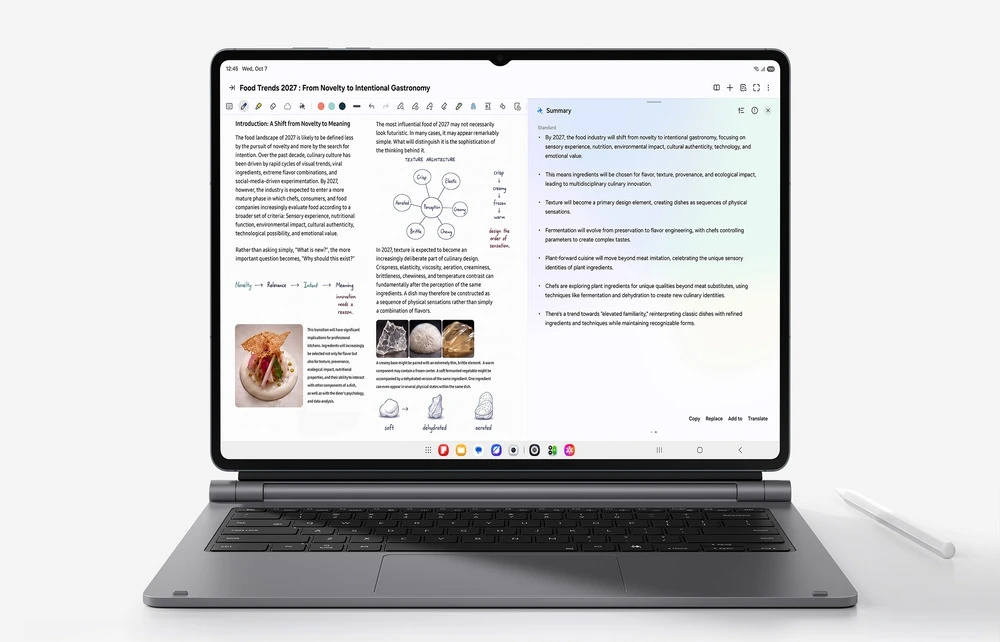
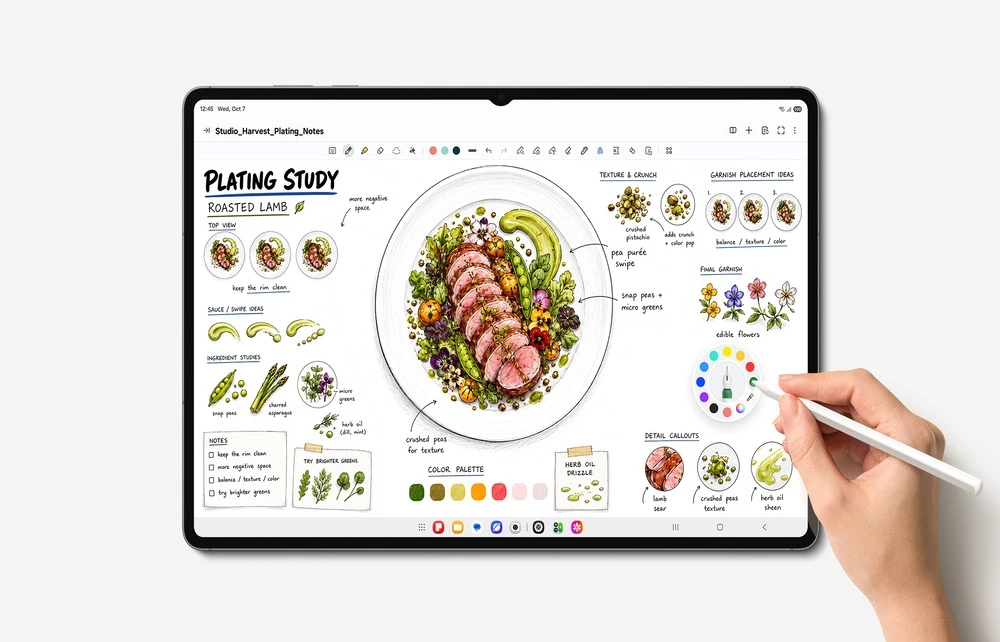
Running Android 17 with Samsung's One UI 9, the tablets tightly integrate Galaxy AI functionalities designed to streamline complex tasks. The AI facilitates multitasking by enabling a multi-window layout with up to three split screens, letting users engage in research, note-taking, video playback, and AI assistance simultaneously. The bundled S Pen allows precise, natural note-taking and annotation, and the Note Assist feature provides summarized notes in real time, enhancing focus and productivity.
Productivity and Creative Applications
Samsung bundles several professional-grade apps with the Tab S12 series to aid productivity and creativity. Adobe Photoshop is pre-installed — a first on Android tablets — offering tablet-optimized UI and S Pen support with AI-powered editing features like Generative Fill and Image to Video. Additional pre-loaded applications such as Notability, Goodnotes, LumaFusion, Notion, and Clip Studio Paint cater to note-taking, video editing, digital drawing, and structured organization.
The tablets also offer access to Google AI Pro for six months, delivering advanced AI-driven assistance such as information summarization, content organization, and study tool generation via Gemini Notebook, which can compile notes, images, and recordings into digestible formats.
Connectivity and Accessories
For those seeking a structured workstation, Samsung offers optional Pro Keyboard and Book Cover Keyboard Slim accessories that enhance typing comfort and productivity, incorporating specialized keys for instant AI assistant access. The tablets support standard connectivity protocols expected from flagship devices; precise compatibility and network requirements should be verified in official documentation.
Security Updates and Support
Samsung commits to providing up to seven generations of OS upgrades and security patches for the Tab S12 devices, ensuring device longevity and protection against evolving security threats. Samsung Care+ extends device coverage to include accidental damage repair, extended warranty, and expert support accessible domestically and abroad, convenient for users with active professional lifestyles.
Example Workflow: Online Learning for a Working Professional
User: A full-time employee pursuing an online certificate course.
Prerequisites: Stable internet access, Samsung account for app synchronization.
Sequence: The user watches course lectures while taking notes in Samsung Notes using the S Pen. Multi Window mode enables simultaneous AI assistant access for clarifications. Later, at a café, the user reviews course materials on the large AMOLED display, annotating directly on PDFs or images.
Successful deployment involves seamless switching between apps without lag or overheating, capturing clear notes and summaries with AI assistance, and lasting battery life sufficient for extended study sessions.
Limitations: Intensive multitasking with highly demanding apps may generate heat; verifying optimal settings in documentation is advisable.
Example Workflow: Creative Project Development
User: A digital artist creating illustrations and videos.
Prerequisites: Access to Adobe Photoshop, Clip Studio Paint, and LumaFusion apps.
Sequence: Using the S Pen, the artist sketches and refines digital drawings with Clip Studio Paint’s precision tools. Video editing is conducted with LumaFusion, taking advantage of the powerful processor and cooling system for rendering. Photoshop’s AI tools assist in generative editing tasks to speed up the creative process.
Successful deployment requires smooth app performance, responsive input from the S Pen, and manageable device temperature during extensive editing.
Limitations: Advanced rendering tasks depend on specific file complexity; users should manage expectations for very high-resolution projects.
Example Workflow: Business Productivity on the Go
User: A business professional managing communication, documents, and presentations.
Prerequisites: Installed Microsoft Office or compatible professional apps, stable Wi-Fi/cellular connectivity.
Sequence: The user organizes emails and calendar events while drafting reports with the keyboard accessory. Multi Window mode enables simultaneous interaction with presentation slides, video calls, and document editing. The AI assistant aids by summarizing meeting notes and drafting emails.
Successful deployment involves efficient multitasking, reliable connectivity, quick note capture, and extended battery life for all-day use.
Limitations: Keyboard accessory availability and compatibility should be verified; cellular data speed depends on local network infrastructure.
Compatibility, Backups, and Maintenance
Compatibility with professional-grade applications is a key strength of the Tab S12 series, although users should confirm specific app requirements and subscription statuses. Backups can be accomplished via Samsung Cloud or third-party services. Routine software updates will assist in maintaining performance and security. The device's IP68 rating supports maintenance by mitigating damage risk from typical environmental exposures.

Who the Galaxy Tab S12 Series Fits
The Galaxy Tab S12 series targets users requiring a blend of portability and high productivity, such as creative professionals, students investing in skill development, and business users needing reliable multi-tasking capabilities. It is less suited for users seeking budget options or those whose workflows do not demand high processing power or integrated AI.
Conclusion
Samsung’s Galaxy Tab S12 series offers a comprehensive package of hardware and software designed to empower demanding workflows with a balance of performance, display quality, AI assistance, and durability. Ideal for professionals and creatives, these tablets bring versatile workspace options and sustained productivity on the move. Prospective users should assess accessory needs, application compatibility, and usage scenarios against the documented features to ensure alignment with their requirements.
--
This review is compiled from documented information provided by Samsung Electronics and does not include hands-on testing or independent performance verification.
Read the original source ↗
Comments (0)
No comments yet. Start the discussion.
Write a comment
Comments are published after moderation. Your name and comment will be visible publicly. Account