
Apple MacBook Pro with PROLED XDR Display: A Practical Review for Professional Workflows
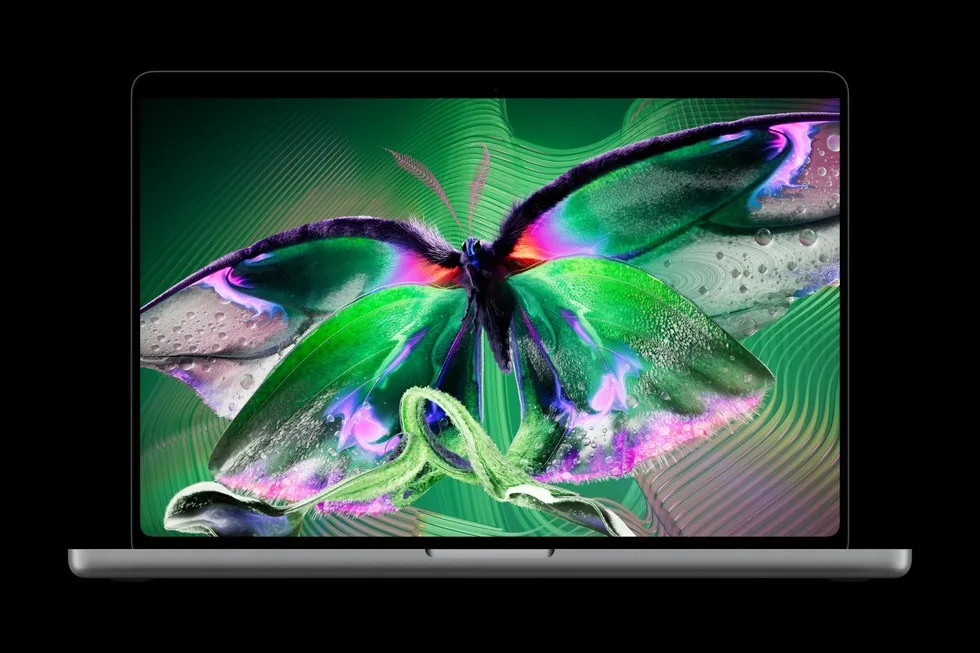
Image: Official product photography / Apple · Source
The 2026 MacBook Pro introduces the PROLED XDR tandem OLED display and Touch for Mac, powered by M5 Pro/Max chips, delivering exceptional visual fidelity, performance, and interactivity in a thinner, lighter design suited for demanding creative and professional tasks.
Physical Design and Variants
Apple's 2026 MacBook Pro lineup includes two models: a 14.2-inch and a 16.3-inch variant, both featuring a thinner and lighter chassis compared to prior generations. The 14-inch model weighs approximately 3 pounds, reduced by half a pound from before, while the 16-inch version weighs 4 pounds, about 0.7 pounds lighter. These reductions are enabled largely through the adoption of OLED technology with a more efficient display stack, allowing the 16-inch model to be nearly 1 millimeter thinner and the 14-inch about 0.5 millimeters thinner. The design retains a professional aesthetic with slimmer display borders enhancing screen real estate while maintaining portability.
Connectivity includes three Thunderbolt 5 ports, HDMI, SDXC card slot, MagSafe charging, and a headphone jack. Wireless connectivity supports Wi-Fi 7 and Bluetooth 6. New to these systems is a 12MP Center Stage camera and an enhanced six-speaker audio system with improved bass and sound clarity. The thermal architecture has been redesigned to sustain M5 Pro and M5 Max performance while keeping warm air away from the display.
The PROLED XDR Display
The headline feature is the PROLED XDR display, which employs breakthrough tandem OLED technology with innovations in layering and a sophisticated display engine driven by advanced algorithms. This setup ensures brightness and grayscale uniformity across the panel while reducing internal reflections common in conventional OLED displays.
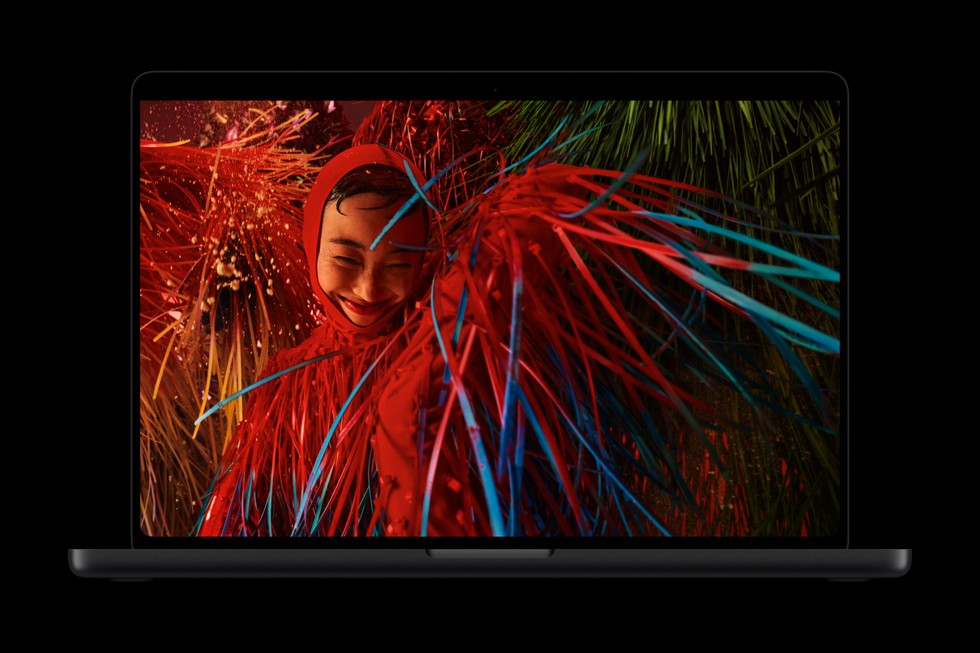
The display achieves up to 2000 nits peak brightness for both HDR and SDR content, with a remarkable 10,000,000:1 contrast ratio, pushing HDR content closer to real-world visual fidelity. The panel boasts a 120Hz variable refresh rate facilitated by ProMotion technology, dynamically ranging as low as 10Hz for power efficiency and up to 120Hz for fluid responsiveness, particularly for fast-motion content.
Color accuracy is paramount, with full coverage of P3 and Adobe RGB color gamuts, plus notably wider green and cyan ranges, catering to photography, design, and HDR video grading workflows. Users have access to these wide gamuts via a single default preset, easing transitions between color standards. Factory calibration further ensures that luminance, white point, and gamut conform precisely to reference targets, establishing this display as a portable reference calibration standard.
For viewing comfort in various environments, the display includes a state-of-the-art anti-reflective coating, with an optional nano-texture cover glass etched precisely to reduce glare for distraction-free work in bright lighting.
Touch Interaction for Mac
For the first time, Apple has introduced Touch interaction natively on a MacBook Pro display. Unlike conventional touchscreen overlays, the touch sensor is integrated directly into the OLED panel, reducing latency and increasing responsiveness to make touch feel like direct manipulation of content.
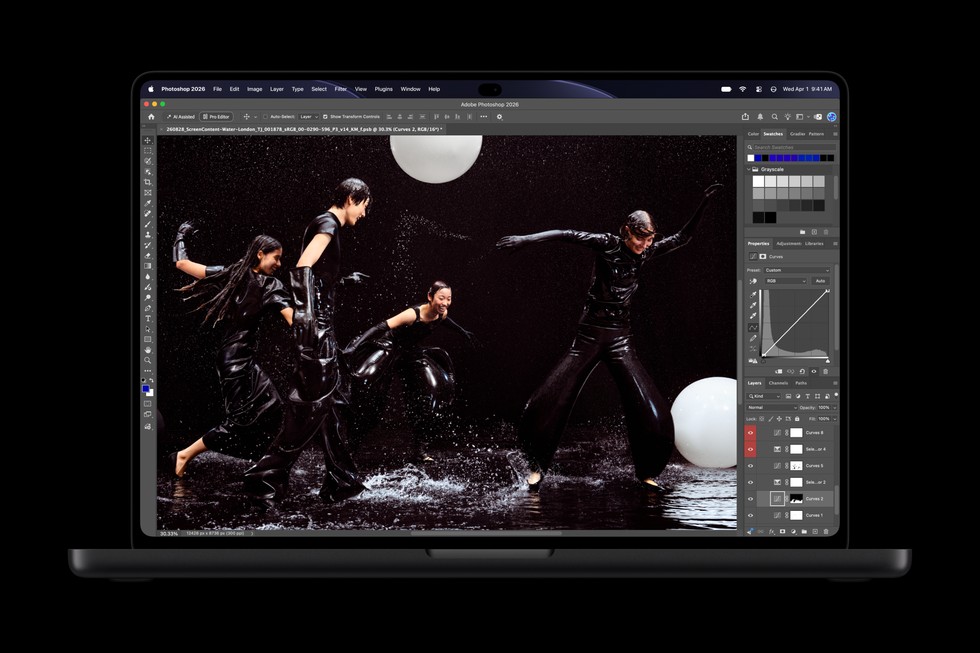
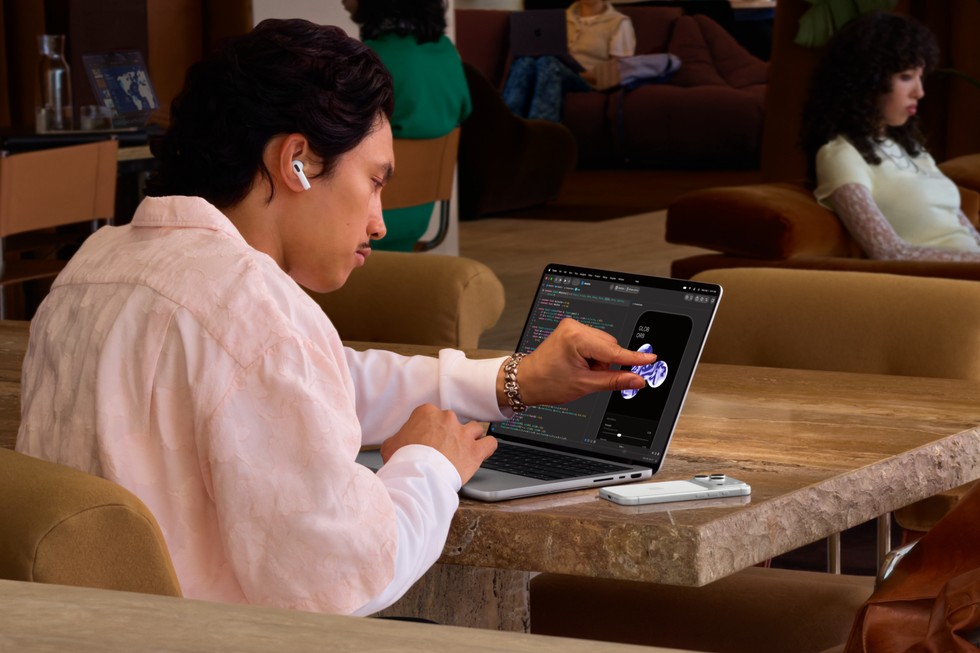
This system supports simple gestures such as swiping, pinching, dragging, double-tapping, and flicking, enabling intuitive control over windows, web pages, and presentations. Beyond basic gestures, Touch unlocks new workflows for professionals — graphic designers can use the entire display as a drawing surface, musicians have on-screen instruments with multi-touch polyphony, and developers can test touch behavior in iOS and iPadOS app environments right on the MacBook Pro.
Touch coexists smoothly with established keyboard shortcuts and trackpad gestures. To support stability during touch interaction, Apple redesigned the hinge. Additionally, video stabilization smooths camera feed during video calls while Touch is in use.
Various Apple and third-party apps have integrated Touch support, including creative software like Pixelmator Pro, Adobe Lightroom, DaVinci Resolve, 3D modeling apps such as Blender and Maxon Cinema 4D, and productivity tools like Notion, Zoom, Microsoft Office suite, and music applications including Algoriddim djay Pro.
Dynamic Island on Mac
The Dynamic Island feature migrates from iPhone to Mac, serving as a hub for Spotlight search, Live Activities, and Siri AI interactions. It offers a quick, glanceable interface for managing communications, system notifications, and voice commands without interrupting workflow. Users can handle phone calls, control music playback, accept AirDrop requests, and peek at live updates through simple taps or voice interactions.
Performance: M5 Pro and M5 Max Chips
Internally, the MacBook Pro relies on Apple's M5 Pro and M5 Max chips, the most powerful Apple silicon yet for pro laptops. These SoCs deliver outstanding single and multithreaded CPU performance and faster unified memory bandwidth, targeting heavy professional workloads.
M5 Pro suits scientific computing, engineering simulations, large code compilation, advanced AI tasks, and multi-stream 8K video editing. M5 Max targets users pushing visual effects, 3D animation, film scoring, and AI development, capable of running large language models with hundreds of billions of parameters entirely on-device.
The GPUs feature enhanced shader cores with a third-generation ray tracing engine for photorealistic lighting and faster render times, and Dynamic Caching boosts on-chip memory use to maximize utilization in apps like Blender and Unreal Engine as well as AAA titles.
A Neural Accelerator integrated into each GPU core speeds AI workflows such as code generation with local LLMs.
Audio and Camera Enhancements
Audio capabilities include a redesigned six-speaker system with new woofers providing 50 percent deeper bass and tweeters refined for better sound dispersion, complemented by Spatial Audio with Dolby Atmos for immersive listening. Studio-quality microphones ensure clear voice capture for calls and recording. For the first time, the MacBook Pro applies dedicated audio tuning for when the laptop is closed but connected to external displays, maintaining sound quality.
The 12MP Center Stage camera delivers improved video calls with real-time video stabilization, particularly beneficial when combined with Touch interaction.
macOS 27 Golden Gate and AI Integration
The system runs macOS 27, featuring Siri AI integrated with Dynamic Island for a personal assistant that understands context across apps and user data locally, aligning with privacy standards. Siri can answer questions, perform complex tasks, and interact with on-screen content via Visual Intelligence.
Apple Intelligence enhancements span improved tab organization in Safari, web update notifications, AI-driven custom extensions, shortcut automations via plain language, and intelligent photo editing.
Furthermore, macOS 27 introduces Liquid Glass refinements for visual interface clarity, alongside new personalization options.
Advanced Display Calibration and Professional Modes
The PROLED XDR display supports Apple Pro Display Calibrator software, enabling users to calibrate for specific professional standards, covering cinematic, photography, print, and design reference modes. Medical professionals can leverage DICOM reference modes for grayscale imaging in research and education.
Synchronization via genlock allows the MacBook Pro to match display refresh rates to camera capture to reduce artifacts during filming, targeting virtual production and on-set use.

Example Workflow: Graphic Designer Using Touch to Create Artwork
A professional graphic designer with experience in Pixelmator Pro might set up the 14-inch MacBook Pro in a studio environment.
Prerequisites include a calibrated PROLED XDR display preset for Adobe RGB, installation of Pixelmator Pro optimized for Touch, and macOS 27.
Workflow involves using the entire display as a touch surface to draw, paint, and manipulate images directly on the screen, using gestures such as pinch zoom, drag-and-drop of elements, and multi-touch painting.
Success would be evaluated by fluid gesture response, precise color fidelity matching reference standards, and seamless app integration allowing creative freedom without needing an external drawing tablet.
Limitations to check include ensuring the hinge provides stability during touch use and managing potential glare with the nano-texture option if under bright studio lighting.
Example Workflow: Musician Composing with On-Screen Instruments
A film composer could utilize the MacBook Pro with Logic Pro, employing Touch for on-screen software instruments.
Prerequisites comprise Logic Pro with multitouch keyboard and drum pad support, macOS 27, and a quiet recording environment.

The musician plays and records musical passages using the full multi-touch keyboard on the display, experimenting with tappable chord and drum pads, enabling rapid idea capture without external MIDI hardware.
Successful deployment would feature low latency audio response, precise polyphonic multi-touch recognition, and smooth video conferencing during remote collaborations using the Center Stage camera.
Checks include verifying audio input/output latency, balancing power consumption during intense audio workloads, and configuring thermal profiles for sustained performance.
Example Workflow: Software Developer Running AI Workloads
A software engineer working on AI code generation or running local large language models can benefit from the M5 Max’s Neural Accelerator and large unified memory.
Prerequisites include compatible development environments, local access to AI models, and macOS 27.
The developer compiles code swiftly, runs AI agents locally using the Neural Accelerator for inference, and tests iOS apps with native Touch input.
Success includes reduced compilation times, real-time AI assistance locally for code suggestions, and smooth multitasking across development tools.
Limitations would include monitoring battery life under extended AI workload and ensuring adequate cooling during high CPU/GPU usage.
Backups, Maintenance, and Security
While detailed backup recommendations are not specified in the source, users should verify Apple’s official documentation for best practices regarding Time Machine or cloud backups. Maintenance benefits from durable construction with recycled materials for longevity and repairability.
Security features include Touch ID for secure logins and Apple-provided privacy protections in Siri AI operations, which process data on device. macOS 27’s system-wide improvements add reliability and responsiveness but no explicit details were provided about security beyond standard Apple ecosystem safeguards.
Limitations and Fit
The PROLED XDR display demands calibrated workflows to realize its full potential, possibly necessitating professional knowledge in color management.
Touch integration, while innovative, requires adaptation and app support, though many key professional tools have been updated.
The product targets demanding creative, scientific, and AI development users who require mobility without compromising performance or visual fidelity. Those tied to legacy software or requiring specialized ports not listed may need to verify compatibility. The high starting prices reflect the pro-level positioning.
Conclusion
The 2026 MacBook Pro with PROLED XDR Display represents a substantial evolution in Apple’s professional laptops, primarily through pioneering tandem OLED technology, introducing native Touch input, and delivering powerful M5 Pro and M5 Max chipsets. This combination enables new workflows across design, music, development, and production with a focus on exceptional display fidelity, performance, and responsiveness. Its thinner, lighter design and advanced connectivity support mobile professional demands. While high cost and new interaction models imply learning and investment, professionals requiring state-of-the-art color accuracy, AI capability, and creative flexibility are likely to find this offering compelling.
This review is based exclusively on information from Apple’s official October 28, 2026, press release and technical specifications, without independent hands-on evaluation.
Sources and original reporting
Read the original source ↗
Comments (0)
No comments yet. Start the discussion.
Write a comment
Comments are published after moderation. Your name and comment will be visible publicly. Account