
Google's Gemini AI Gains Mac Computer Control for Multistep Task Automation
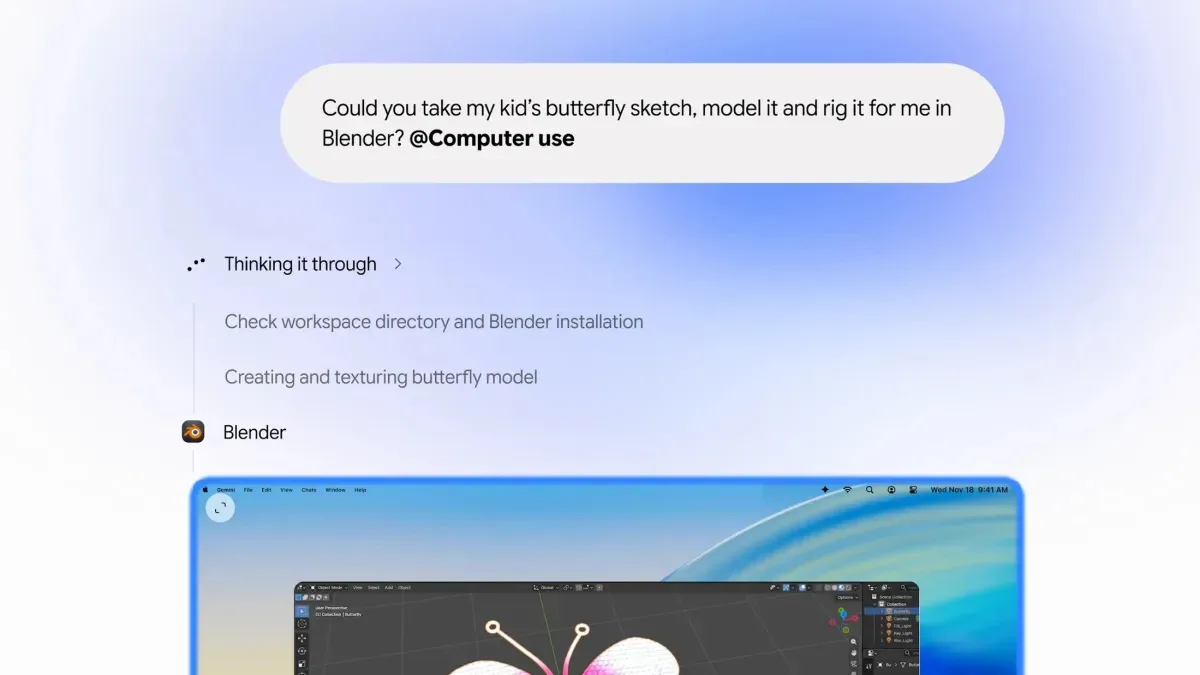
Image: TechCrunch · Source
Google updates Gemini with an AI agent for macOS that can navigate apps, organize files, fill forms, and handle complex workflows, letting users delegate tasks while continuing their work.
Google has introduced a new capability for its Gemini AI through a desktop application on macOS, enabling the AI agent to autonomously perform tasks on a user's Mac. This marks Google's entry into a domain where competitors such as OpenAI, Anthropic, and Meta have already established agentic AI features in their desktop apps.
The Gemini AI agent can interact with native Mac applications and browse websites in the background to complete multistep workflows. Users can instruct the AI to carry out tasks such as organizing files based on specific criteria, filling out forms, batch processing repetitive jobs, or creating slideshows from files or online dashboard data.
While the AI operates, users see a live preview of its actions within the chat interface, allowing them to monitor progress without interruption to their own screen and cursor usage. Users retain control with the ability to pause, stop, or approve actions before they execute.
This functionality follows Google's recent broader rollout of Gemini's "Tasks" feature, which enables the AI to handle processes including website logins, online shopping, and appointment bookings. Additionally, Google's upgraded "CC" AI agent aims to assist families in organizing emails, calendars, chats, and tasks.
Currently, the computer-use feature is available only in English for U.S. users, requiring installation of the Gemini Mac app and a Google AI Plus, Pro, or Ultra subscription. Google has not disclosed plans for extending availability to other languages, markets, or operating systems.
By integrating direct computer control into Gemini, Google enhances productivity tools with AI capable of handling complex, multistep operations, positioning itself among leaders in AI assistant technology within desktop environments.
Sources and original reporting
Read the original source ↗
Comments (0)
No comments yet. Start the discussion.
Write a comment
Comments are published after moderation. Your name and comment will be visible publicly. Account