
Apple 14-inch MacBook Pro with M6 Review: Next-Level Performance and AI for Professionals
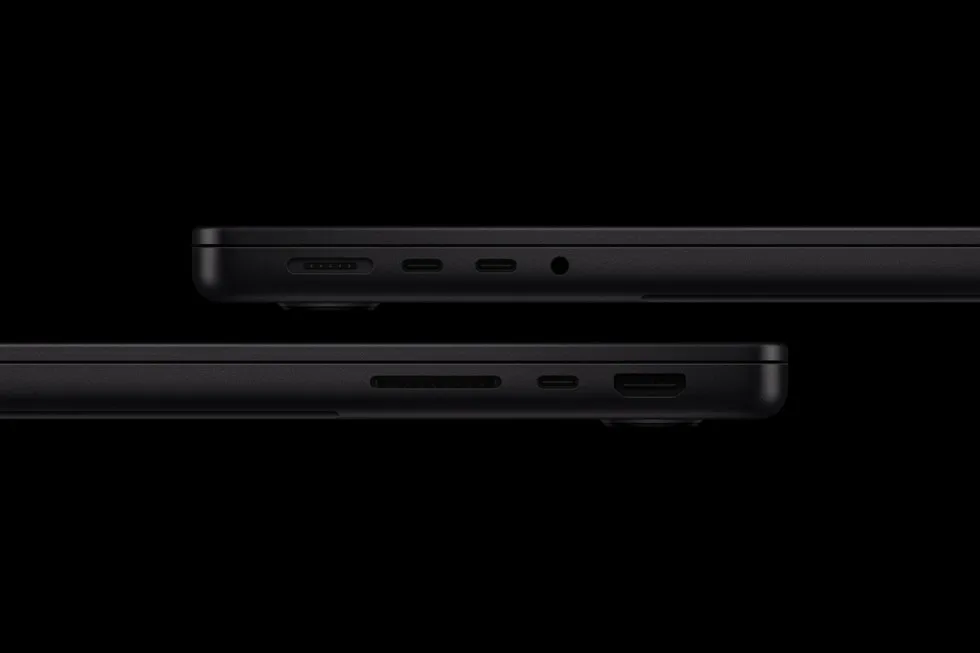
Image: Official product photography / Apple · Source
Apple’s 14-inch MacBook Pro with M6 chip delivers significant upgrades in CPU, GPU, AI capabilities, battery life, and connectivity, tailored for power users, creators, and mobile professionals.
Physical Design and Appearance
The new 14-inch MacBook Pro with M6 retains the familiar form factor beloved by professional users, featuring a high-quality enclosure crafted from 100 percent recycled aluminum, emphasizing both durability and environmental responsibility. Available in space black and silver finishes, the space black variant further benefits from an anodization seal reducing fingerprint visibility. While Apple continues to prioritize premium materials and sturdy construction, the overall compact size and weight make it suitable for mobile professionals and creators who demand portability without sacrificing power.
Controls, Ports, and Variants
Apple has maintained its versatile port selection on this model, catering to a broad range of workflows. The 14-inch MacBook Pro includes an HDMI port for direct connection to displays or projectors, a MagSafe 3 charging port providing dedicated fast charging capability, and three Thunderbolt 4 ports offering high-speed data transfer and compatibility with external GPUs and peripherals. Additional connectivity is provided via an SDXC card slot and a standard headphone jack, ensuring compatibility with professional audio equipment. This array of ports supports up to two external displays, meeting display expansion needs for complex workflows. Configurations include 16GB of unified memory as standard, configurable up to 32GB, with storage options available through Apple’s configurator at purchase.
M6 Chip Architecture and Performance
Central to this MacBook Pro is Apple’s M6 system-on-chip, sporting a 12-core CPU that features the world’s fastest CPU core per Apple’s announcement. Compared to the prior M5 chip, the CPU integrates two additional cores, enhancing both single-threaded and multi-threaded processing performance. The 12-core GPU, also with two more cores than its predecessor, boasts a third-generation ray-tracing engine, improving rendering quality and efficiency. Dynamic Caching technology optimizes on-chip memory usage, elevating graphics and compute tasks performance.
Complementing the CPU and GPU, the M6 includes a Dual 16-core Neural Engine and additional Neural Accelerators embedded within the GPU cores, providing up to a 1.9x speed boost for AI workloads compared to the M5. These specialized AI components accelerate tasks such as large language model (LLM) prompt processing, image generation, super resolution, and AI upscaling directly on the device, all while maintaining user privacy by processing data locally.
Unified memory bandwidth has increased to 170GB/s, supporting demanding multitasking and large project workflows comfortably.

Battery and Power Management
One of the standout features of the M6-equipped 14-inch MacBook Pro is its remarkable battery life, reaching up to 24 hours of use under typical conditions — an all-time high for Mac devices. Apple claims the device maintains performance parity whether on battery or plugged in, emphasizing the efficiency gains of the M6 chip. Fast charging support enables recharging to 50 percent in approximately 30 minutes when paired with a higher-wattage USB-C adapter, such as the optional 96W power brick.
Display and Audio Experience
The MacBook Pro sports the Liquid Retina XDR display with a nano-texture option. This display supports HDR content up to 1600 nits peak brightness, delivering deep blacks, high contrast ratios (1,000,000:1), and vibrant color reproduction. The nano-texture finish reduces glare and reflections, beneficial for users in brightly-lit or challenging environments. Audio output is handled by an immersive six-speaker sound system with support for Spatial Audio, enhancing media consumption and creative production. A studio-quality, three-microphone array combined with a 12MP Center Stage camera system ensures clear video conferencing and content capture.
Connectivity and Wireless
The 14-inch MacBook Pro advances wireless connectivity with Wi-Fi 7 and Bluetooth 6. These protocols provide faster wireless data throughput and reduced latency compared to previous standards, which is critical for cloud workflows, large file transfers, and peripheral connectivity. The device supports seamless integration with other Apple devices through Continuity features, allowing users to share files, photos, and control iPhones directly from their Mac.
Software: macOS 27 with Siri AI and Apple Intelligence
The device ships with macOS 27 Golden Gate, introducing significant AI-powered user enhancements. Siri AI offers conversational, context-aware assistance across messages, emails, photos, and apps while upholding privacy through localized processing. Features include systemwide visual intelligence, allowing users to query elements currently displayed on-screen.
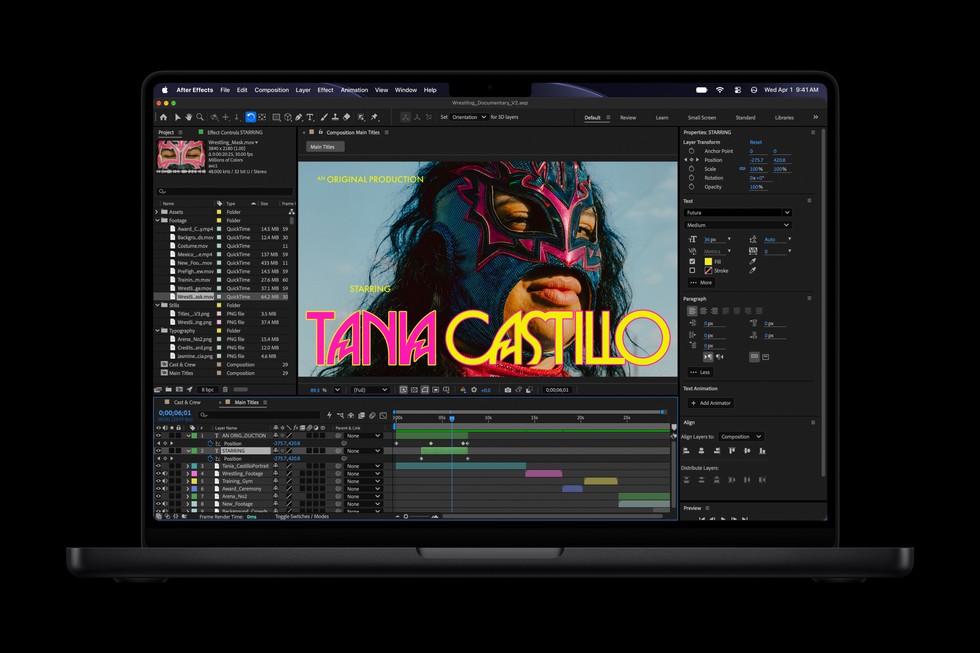
Apple Intelligence integrates into Safari for automatic tab organization, website change notifications, and customized extension creation based on user descriptions. The Photos app gains intelligent editing tools, and Shortcuts allows automation creation through natural language prompts. The system also includes customizable interface transparency controls and refined iconography for an improved user experience.
Example Workflow 1: Multimedia Professional Editing HDR Video
User and Task: A video editor working on HDR footage requiring real-time color grading and rendering. Prerequisites: Access to ProRes or HDR source material, external HDR monitor (optional), high-speed Thunderbolt 4 storage. Steps: Import footage via SDXC card; edit using Premiere Pro or Final Cut Pro harnessing the 12-core GPU accelerated by the ray-tracing engine and AI upscaling for preview quality; export final renders leveraging the fast unified memory and storage. Success Indicators: Real-time playback without lag, rapid rendering times compared to prior generations, accurate HDR output on external displays. Checks and Limitations: Verify compatibility of editing software with macOS 27 and M6 architecture; large project files may require higher memory or faster external storage.
Example Workflow 2: Software Developer Compiling Large Codebases
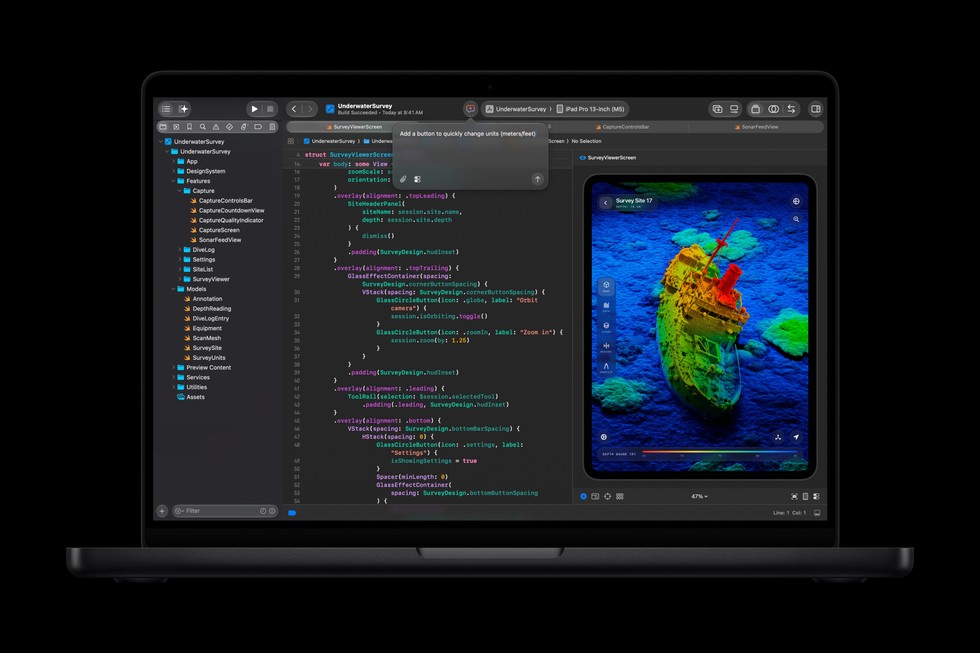
User and Task: A developer compiling complex code in Xcode for iOS or Mac apps. Prerequisites: Latest Xcode version optimized for M6, connected Git repository. Steps: Open project; utilize the 12-core CPU for multi-threaded compile tasks; leverage AI-accelerated tools for code suggestions and refactoring (if integrated with IDE); test builds on connected devices or simulators. Success Indicators: Faster build times (up to 2.5x improvement over M1); smooth multitasking during large-scale refactoring. Checks and Limitations: Ensure Xcode and related toolchains support new chip architecture; monitor thermal performance during intensive tasks.
Example Workflow 3: Data Scientist Running On-Device AI Models
User and Task: A data scientist running LLMs locally for privacy-sensitive natural language processing. Prerequisites: Compatible AI frameworks supporting Apple Neural Engine, datasets preprocessed for local inference. Steps: Load models utilizing dual 16-core Neural Engine; execute prompt processing with accelerated LLM inference; analyze and visualize results. Success Indicators: Reduction in latency for prompt responses; ability to run models offline without compromising privacy. Checks and Limitations: Model size constraints dictated by available unified memory; verify AI frameworks compatibility with the M6 Neural Engine.
Example Workflow 4: College Student with Mixed Use Among Classes and Creative Work
User and Task: Student balancing note-taking, writing, presentations, and graphic design. Prerequisites: Microsoft Office or Google Workspace; Adobe Creative Cloud or Affinity apps; Wi-Fi access. Steps: Use Safari with Apple Intelligence features for research; organize tabs and set price alerts or restock notifications for supplies; take notes using Pages or third-party apps with Siri AI dictation and editing; complete photo editing assignments using accelerated Affinity tools. Success Indicators: Intuitive multitasking without slowdown; reduction in time spent managing resources and documents. Checks and Limitations: Verify educational software licensing; consider storage capacity for media files.
Maintenance, Compatibility, and Security
The MacBook Pro with M6 provides industry-leading performance per watt while maintaining robust security protocols inherent to Apple Silicon architecture. On-device AI processing preserves privacy by keeping sensitive data local. Compatibility considerations primarily revolve around software and hardware peripherals; users should confirm third-party apps and plugins support the M6 chip and macOS 27. The device’s design supports durability and repairability standards, facilitating long-term usage and easier servicing compared to previous models.
Conclusion: Target User and Suitability
Apple's 14-inch MacBook Pro with M6 chip stands as a major upgrade for professionals, students, and creators who need enhanced processing power, AI capabilities, excellent battery life, and a premium display with versatile port options. It places a strong emphasis on on-device AI and energy efficiency, suitable for privacy-conscious users leveraging AI workflows locally. Although optimized for Apple's ecosystem, prospective buyers should ensure that their necessary software and peripherals support the new architecture. With its blend of performance, portability, and advanced features, this model fits well for multidisciplinary users seeking a robust, high-end laptop.
--
This review is derived entirely from the official Apple announcement and technical specifications as published on Apple’s newsroom site on October 27, 2026.
Sources and original reporting
Read the original source ↗
Comments (0)
No comments yet. Start the discussion.
Write a comment
Comments are published after moderation. Your name and comment will be visible publicly. Account