
Firefox 161 Introduces Site-Specific VPN Control and One-Click Browsing Data Clear
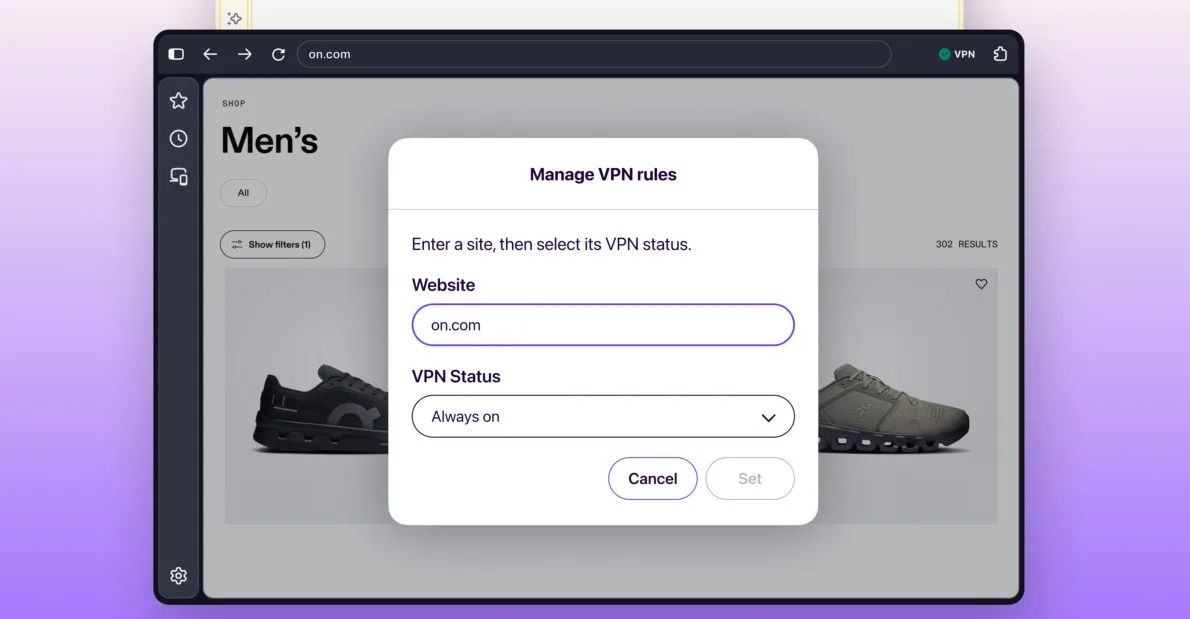
Image: Now Firefox can select which sites use its VPN, and clear your browsing history with one click · Source
Mozilla's Firefox 161 adds options to set VPN usage per site and a 'Fire' button for quick clearing of browsing data, enhancing user privacy and convenience.
Mozilla has rolled out Firefox 161, featuring notable enhancements focused on user privacy and ease of use. A key update is the introduction of site-specific VPN control, enabled through the new 'Manage VPN rules' option found in the browser's VPN panel. This setting allows users to designate particular websites where the browser's VPN is set to either 'always on' or 'always off,' eliminating the need to toggle the VPN manually for different pages.
Complementing this is the launch of a 'Fire' button integrated into standard Firefox windows. This new toolbar control provides an immediate way to clear browsing data with a single click. Users can customize the types of data to be deleted, including browsing history, download records, cookies, site data, cached files, saved form information, as well as website permissions and preferences. If configured to remove all such data, activating the Fire button will sign the user out of all accounts and open a fresh Firefox browsing session.
Additional improvements in Firefox 161 include the ability to assign a keyboard shortcut for copying the current tab’s URL, enhancing quick sharing or saving of links. The update also brings the browser's 'read aloud' feature, previously available in Reader Mode for desktops, to the Android platform, expanding accessibility options.
Moreover, Mozilla has made Firefox available directly through the Google Play Store for vehicles equipped with Google built-in, broadening usage scenarios.
These updates underline Mozilla's commitment to improving privacy controls and user convenience in Firefox, offering users more granular VPN management and faster ways to clear private data from their browsing experience.


Sources and original reporting
Read the original source ↗
Comments (0)
No comments yet. Start the discussion.
Write a comment
Comments are published after moderation. Your name and comment will be visible publicly. Account